
 Share
Share
 Print
Print
|
|
|
|
|


Inventory Levels Button
Settings/ Update/ P/N Master/ Inventory Levels Button
The user is able to manually enter the re-order level for the P/N regardless of prior part usage. Under the Maximum and Minimum columns, enter the stock and order quantities required for your inventory. In the Reorder Level field, enter the required reorder quantity.
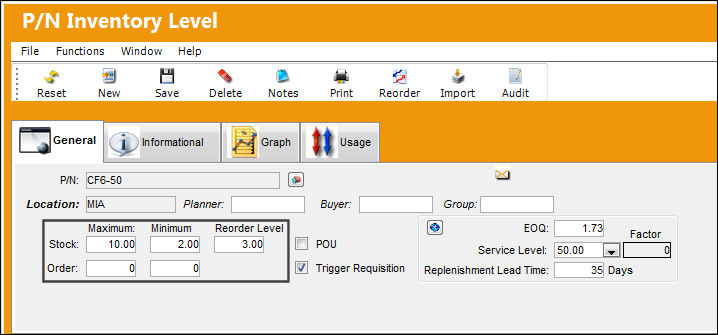
Save the record.
Share
Print
|
©1997-2026 Trax USA Corp. All rights reserved. This manual may not be copied, photocopied, reproduced, translated, or converted to any electronic or machine-readable form, in whole or in part, without prior written approval from Trax USA Corp. |
 |