
 Share
Share
 Print
Print
|
|
|
|
|


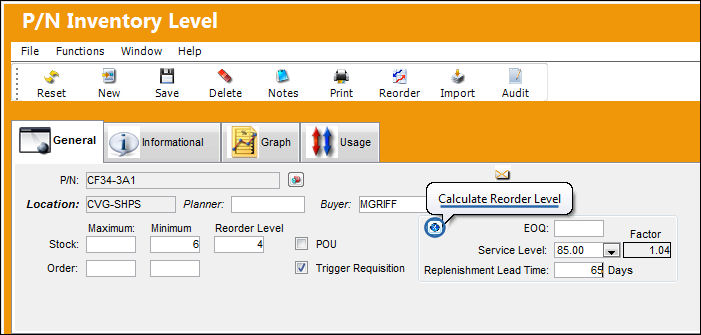
Select Calculate Re-Order Level Button
Settings/ Update/ P/N Master/ Inventory Levels Button
After entering the re-order level and EOQ information, select the Calculate Re-Order Level  button to have the system calculate what the exact re-order level will be.
Save the EOQ parameters.
Share
Print
|
©1997-2026 Trax USA Corp. All rights reserved. This manual may not be copied, photocopied, reproduced, translated, or converted to any electronic or machine-readable form, in whole or in part, without prior written approval from Trax USA Corp. |
 |