
 Share
Share
 Print
Print
|
|
|
|
|


Managing Employee Access
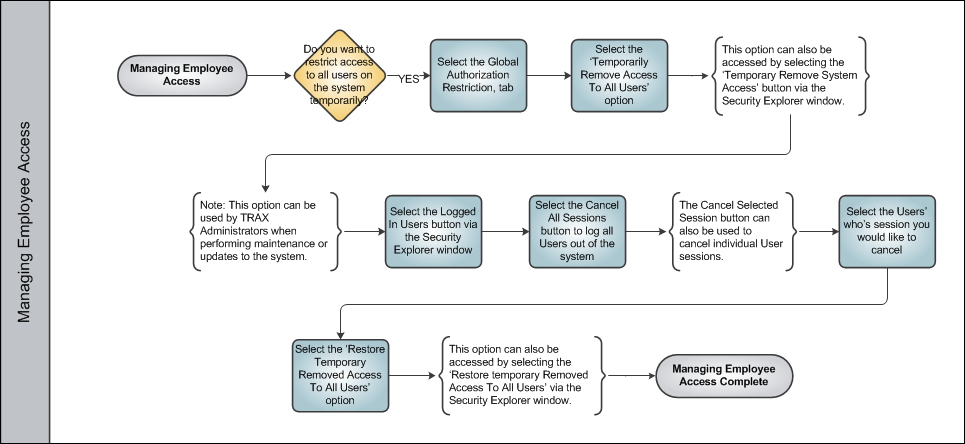
After an employee has been set up with all of the appropriate credentials to log in/out of the system, a user with administrator privileges may still override the employees log in access. The Global Restriction tab of the Security window is used to temporarily disable all usernames except for the administrator who is removing access (in other words, the user who's disabling all other users). This feature can be used by a TRAX Administrator when performing maintenance or updates to the System. Users without access will not be able to log into TRAX. Once the maintenance or update has been completed, the administrator can restore access and the employee can log into the system again.
Share
Print
|
©1997-2026 Trax USA Corp. All rights reserved. This manual may not be copied, photocopied, reproduced, translated, or converted to any electronic or machine-readable form, in whole or in part, without prior written approval from Trax USA Corp. |
 |