
 Share
Share
 Print
Print
|
|
|
|
|


The Add/Historical Work Accomplished tab allows the user to add historical work accomplished line items to a Task Card Item.
From the W/O Task Card Item, Add/Historical Work Accomplished tab, select the New  button to add one or multiple work accomplished items to a Task Card item.
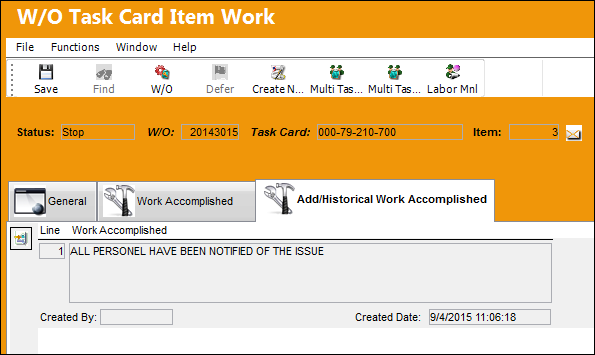
The following information/options are available in this window:
_____________________________________________________________________________________
Line
The Line item for the work that has been accomplished.
Work Accomplished
The actual work that was accomplished against the W/O Task Card / Non-Routine Task Card.
Created By
The user who created/entered the work accomplished item.
Created Date
The date the work accomplished item was created/entered.
_____________________________________________________________________________________
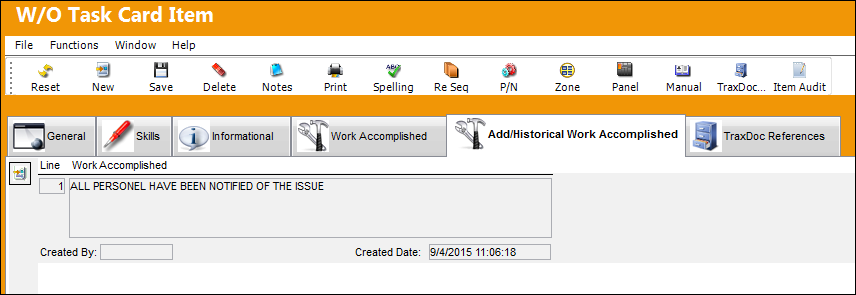
When the user returns to the W/O Task Card Item, Add/Historical Work Accomplished tab, the Add/Historical Work Accomplished information has been saved in this window as well.
Share
Print
|
©1997-2026 Trax USA Corp. All rights reserved. This manual may not be copied, photocopied, reproduced, translated, or converted to any electronic or machine-readable form, in whole or in part, without prior written approval from Trax USA Corp. |
 |