
 Share
Share
 Print
Print
|
|
|
|
|


Delete Button, via Site Capacity Schedule
The Delete  button is used to delete a date range of days from the monthly employee schedule.
1. Select the Delete button to delete the employee schedule.
TRAX displays the Delete Employee Schedule Window.
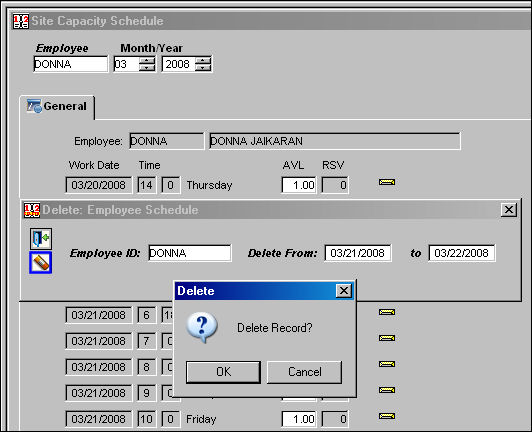
2. Select the employee in the Employee ID Field.
3. Enter a Date Range in the Delete From and To fields.
4. Select the Delete button and select OK to confirm.
All records for that employee in that date range are deleted.
Share
Print
|
©1997-2026 Trax USA Corp. All rights reserved. This manual may not be copied, photocopied, reproduced, translated, or converted to any electronic or machine-readable form, in whole or in part, without prior written approval from Trax USA Corp. |
 |