
 Share
 Print
|
|
|
|
|


FOLLOWGRB - Track E/C Through GRB (Goods Received Batch)
Track E/C Through GRB (Goods Received Batch)
Affected Window: w_engineering_eu
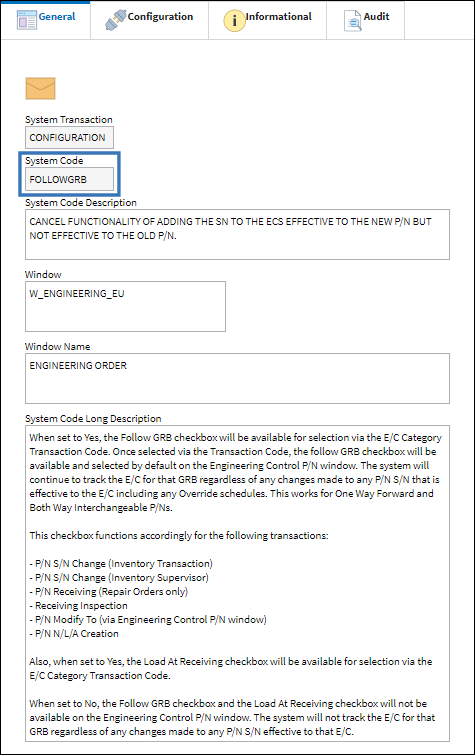
Switch Set to Yes:
When set to Yes, the Follow GRB checkbox will be available for selection via the E/C Category Transaction Code. Once selected via the Transaction Code, the Follow GRB checkbox will be available and selected by default on the Engineering Control P/N window. The system will continue to track the E/C for that GRB regardless of any changes made to any P/N S/N that is effective to the E/C including any Override schedules. This works for One Way Forward and Both Way Interchangeable P/Ns.
This checkbox functions accordingly for the following transactions:
- P/N S/N Change (Inventory Transaction)
- P/N S/N Change (Inventory Supervisor)
- P/N Receiving (Repair Orders only)
- Receiving Inspection
- P/N Modify To (via Engineering Control P/N window)
- P/N N/L/A Creation
Also, when set to Yes, the Load At Receiving checkbox will be available for selection via the E/C Category Transaction Code.
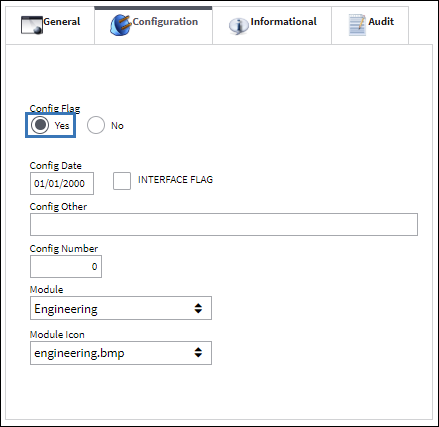
Example 1: P/N S/N Change transaction (Inventory Transaction)
The Follow GRB checkbox has been selected for the AD Category Code.
Notice that the Load At Receiving checkbox is also available.
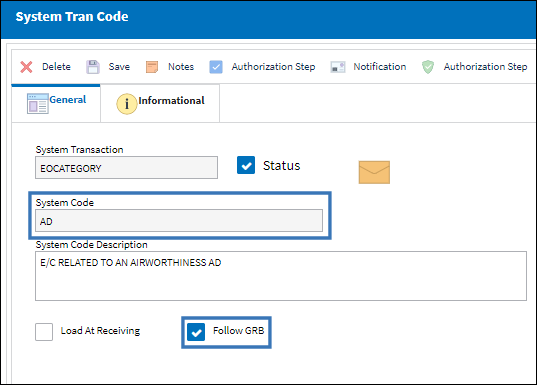
The following E/C was created with E/C Category Code AD:
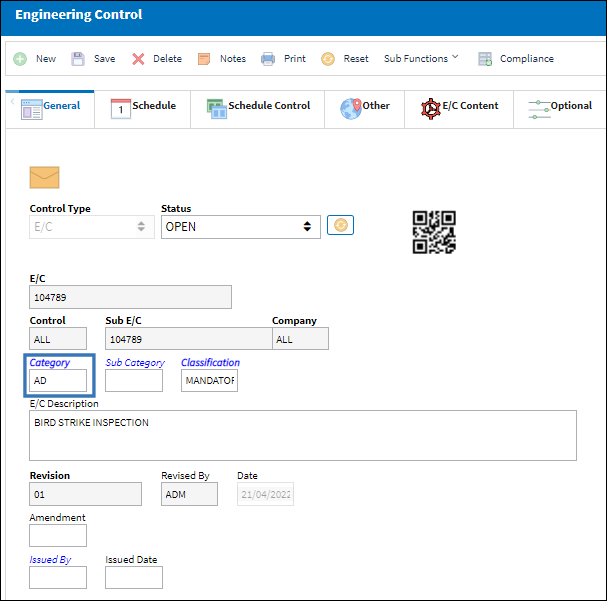
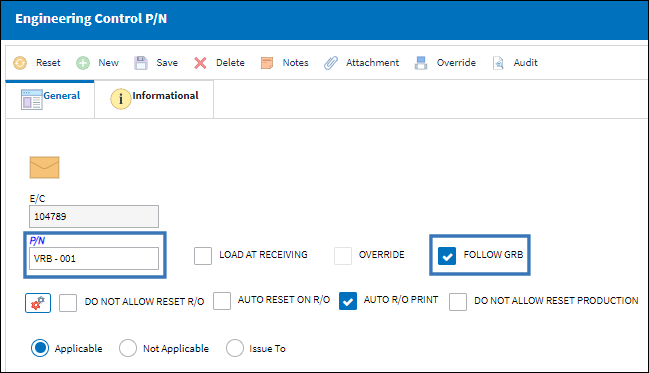
From the Engineering Control P/N window, the Follow GRB checkbox is selected by default.
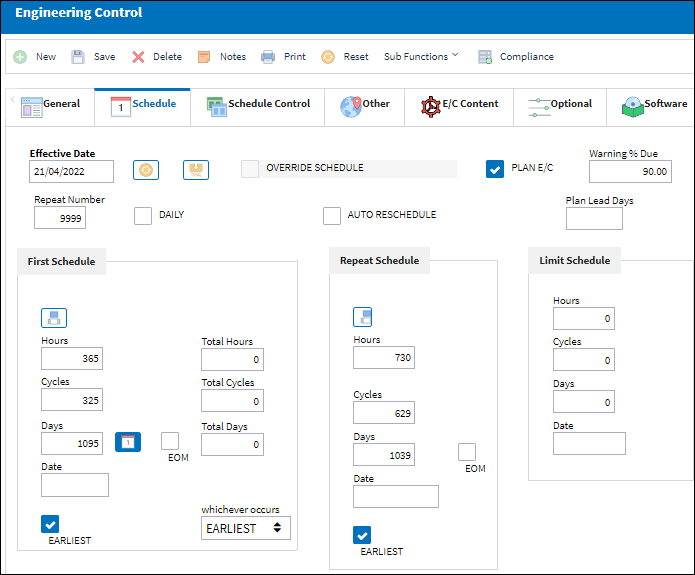
Note the schedule for the E/C:
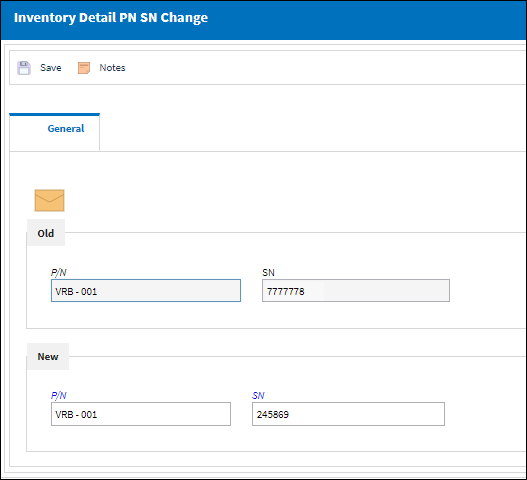
A P/N S/N Change transaction is done. This is the P/N effective to an E/C.
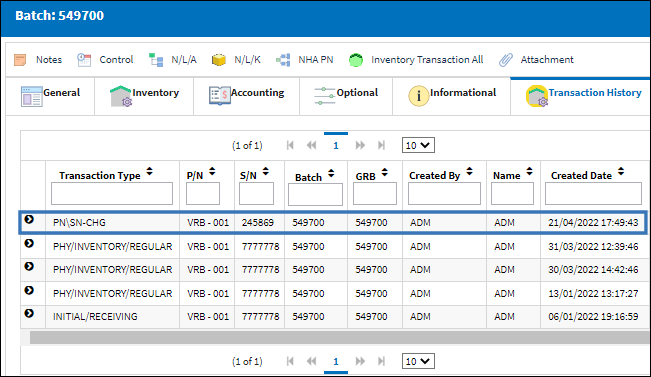
The PN\SN-CHG transaction is reflected from the Transaction History tab.
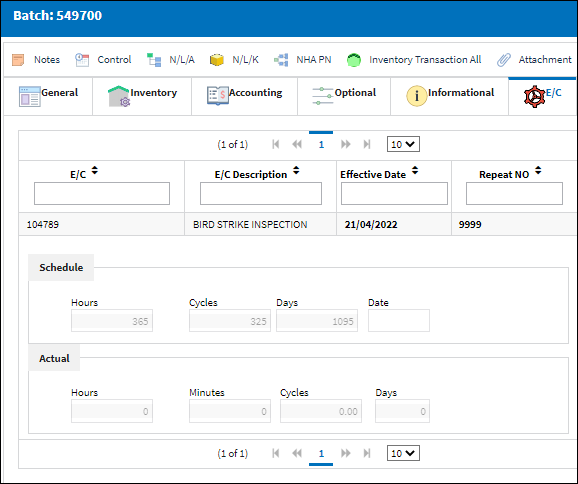
The new P/N has been made effective to the E/C and the schedule of the E/C.
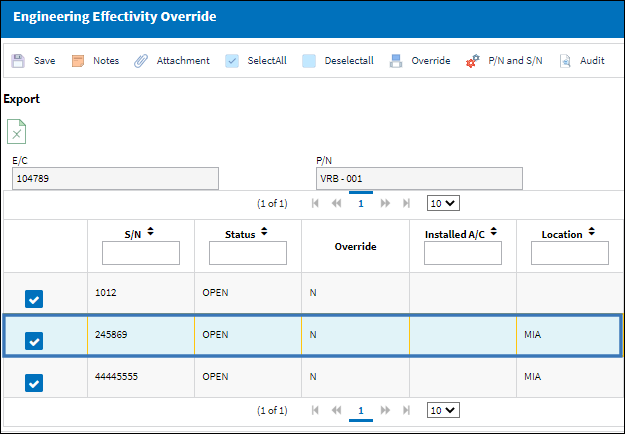
The new P/N is also added to the list of effective P/Ns in the Engineering Effectivity Override window.
Example 2: Transfer Override Schedule
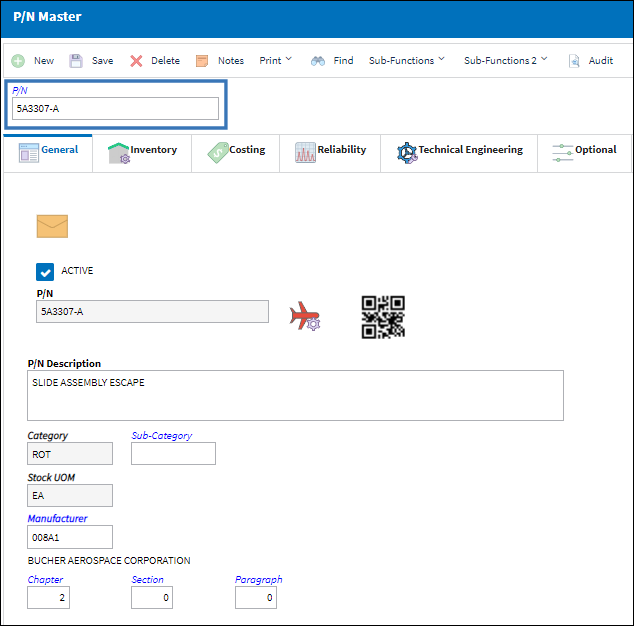
The following P/N is a Main P/N.
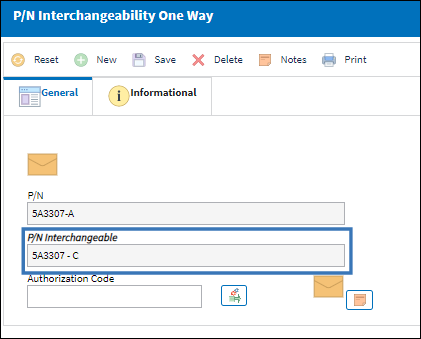
Another P/N is a Both Way Interchangeable to the Main P/N.
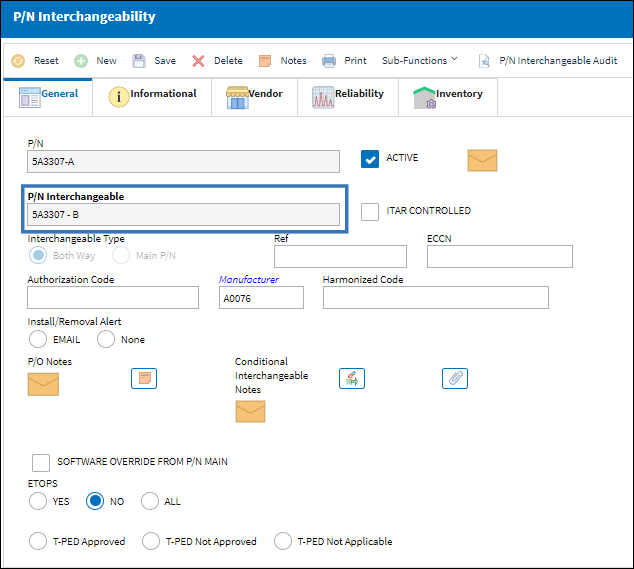
The Main P/N is a One Way Interchangeable to the aforementioned P/N.
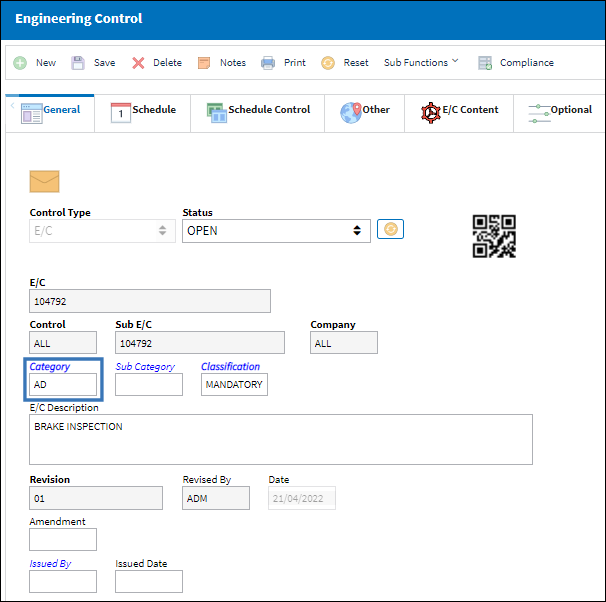
The following E/C was created with a particular E/C Category.
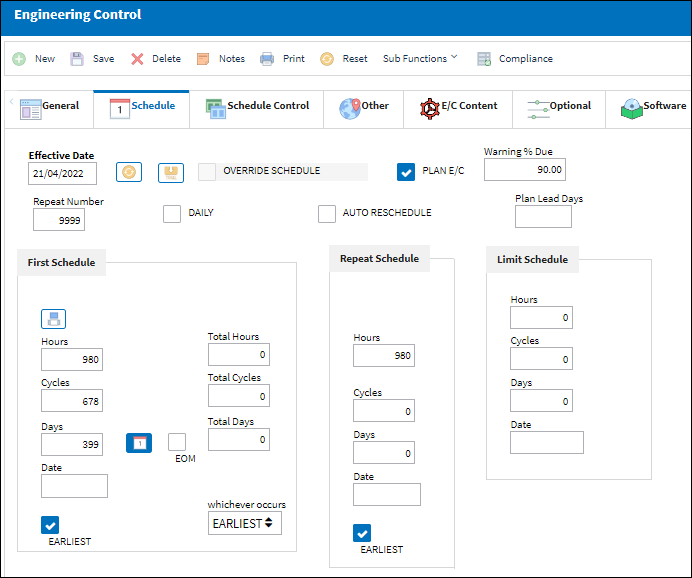
Note the schedule for the E/C.
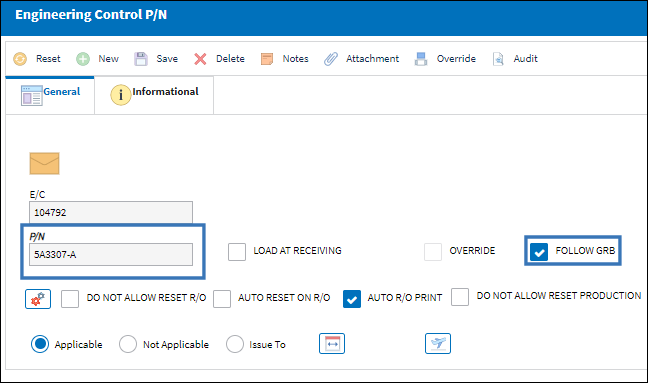
From the Engineering Control P/N window, the Follow GRB checkbox is selected by default.
The following Override schedule is applied to the Main P/N S/N.
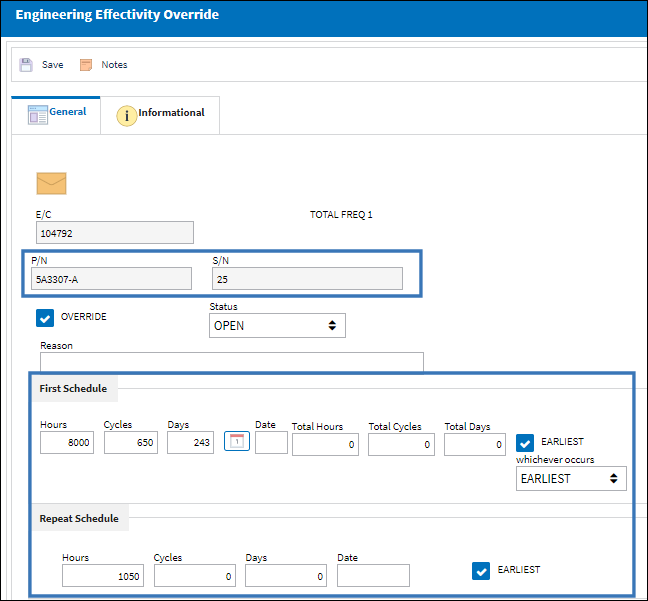
A P/N S/N Change transaction is done for the Main P/N. This is the P/N effective to the E/C.
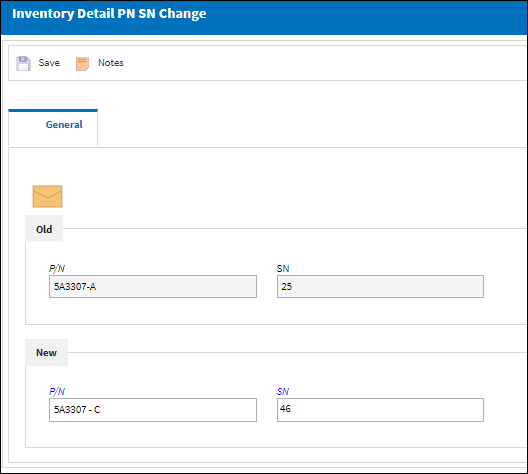
The One Way Forward P/N S/N has acquired the Override schedule from the Main P/N S/N.
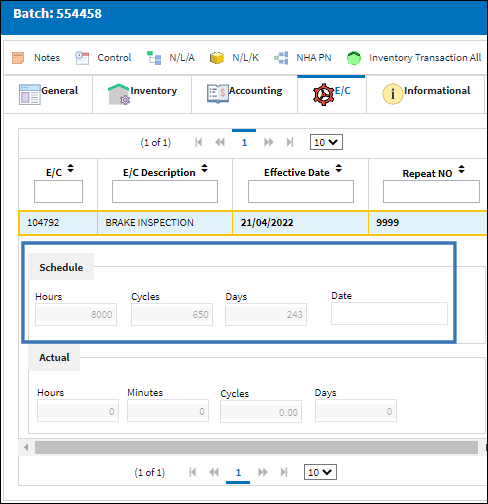
The Override Schedule is reflected correctly for the One Way Forward.
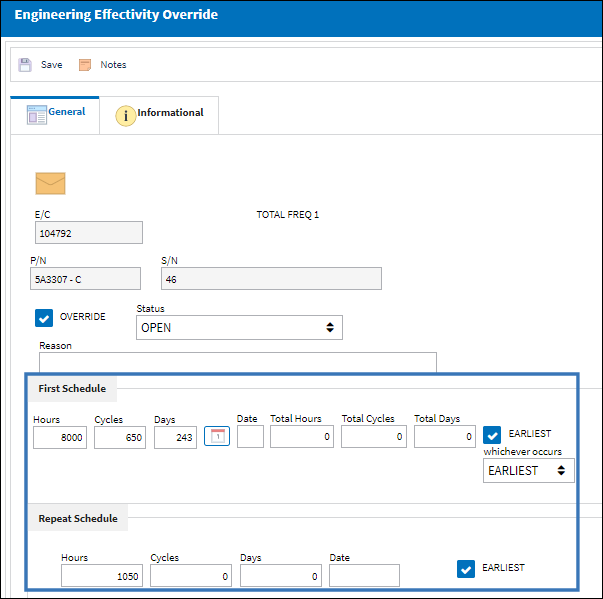
Note: This functionality also works for Both Way Interchangeable parts.
Switch Set to No:
When set to No, the Follow GRB checkbox and the Load At Receiving checkbox will not be available on the Engineering Control P/N window. The system will not track the E/C for that GRB regardless of any changes made to any P/N S/N effective to that E/C.
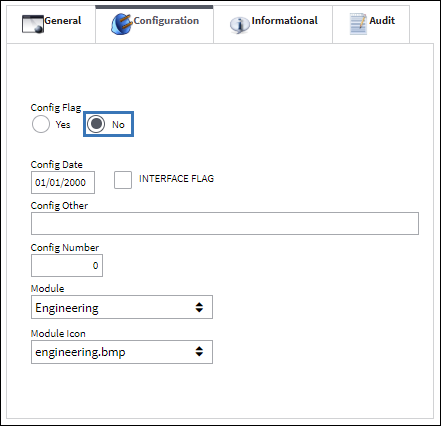
The Follow GRB checkbox and the Load At Receiving checkbox are not available for selection via the E/C Category Transaction Code.
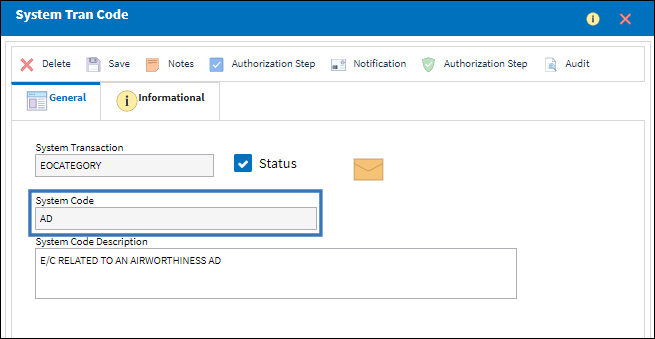
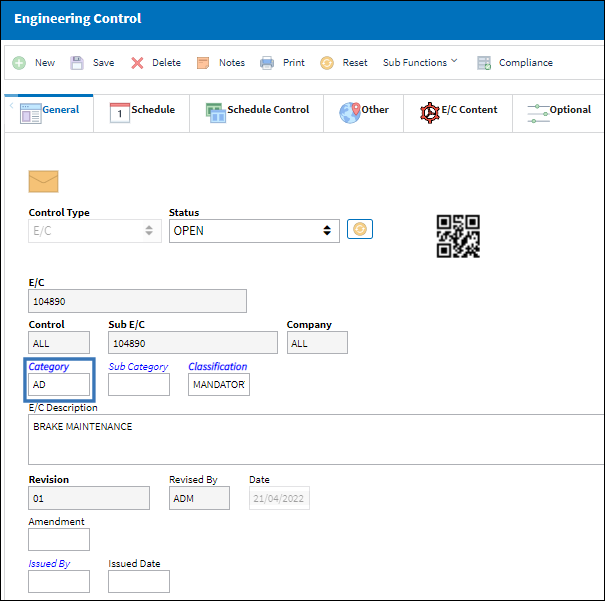
The following E/C was created with a particular E/C Category.
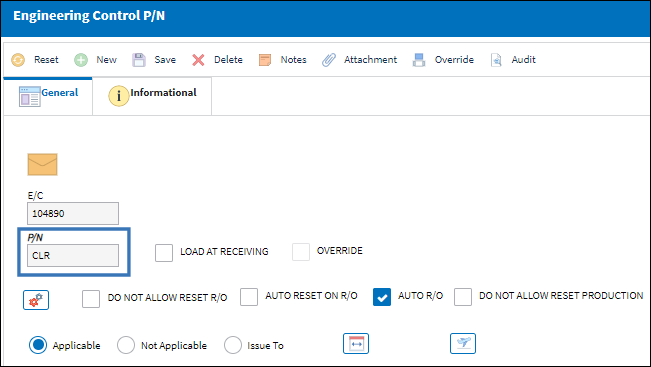
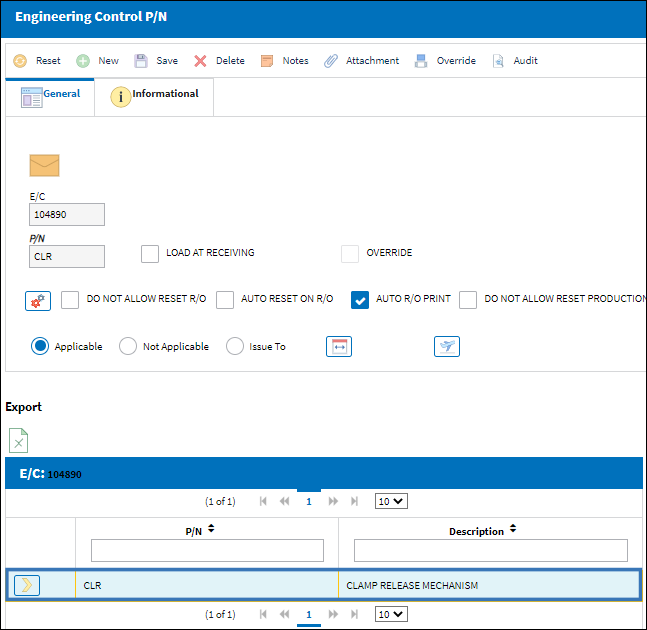
The Follow GRB checkbox is not available via the Engineering Control P/N window for the following P/N E/C.
A P/N S/N Change transaction is done for the P/N. This is the P/N E/C effective to the E/C.
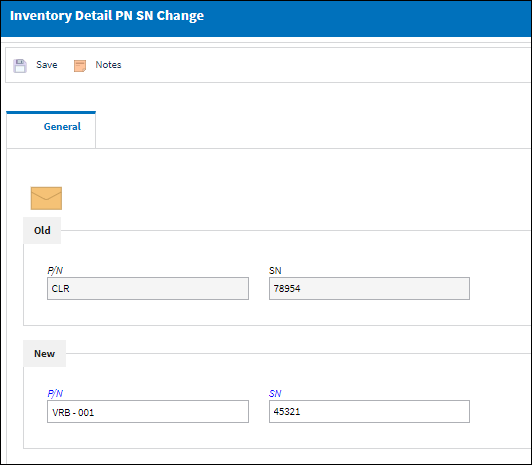
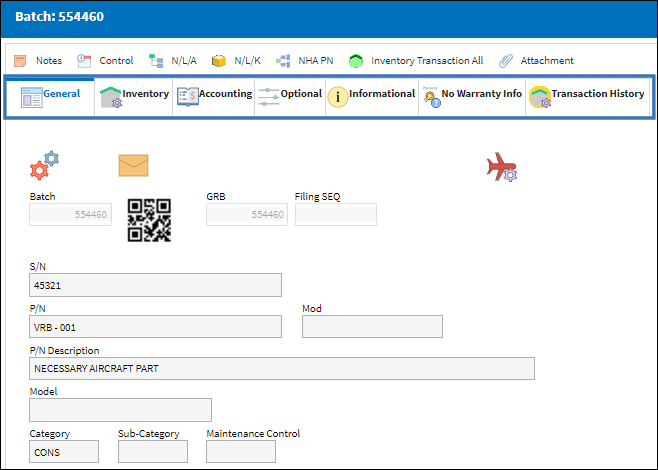
The new P/N is not made effective to the E/C, notable by the missing E/C tab.
The P/N was not added to the list of effective P/N E/Cs.
Share
Print
|
©1997-2026 Trax USA Corp. All rights reserved. This manual may not be copied, photocopied, reproduced, translated, or converted to any electronic or machine-readable form, in whole or in part, without prior written approval from Trax USA Corp. |
 |