
 Share
 Print
|
|
|
|
|


Add New Filter/Sort, via the Filter/Sort Button

Using the Filter/Sort functionality across the application, select the Add New Filter/Sort  button to create and save new filters/sorting options.
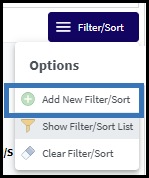
When the Add New Filter/Sort button is selected, the Add New Filter Criteria pop up window opens.
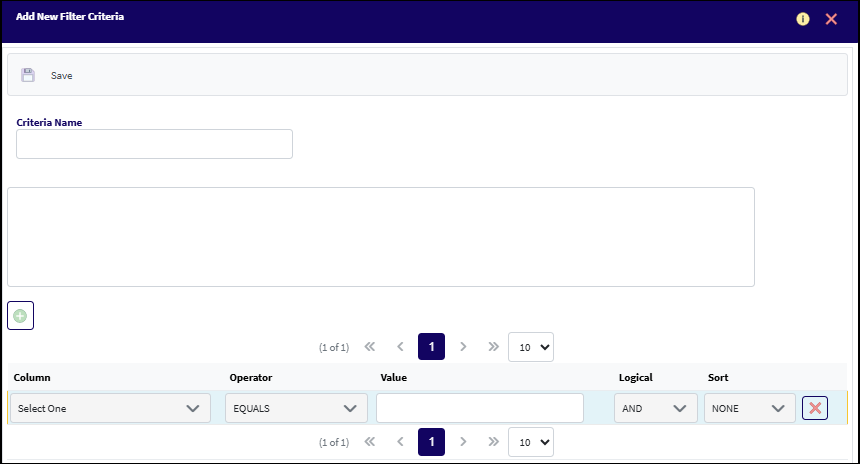
The following information/options are available in this window:
_____________________________________________________________________________________
Save  button
Select this button to save criteria changes made in the window.
Criteria Name
The entered name of the filter criteria.
Logic Description
The description of the logic behind this filter criteria.
Note: This field automatically pulls a description based on the records added to the window unless the User enters their own specific description.
New button
Select this button to create a new filter criteria record.
Column
The field which the new filter criteria will affect.
Operator
The parameters that the system evaluates the filter criteria.
Equals - The sorted records reflect the same information as entered in the value field.
Greater than - The sorted records reflect information greater than the information in the value field.
Less than - The sorted records reflect information less than the information in the value field.
> Than or Equal - The sorted records reflect information that is the same or greater than the information in the value field.
< Than or Equal - The sorted records reflect information that is the same or less than the information in the value field.
Not Equal - The sorted records reflect any information that is not the same as the information in the value field.
Value
The value that the filter criteria takes into consideration when sorting displayed records.
Logical
The logical conjunction of the filter criteria.
And - The system uses this search criteria alongside any other created criteria.
Or - The system uses this search criteria or any other created criteria.
Sort
The sort option of the filter criteria.
None - Selected by default; system uses this search criteria alongside any other created criteria.
Ascending - Select to view the information in ascending order (from newest to oldest); the system uses this search criteria or any other created criteria.
Descending - Select to view the search criteria in descending order (from oldest to newest); the system uses this search criteria or any other created criteria.
_____________________________________________________________________________________
Adding New Filter Criteria
On the Add New Filter Criteria window, Enter the Criteria Name field and select the desired criteria from the available columns. Select the Save button to save the filter.
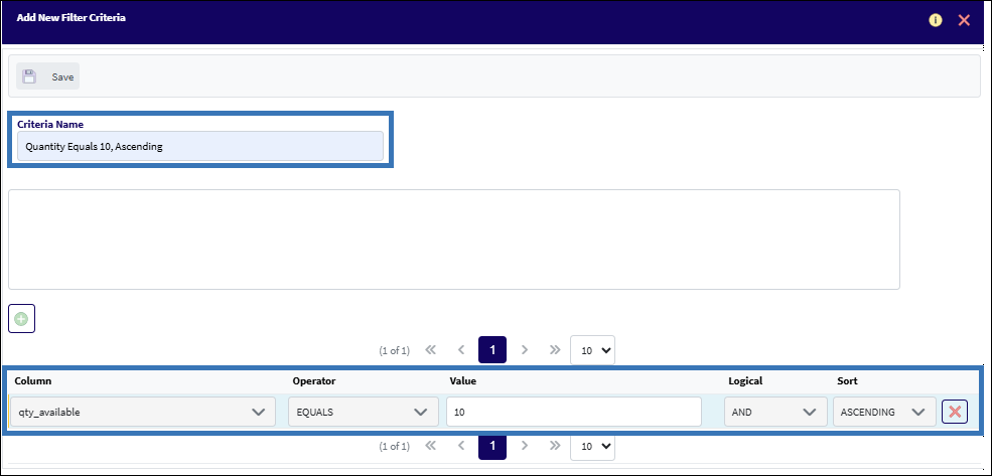
Click the icon to add other filers. Name the filter, select the criteria and select the Save button to save.
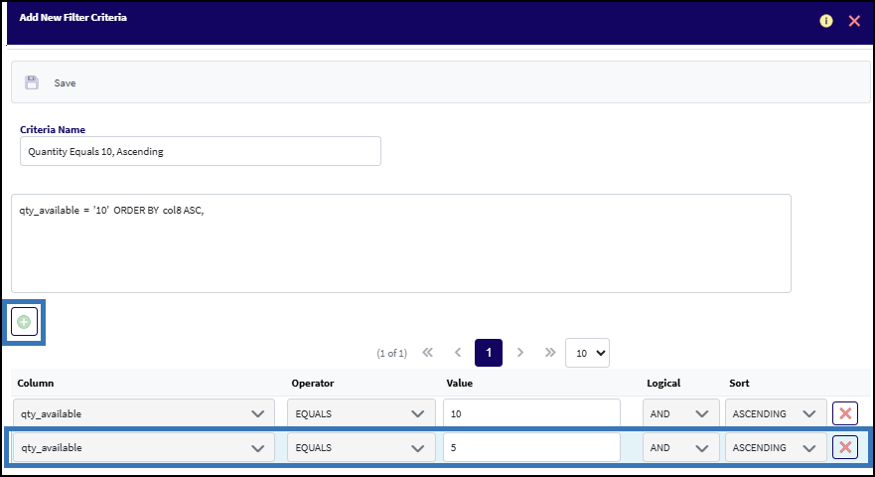
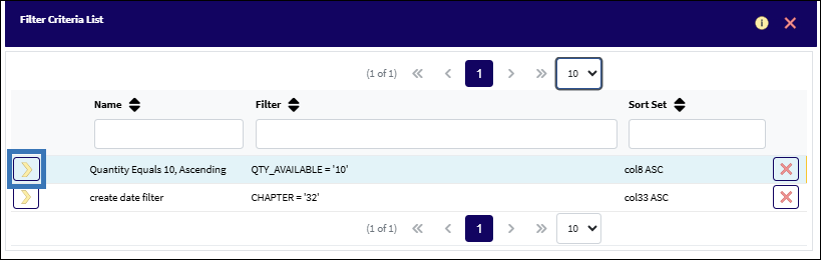
The new filter(s) displays on the Show Filter/Sort List  button. For more information on the Show Filter/Sort List
 button, refer to Show Filter/Sort List, via the Filter/Sort Button.
Share
Print
|
©1997-2026 Trax USA Corp. All rights reserved. This manual may not be copied, photocopied, reproduced, translated, or converted to any electronic or machine-readable form, in whole or in part, without prior written approval from Trax USA Corp. |
 |