
 Share
 Print
|
|
|
|
|


eMRO Applying Filters, via the Filter/Sort Button
The Filter/Sort  button is used to apply filters to the records displayed in the current window.
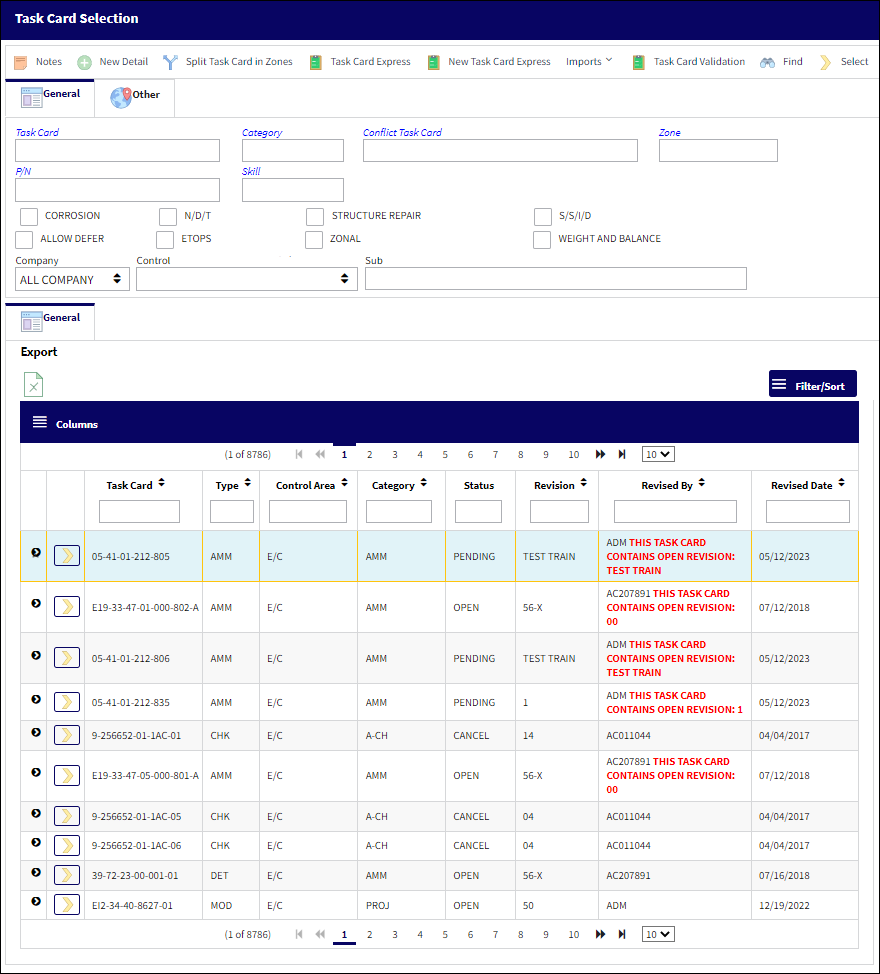
For example, in the Task Card selection window, select the Filter/Sort button to change which task cards are displayed based on the filters selected. Currently, no filters have been applied to the window.
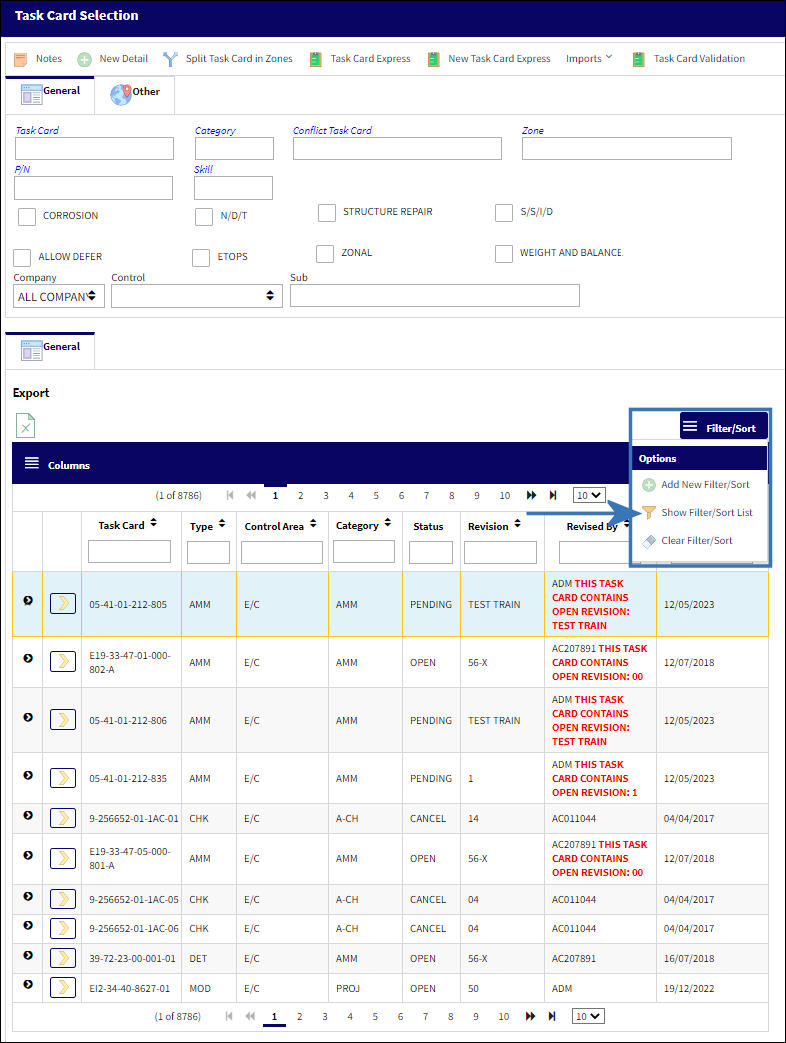
Select the Filter/Sort button and select the Show Filter/Sort List  option. For more information regarding this option, refer to Show Filter/Sort List Button, via the Filter/Sort Button.
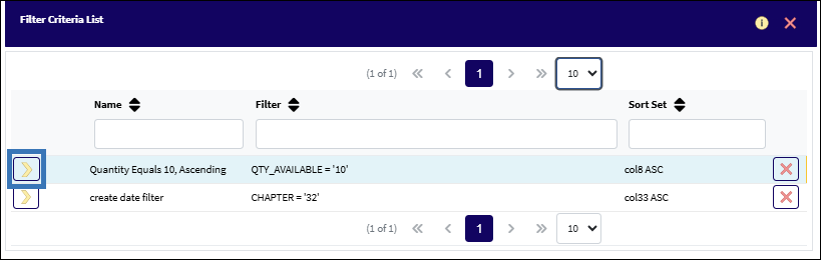
The Filter Criteria List displays all created filter criteria. Select the desired filter from the list. For more information on creating filters, refer to Add New Filter/Sort, via the Filter/Sort Button.
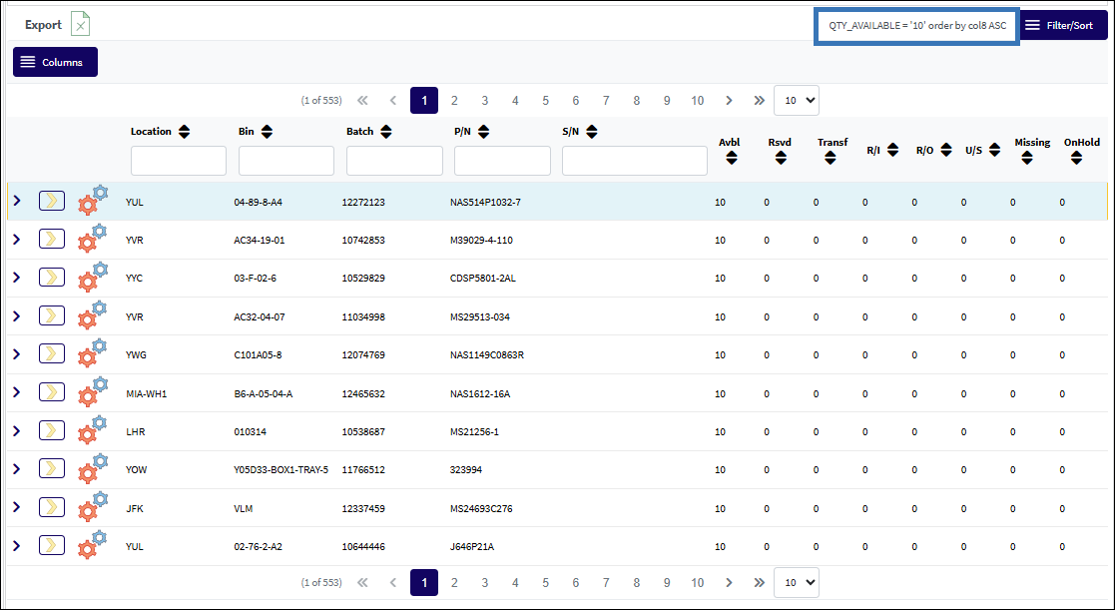
The system generates results according to the saved Filter/Sort criteria. Notice that the corresponding filter description displays to the left of the Filter/Sort button in the host window.
To apply a different filter, select a different criteria from the Filter Criteria List. The option to clear the select filter is also available via the Clear Filter/Sort button.
Share
Print
|
©1997-2026 Trax USA Corp. All rights reserved. This manual may not be copied, photocopied, reproduced, translated, or converted to any electronic or machine-readable form, in whole or in part, without prior written approval from Trax USA Corp. |
 |