
 Share
 Print
|
|
|
|
|


Default Warehouse Functionality Scenarios, via Switch LOCDFTWHR
The Switch LOCDFTWHR enables the Default Warehouse field in eMRO, allowing users to designate a default location for Inventory/P/N related transactions.
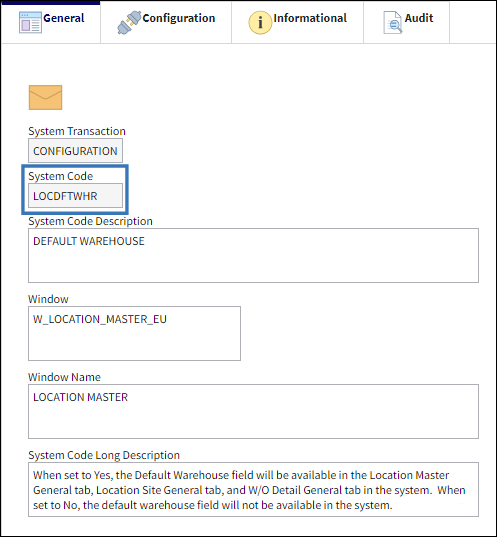
The following scenarios illustrate the functionality behind the Default Warehouse field.
Default Warehouse - W/O Creation
In the Location Master window, a Location has a designated Default Warehouse.
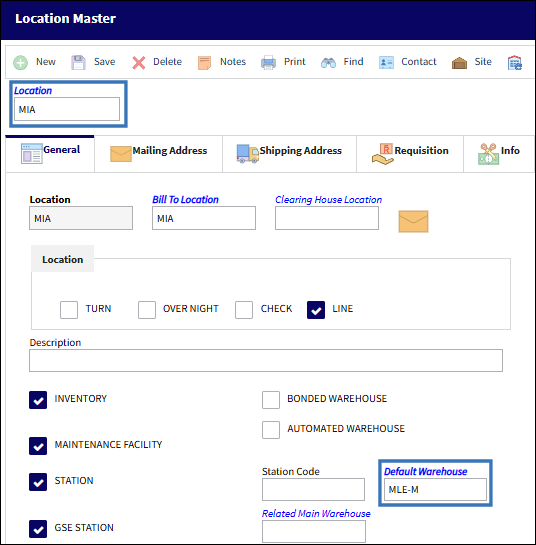
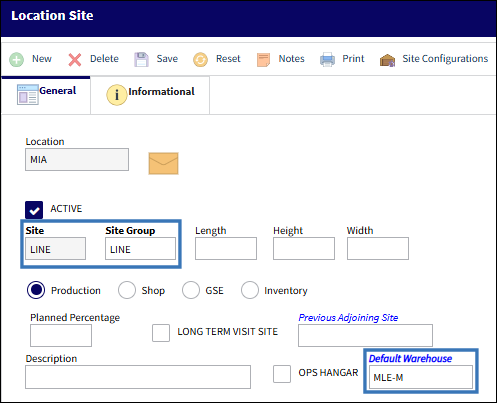
Select the Site  button to ensure that the Default Warehouse is also set at the Site level.
The following W/O is being created. Populate the Location and Site fields, then select the Save  button.
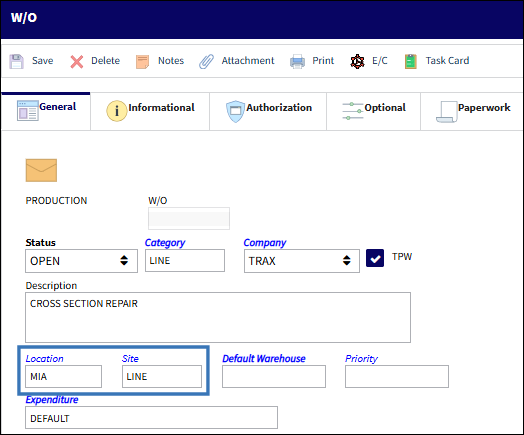
Once saved, the Default Warehouse field is automatically populated.
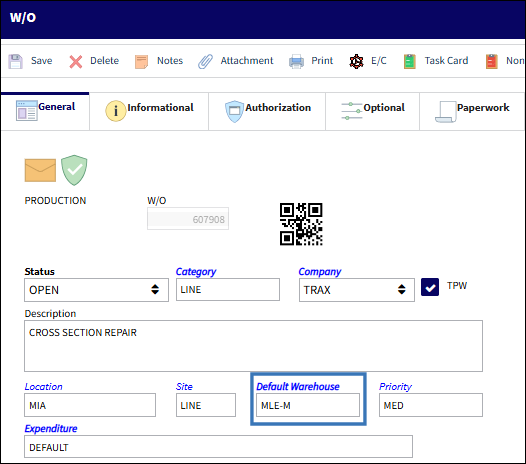
Note: The field will not automatically populate if the corresponding Default Warehouse is not designated in the Location Master and Location Site windows.
Default Warehouse - Picklist Creation from W/O
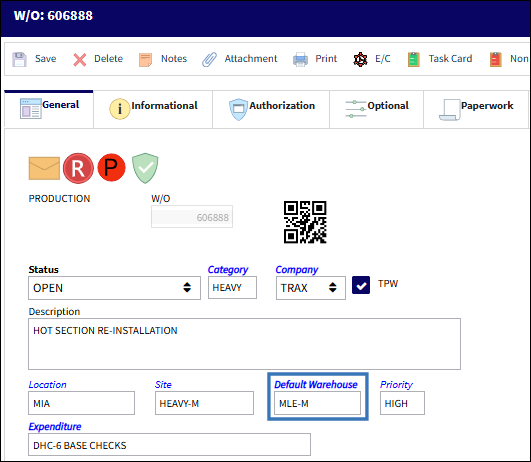
In the W/O window, the Default Warehouse field is populated.
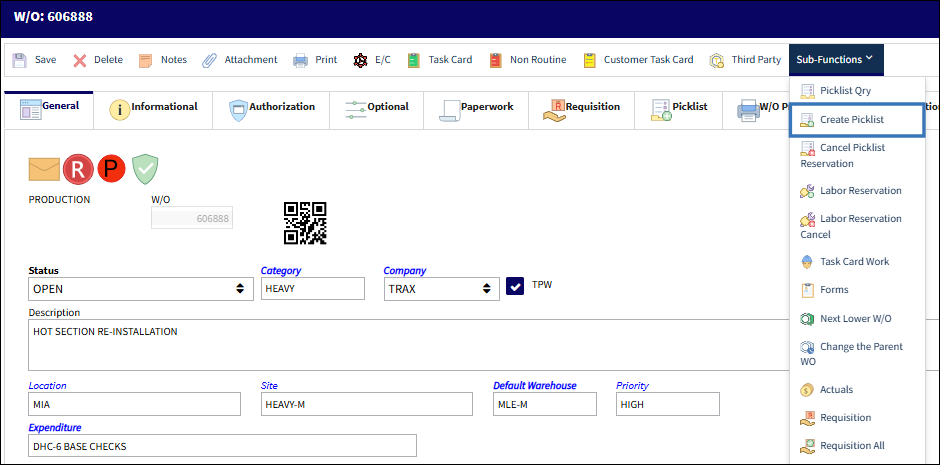
Select the Create Picklist  button.
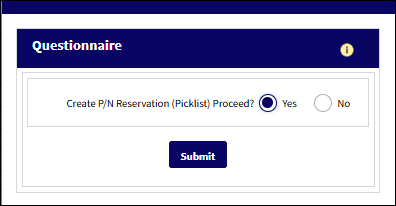
Select 'Yes'.
The Location field is automatically populated with the same value as the Default Warehouse field.
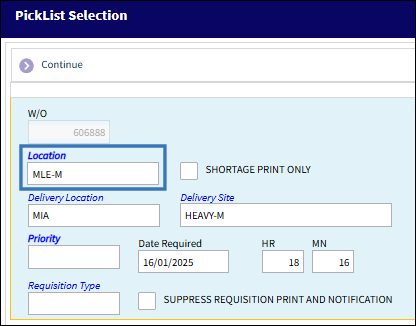
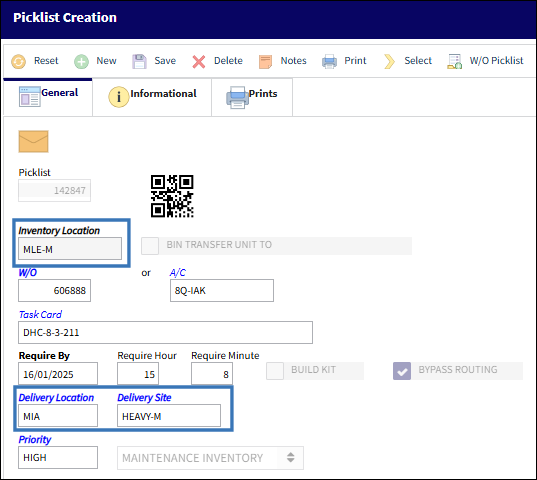
Continue with the transaction to create the Picklist. Notice that the system designates the Default Warehouse as the Inventory Location and uses the W/O Location/Site as the Delivery Location/Site.
Share
Print
|
©1997-2026 Trax USA Corp. All rights reserved. This manual may not be copied, photocopied, reproduced, translated, or converted to any electronic or machine-readable form, in whole or in part, without prior written approval from Trax USA Corp. |
 |