
 Share
 Print
|
|
|
|
|


Employee Master, Schedule Tab
The Schedule tab is used to view the shift assignments assigned to the Employee. The schedule assigned to the employee originates from the Group the employee is assigned to. For more information, refer to ManHour Schedule in the Planning Training Manual.
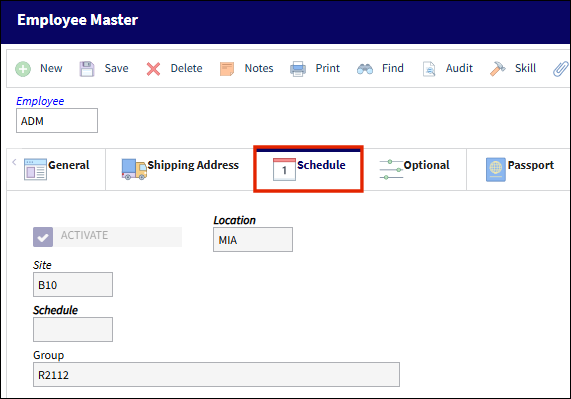
 Note: This tab is security controlled via Settings/ Update/ Employee/ Employee Schedule Tab. For more information refer to the Security Explorer via the System Administration Training Manual.
The following information/options are available in this window:
_____________________________________________________________________________________
Activate checkbox
The Activate checkbox indicates if the employee is active and is still working at the company.
Location
The Location for maintenance events, inventory stores, orders, transactions, or training events.
Site
The Site where the work is to be carried out (if applicable).
Schedule
The Employee Shift Pattern associated with the specified location.
Group
The Employee shift group reference (i.e., Morning Shift).
_____________________________________________________________________________________
Share
Print
|
©1997-2026 Trax USA Corp. All rights reserved. This manual may not be copied, photocopied, reproduced, translated, or converted to any electronic or machine-readable form, in whole or in part, without prior written approval from Trax USA Corp. |
 |