
 Share
 Print
|
|
|
|
|


Employee Master, Assignment Tab

The Assignment tab is used to assign one or more customers to an employee. Conversely, employees can also be assigned to a customer via the Assignments tab in the Customer Master. Additionally, when a customer is assigned to an employee, the employee will also appear in the Assignments tab for that customer in the Customer Master, and vice versa. When an employee is assigned to a customer using either method, they will automatically be assigned to any Third Party Shop W/O that has a contract associated with that customer going forward. This also enables users to query Shop W/O records by the employee/customer assigned to the Third Party Shop W/O.
Select the New  button to assign a Customer to an Employee. Multiple Customers can be assigned to each Employee. To un-assign a Customer, select the Delete
 button next to the record.
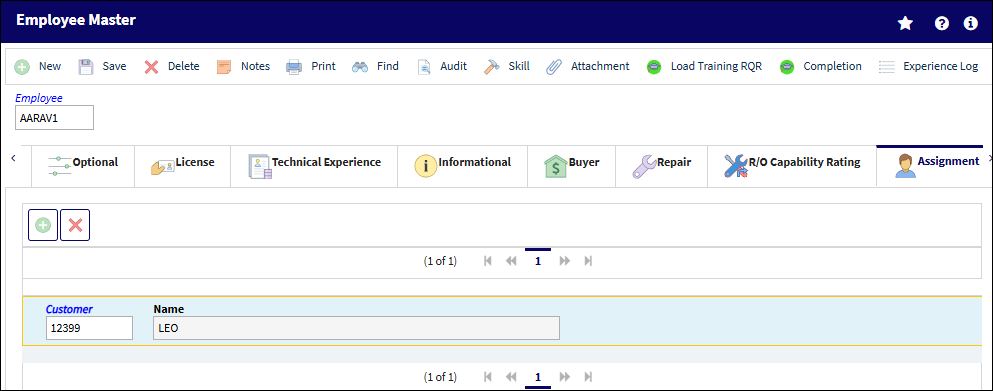
The following information/options are available in this window:
_____________________________________________________________________________________
Customer
The recognized code for this customer (this could be an internal coding or the international Vendor code).
Name
The Name of the Customer.
_____________________________________________________________________________________
From the Assignments tab in the Employee Master, the following customer has been assigned to an employee.
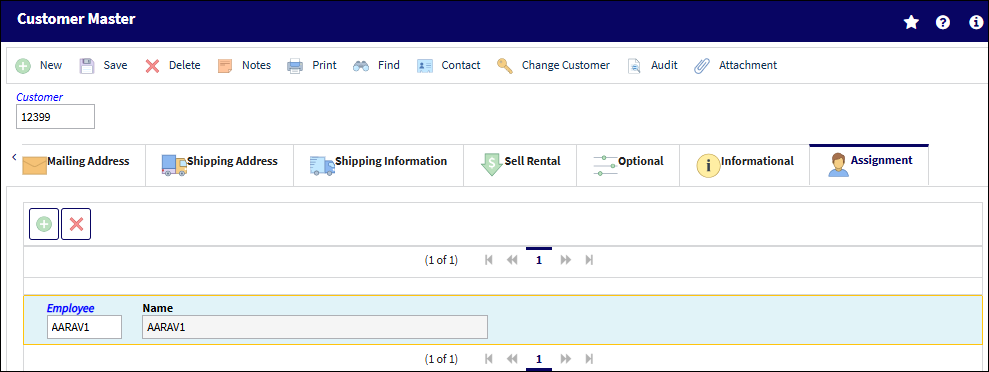
From the Assignment tab in the Customer Master, note that the same employee is also assigned to that customer.
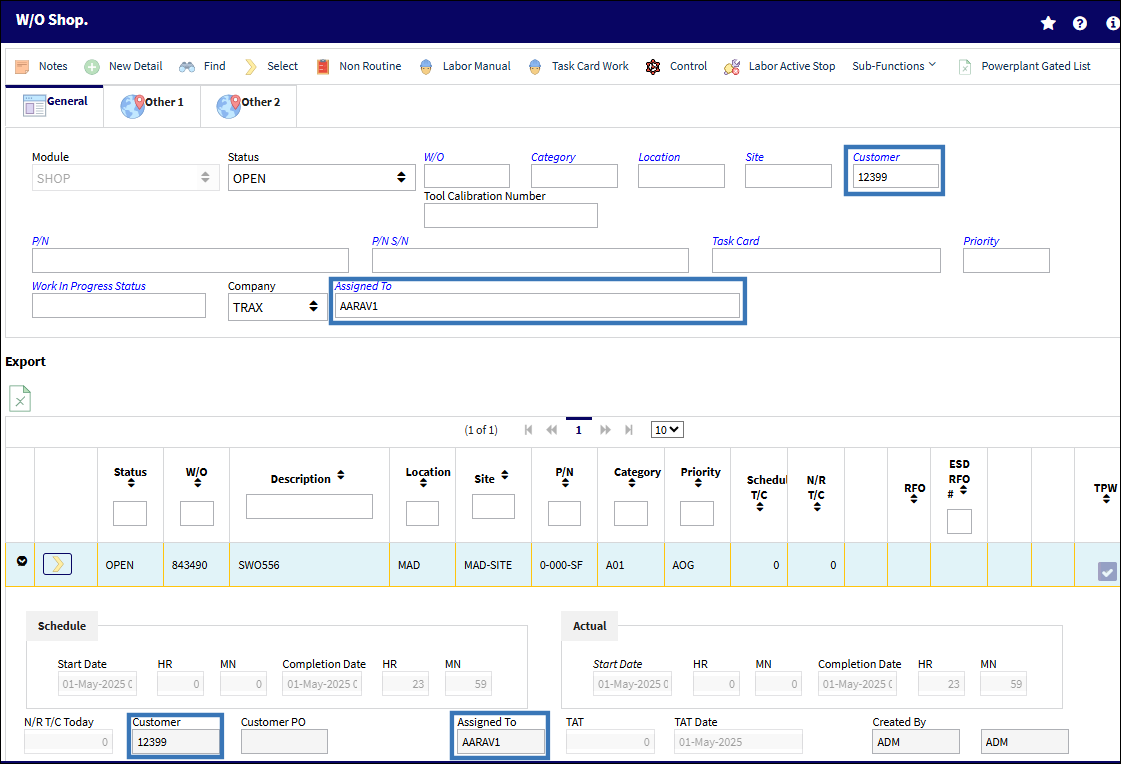
From the Shop W/O window, users can query by customer and employee (Customer and Assigned To) to view all work orders assigned to them. Note that this W/O has both the customer and employee (Customer and Assigned To) associated with it.
Note: A customer is linked to a Third Party Shop W/O through a customer contract. For more information, refer to Shop Customer Contract.
Share
Print
|
©1997-2026 Trax USA Corp. All rights reserved. This manual may not be copied, photocopied, reproduced, translated, or converted to any electronic or machine-readable form, in whole or in part, without prior written approval from Trax USA Corp. |
 |