
 Share
 Print
|
|
|
|
|


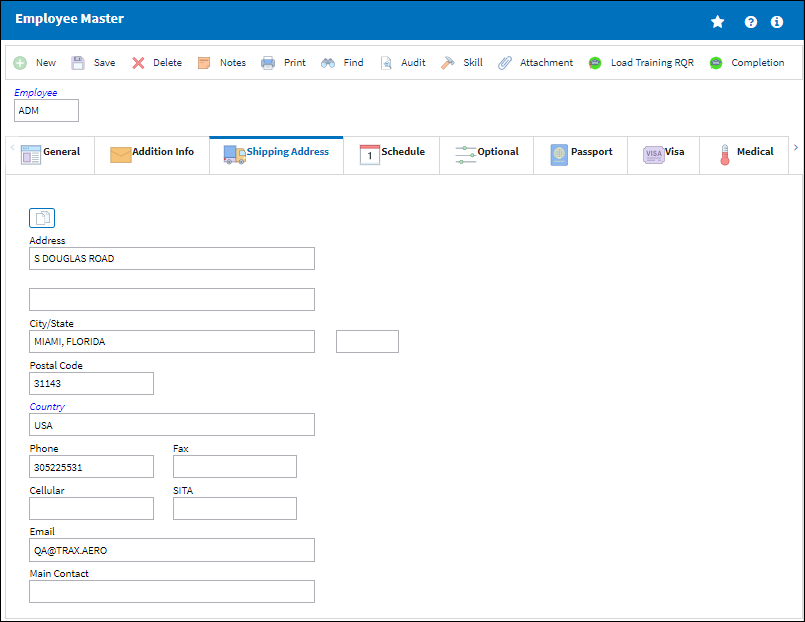
Employee Master, Shipping Address Tab
The Shipping Address Tab is used to record shipping information for this employee if applicable.
 Note: This tab is security controlled via Settings/ Update/ Employee/ Employee Shipping Address Tab. For more information refer to the Security Explorer via the System Administration Training Manual.
 Note: When switch
 DATAPROTEC is set to Yes, all tabs in the Employee Master will be available. For more information, refer to switch DATAPROTEC in the System Administration Training Manual.
 Note: All employee Personal Identification Information (PII) is encrypted throughout the system to ensure this sensitive information remains secure.
The following information/options are available in this window:
_____________________________________________________________________________________
Address
Contact's address.
City/State
Contact's city/state.
Postal Code
Contact's postal reference (zip/ post code).
Country
Contact's country.
Phone
Contact's telephone number.
Fax
Contact's facsimile number.
Cell
The cellular number for the contact.
SITA
The SITA identification.
Contact electronic mail address.
Main Contact
Main contact at the organization.
_____________________________________________________________________________________
Note: If the Shipping Address is identical to the main address, simply copy it by clicking on the Copy  button.
Share
Print
|
©1997-2026 Trax USA Corp. All rights reserved. This manual may not be copied, photocopied, reproduced, translated, or converted to any electronic or machine-readable form, in whole or in part, without prior written approval from Trax USA Corp. |
 |