
 Share
 Print
|
|
|
|
|



Select the Formulas CTL  button from the Schedule tab to configure the formulas to be tracked for an Engineering Control. This functionality allows up to 5 different Formulas to be assigned to an E/C. The formulas apply to the First Schedule from the Effective Date (not the total time). The Formulas CTL button is available for the First Schedule and the Repeat Schedule.
Note: When the switch  FF-AC is set to Yes, the system will display the Effectivity button in the Formulas window, the Formulas CTL button in the Schedule tab via the Engineering Control Detail, the Formulas CTL button in the Engineering Effectivity Override window, and the Formulas tab in the A/C Actual Flights window.
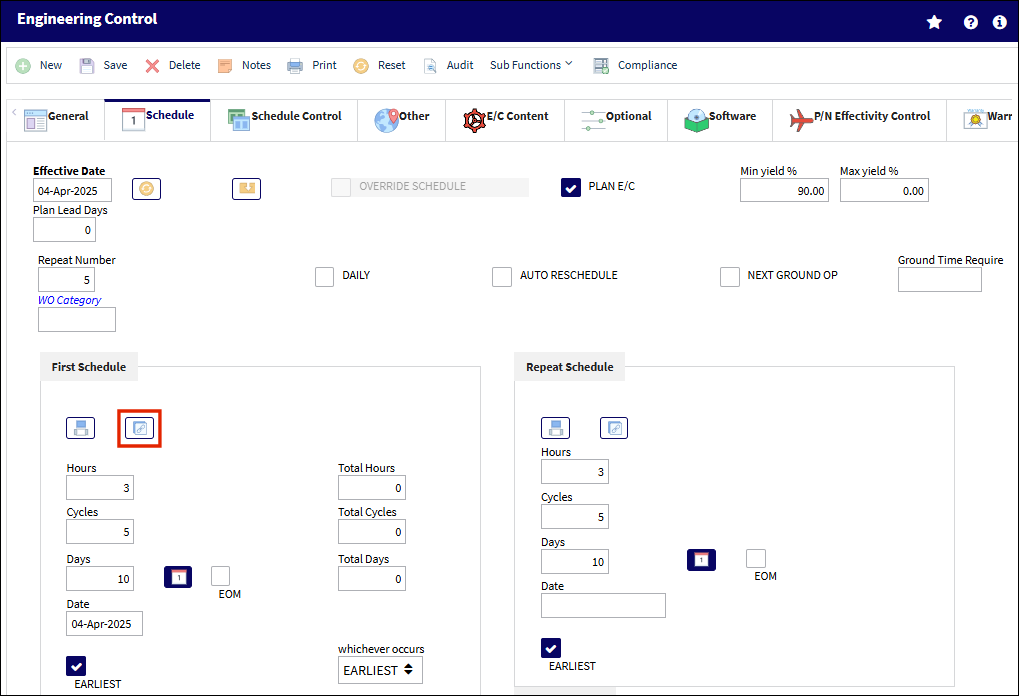
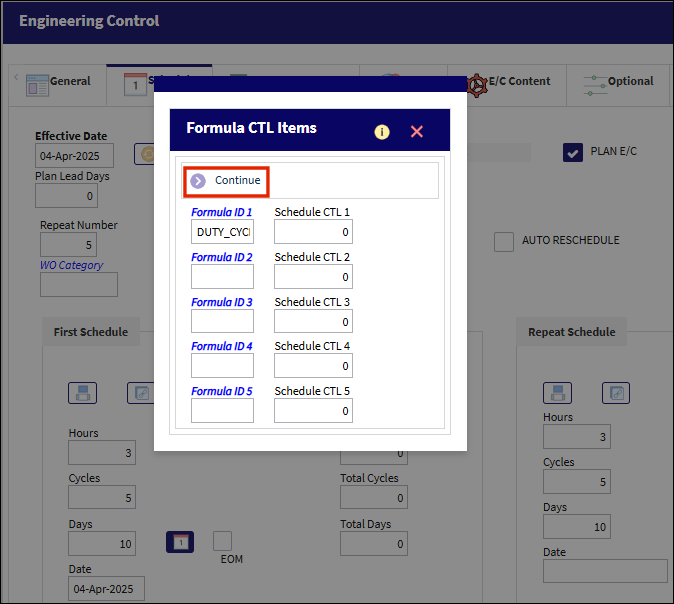
When Formulas CTL button is selected, the Formulas CTL Items window appears. The user chooses the Formula ID, then specifies the amount of Schedule CTL cycles for that formula. To apply a Formula ID, select the Continue button.
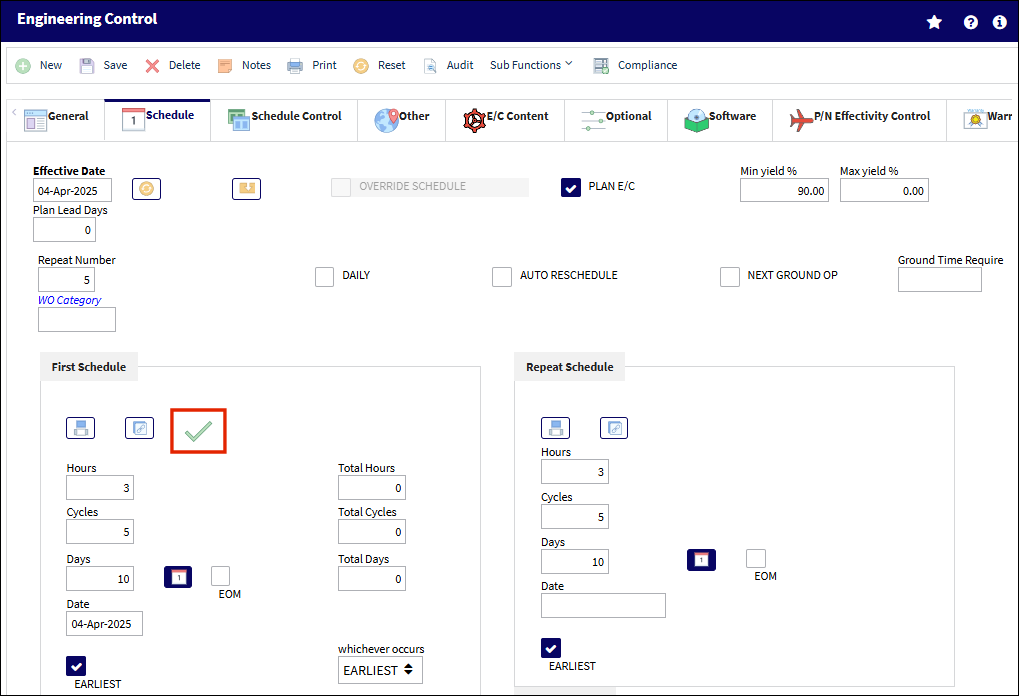
When one or more formulas are applied, a Green Check  icon will appear next to the Formulas CTL button in this window.
Share
Print
|
©1997-2026 Trax USA Corp. All rights reserved. This manual may not be copied, photocopied, reproduced, translated, or converted to any electronic or machine-readable form, in whole or in part, without prior written approval from Trax USA Corp. |
 |