
 Share
 Print
|
|
|
|
|


P/N Master, Maintenance Manual Tab

The Maintenance Manual tab displays manual references that have been created for a specific P/N. This tab is informational only. To create a reference for a P/N, select the P/N Manuals button via the P/N Master.
Note: When the switch  MAINTMANUAL is set to Yes, the P/N Manuals button and Maintenance Manual tab will appear in the P/N Master window, the Manuals tab will appear in the P/N Initial Load window, and the Maintenance Manual button will appear in the P/N Information tab via the Shop W/O Detail.
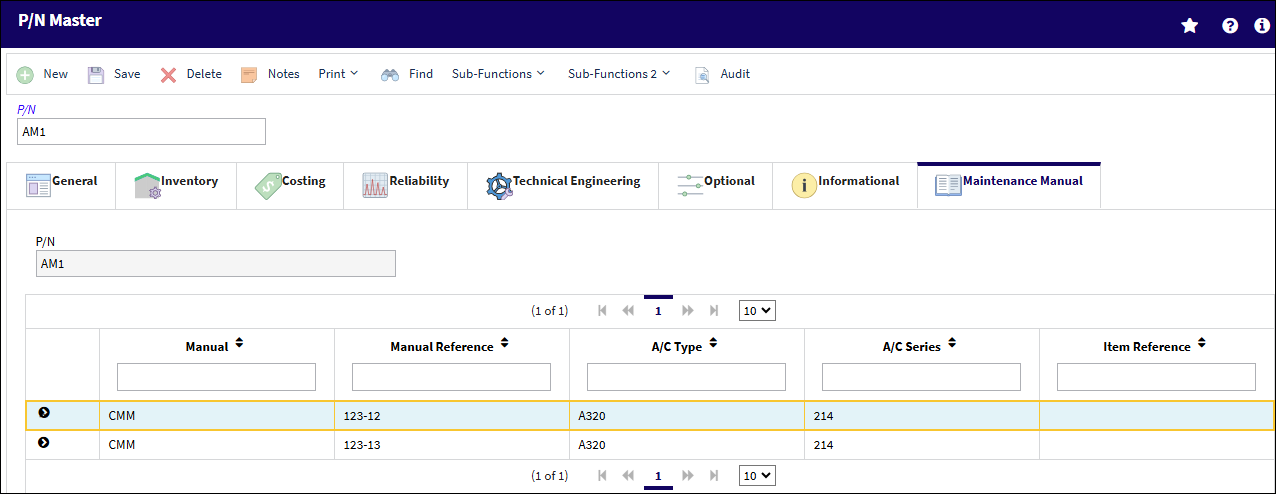
The following information/options are available in this window:
_____________________________________________________________________________________
P/N
The Part Number reference for the aircraft part. This is the Part Number the reference is for.
Manual
Related Manual reference to be utilized for the record.
Type/Series
The Aircraft Type and Series/Fleet assignment.
Reference
The reference in the manual for the specific component (e.g., Chapter, Section, Paragraph format). Several references can be created for the same P/N.
Description
The description of the manual reference.
_____________________________________________________________________________________
Share
Print
|
©1997-2026 Trax USA Corp. All rights reserved. This manual may not be copied, photocopied, reproduced, translated, or converted to any electronic or machine-readable form, in whole or in part, without prior written approval from Trax USA Corp. |
 |