
 Share
Share
 Print
Print
|
|
|
|
|



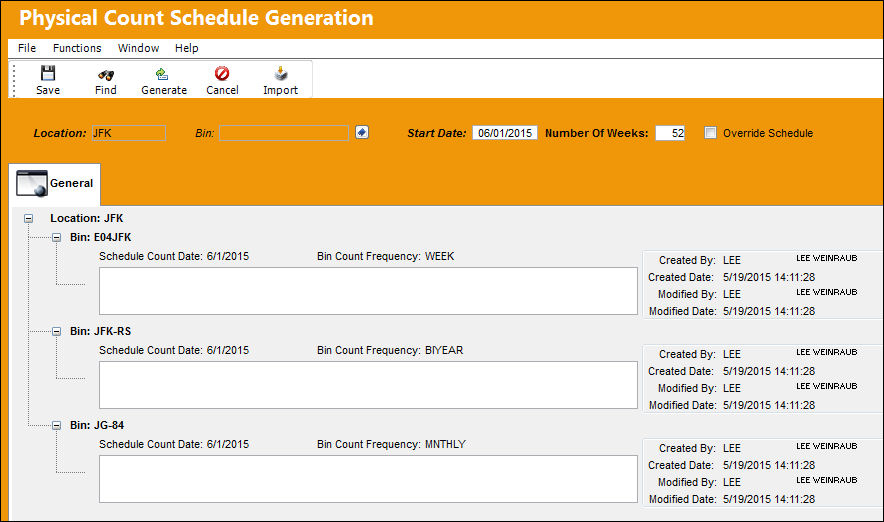
Selecting the Bin Schedule Generation  button takes the user to the Physical Count Schedule Generation window where the user is able to generate bin counts to be scheduled within a particular frequency. These counts can be for single or multiple bins of a particular Location to be started on a desired date and to last for a specified amount of weeks. The frequency of the counts is set through the Bin Count Frequency field of the Bin Master. Additionally, existing bin counts can be queried in this window and edited or canceled, as needed.
While the Bin Schedule Generation button is new in Version 11.5, the functionality this window provides is not. This window can also be accessed via the Physical Count Schedule Generation option via Inventory. For additional information regarding the functionality of this window, please refer to the link provided.
The Physical Count Schedule Generation is utilized based on Location, along with several other specifications.

Upon generating the bin count(s), the counts appear that can be scheduled, and have an open field to enter a description.
Share
Print
|
©1997-2026 Trax USA Corp. All rights reserved. This manual may not be copied, photocopied, reproduced, translated, or converted to any electronic or machine-readable form, in whole or in part, without prior written approval from Trax USA Corp. |
 |