 Download Online Help
 Print
|
|
|
|
|


The E/Cs Warranty Tab allows the user to create/view/edit warranty information related to the E/C. This Tab is used to make warranty information applicable to this E/C. The Warranty check mark must be checked on the A/C Effectivity window for this warranty to be applicable to any specific A/C. For additional information, refer to the Warranty checkbox via the A/C Control button.
To create a new record select the New  button.
Note: The user has the option to enter as many items as desired by clicking on the New button. Additionally, the user also has the option to remove items by utilizing the Delete  button.
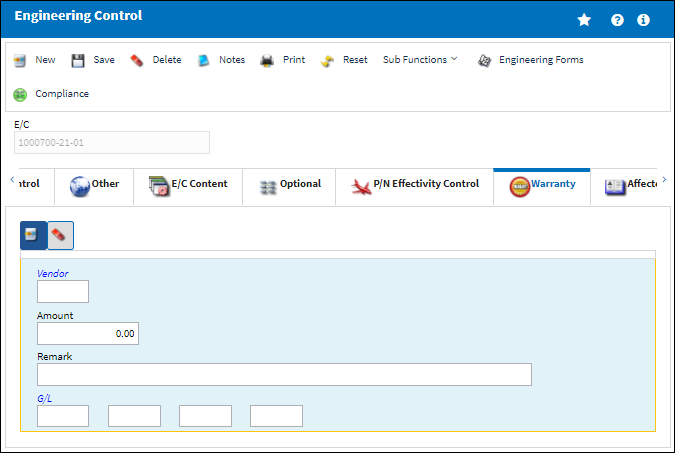
The following options/information is available in this window:
_________________________________________________________________________
Item
The Warranty record item number. This is system populated.
Vendor
The system code for the service/part provider.
Remark
General information/remarks for this E/C and warranty.
Amount
The amount covered by the warranty.
G/L (General Ledger)
The G/L account code impacted by for this warranty.
_________________________________________________________________________
Download Online Help
Print
|
©1997-2018 Trax USA Corp. All rights reserved. This manual may not be copied, photocopied, reproduced, translated, or converted to any electronic or machine-readable form, in whole or in part, without prior written approval from Trax USA Corp. |
 |