 Download Online Help
 Print
|
|
|
|
|


A 'PO/INVOICE' takes place when a Purchase Order is invoiced. This transaction is used to invoice Purchase Order cost.
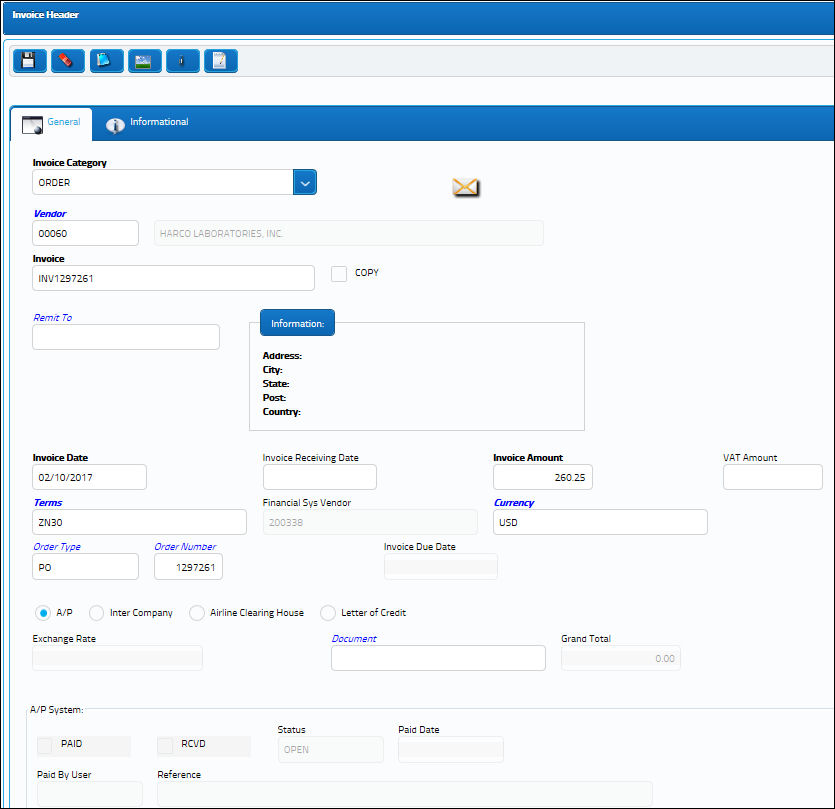
For example, create a new invoice entry by selecting the New  button via Link/Update/Invoice Entry. Enter all relevant information including the Vendor, a unique Invoice number, the Invoice Amount and the Order Type/Number. By listing the Order Type/Number users will be able to associate the corresponding Order to the invoice. Select the Save
 button to save.
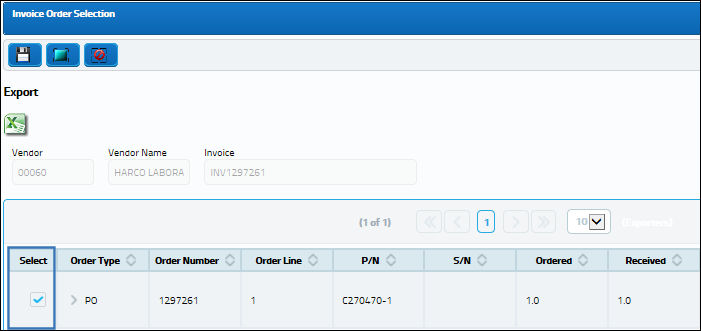
After saving the Invoice Order Selection window will appear. Select the line item then save.
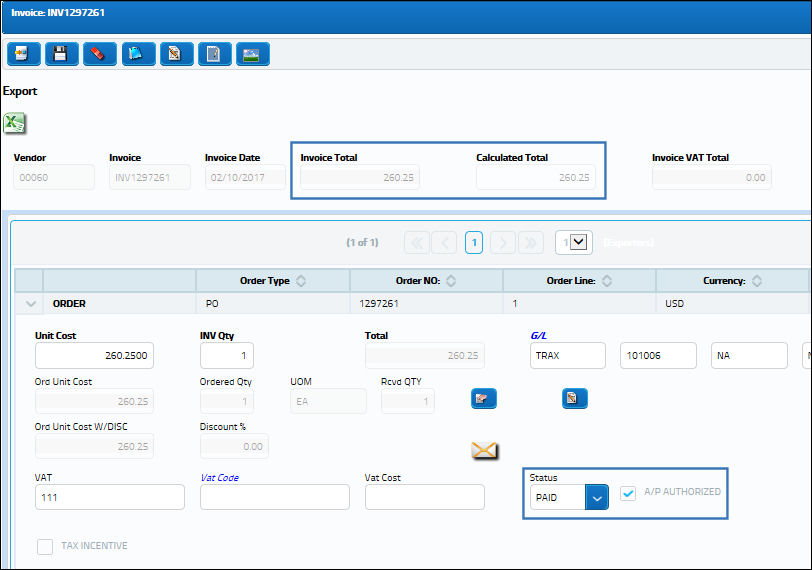
The Invoice Order Detail window will appear. Notice the Invoice Total and the Calculated Total fields are equal. It is important that the totals are balanced and that the A/P Authorized checkbox is flagged and 'Paid' is selected in the Status field. The 'Paid' Status will close the invoice. Users must then select the Save button which will prompt the system to ask if the invoice should be posted for Invoice Closing. Select 'Yes'.
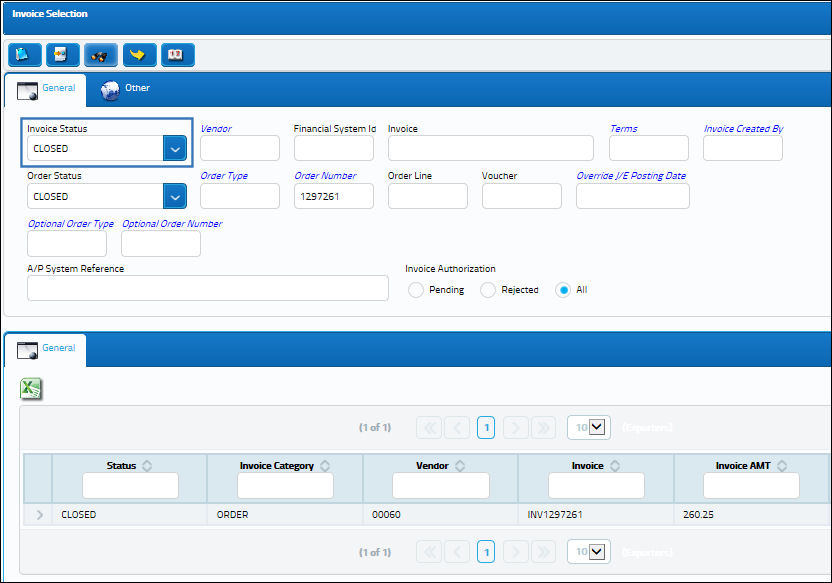
To double check the invoice has been closed, users should be able to search for the Invoice with the Invoice Status criteria reading 'Closed' via the Invoice Selection window.
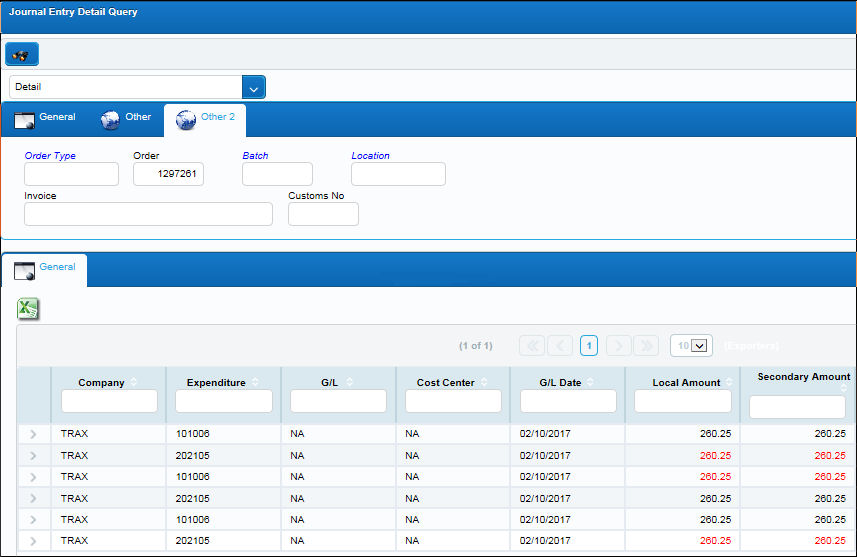
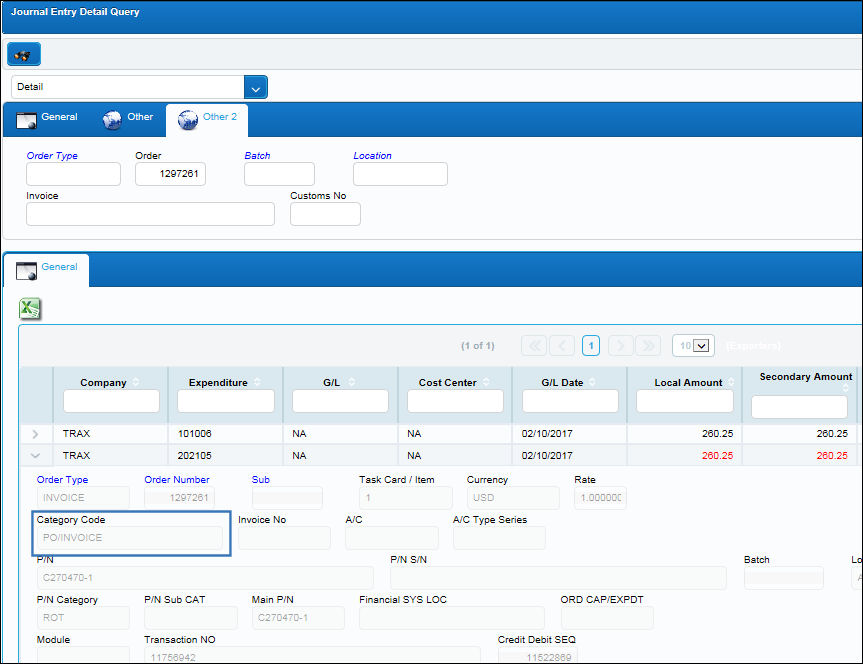
From the Journal Entry Detail Query window, users can see the adjustments against the G/L.
Notice the Category Code in the Order tab reads 'PO/INVOICE'.
Note: After the Loan Order has been invoiced, seen as LO/INVOICE, if the L/O is converted to a Purchase Order, through the Loan To P/O  button, then the Line Item at the Order level is re-opened to allow for the invoicing to be conducted for the Purchase Order, to which the L/O Invoice Journal Entry is then reversed, seen as LO/REVSERSE after this action is completed.
For more information regarding the invoicing of a Purchase Order refer to the topic Invoice Entry via the Link manual.
Download Online Help
Print
|
©1997-2018 Trax USA Corp. All rights reserved. This manual may not be copied, photocopied, reproduced, translated, or converted to any electronic or machine-readable form, in whole or in part, without prior written approval from Trax USA Corp. |
 |