 Download Online Help
 Print
|
|
|
|
|


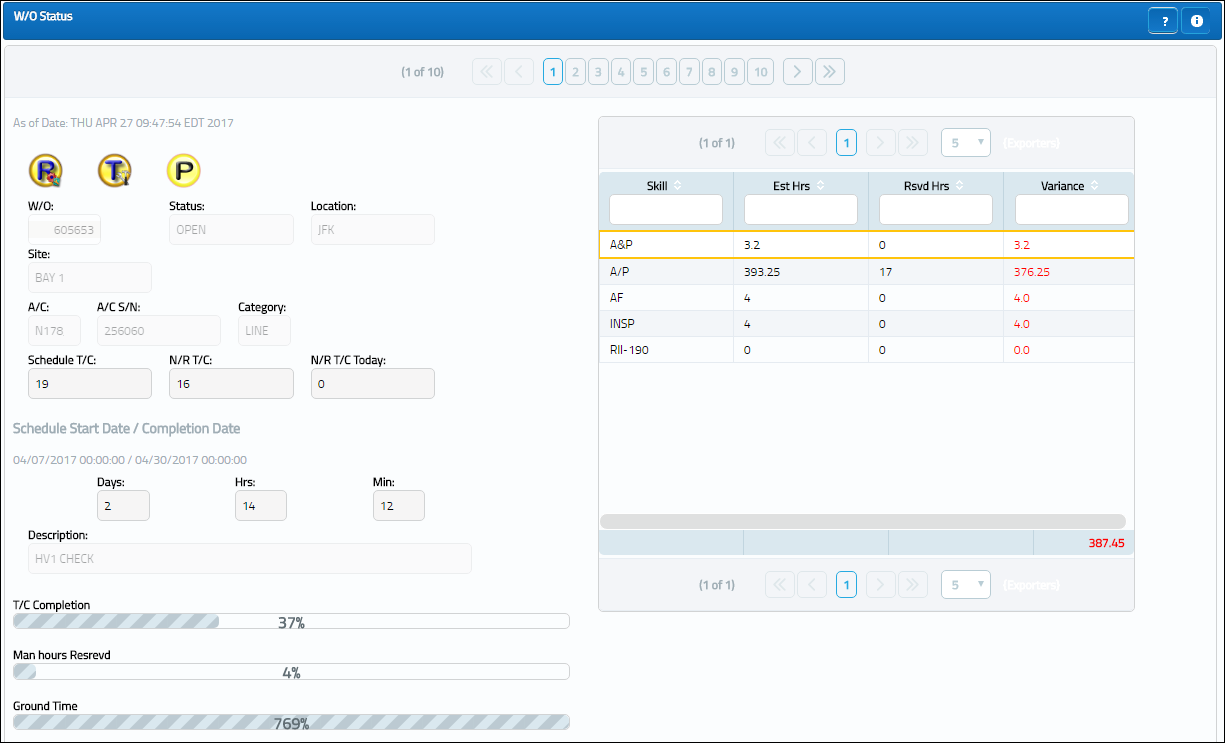
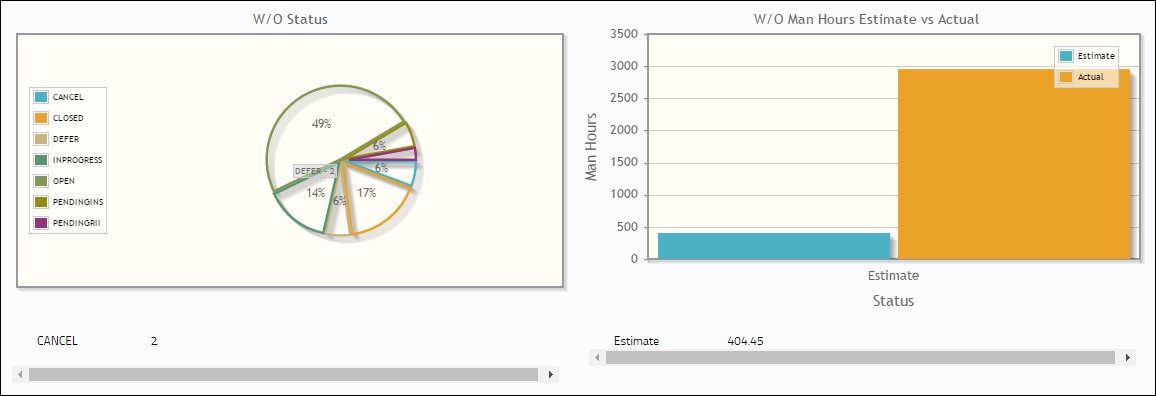
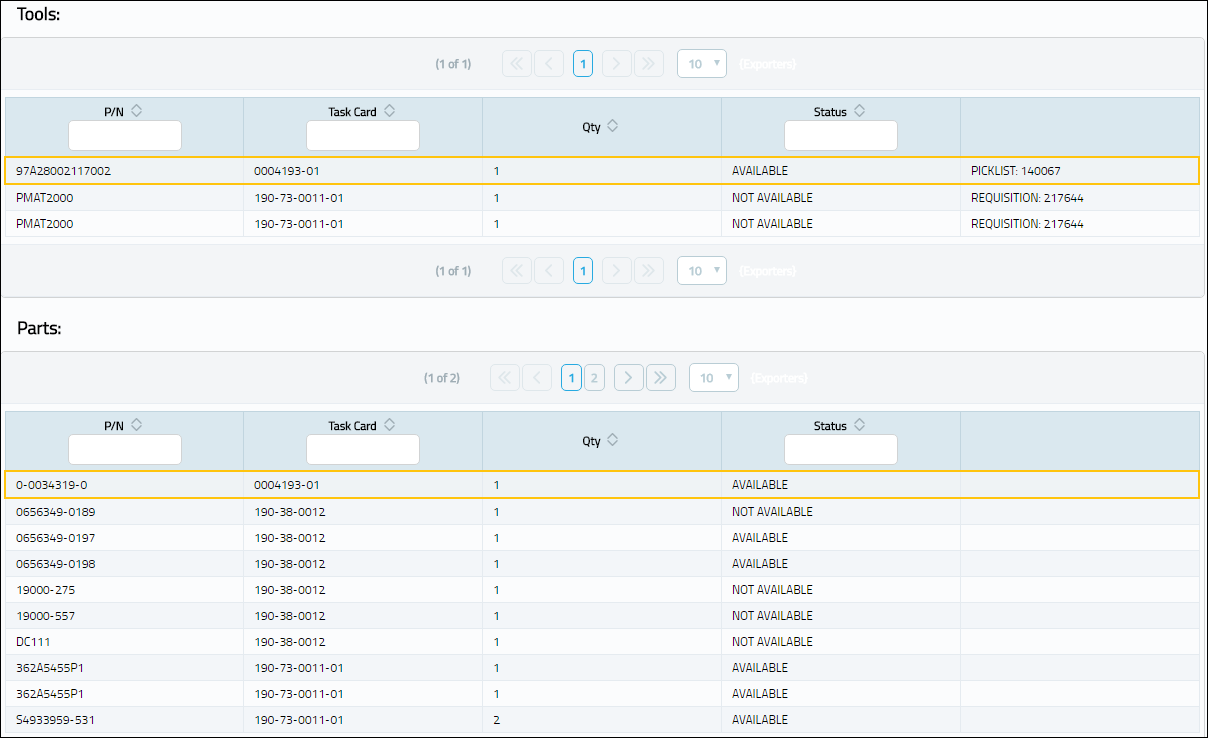
Select the W/O Status  button to view the Work Order Status window which is a printable graphical representation of the current status of the selected Work Order.
From the W/O window, the Status button can be selected for:
1. the specific W/O entered in the W/O field, or
2. for all W/Os displayed in the results. If multiple W/Os are listed in the results, then all of those W/Os will be listed in the W/O Status window. Select through the different pages to view the Status for each W/O.
 This button is security controlled via Production/ Update/ W/O/ W/O Status Button. For more information refer to the Security Explorer via the System Administration Training Manual.
Download Online Help
Print
|
©1997-2018 Trax USA Corp. All rights reserved. This manual may not be copied, photocopied, reproduced, translated, or converted to any electronic or machine-readable form, in whole or in part, without prior written approval from Trax USA Corp. |
 |