
 Share
Share
 Print
Print
|
|
|
|
|


Create or open an existing Task Card. Select the Effectivity  button. The following selected A/C Type Series are effective.
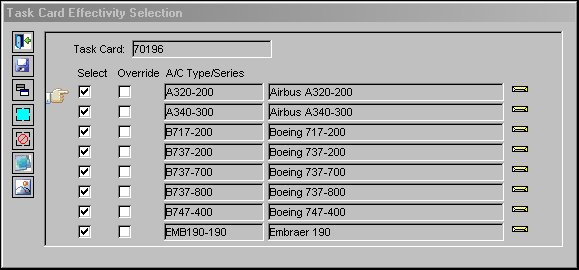
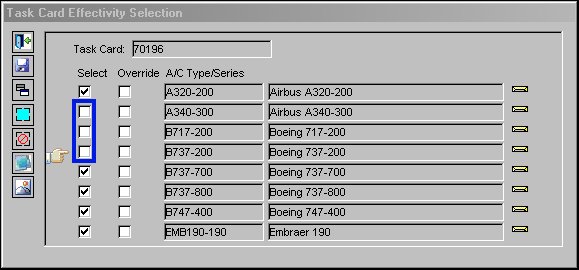
Select the desired A/C Type Series to override by de-selecting them. Select the Override  button.
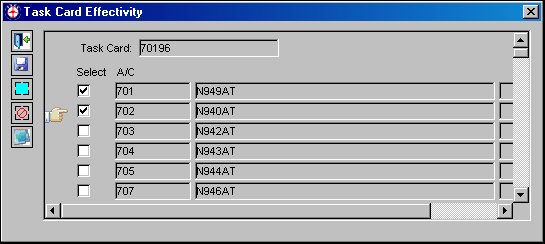
Select the aircraft tail number(s) the user would like to override. Select the Save  button. The Save prompt will appear. Select OK.
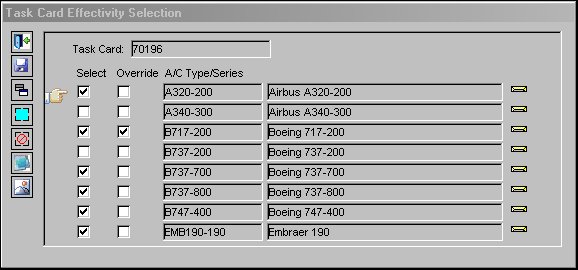
Upon saving, the Task Card Effectivity window will close. Select the Effectivity button to view. The effectivity has been overridden. The Override checkbox is selected to indicate the Type/Series aircraft has some partial effectivity.
Share
Print
|
©1997-2026 Trax USA Corp. All rights reserved. This manual may not be copied, photocopied, reproduced, translated, or converted to any electronic or machine-readable form, in whole or in part, without prior written approval from Trax USA Corp. |
 |