
 Share
Share
 Print
Print
|
|
|
|
|


Task Card, Location/Site Ban Control Tab
Select the New  button to determine which location(s) will not be eligible to perform Work Orders that contain the currently selected Task Card.
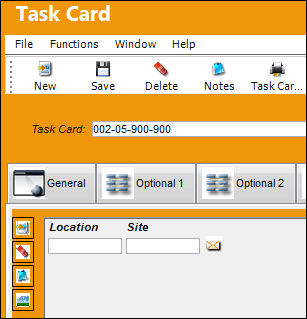
The following information/options are available in this window:
_____________________________________________________________________________________
Location
The Location for maintenance events, inventory stores, orders, transactions, or training events. The location that will not be eligible to perform Work Orders that contain the currently selected Task Card.
Site
The Site where the work is to be carried out (if applicable).
_____________________________________________________________________________________
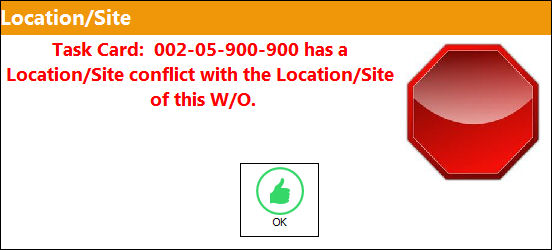
If a user tries to place this Task Card on a Work Order at any of the locations listed here, TRAX will display the following error message:
Multiple records can be added or removed through the New and Delete  buttons.
Relevant information can be included through the Notes  and Image
  buttons.
Share
Print
|
©1997-2026 Trax USA Corp. All rights reserved. This manual may not be copied, photocopied, reproduced, translated, or converted to any electronic or machine-readable form, in whole or in part, without prior written approval from Trax USA Corp. |
 |