
 Share
Share
 Print
Print
|
|
|
|
|


Task Card, Keywords Tab
The Task Card, Keywords tab allows the user to create key words to help a user quickly locate a Task Card to be linked to a defect when creating a defect report. The keywords are generally derived from key words within the Task Cards description. For additional information on how this functionality works, refer to the Task Card Keyword Button, via the Defect Report Detail, General tab of the Technical Records Training manual.
From the Task Card window, select the Keywords tab. Select the New  button to add keywords to the Task Card. Once a keyword has been added/created, select the Save
  button.
The Keywords tab only appears for Task Cards that contain a Task Card Category that have the 'Codified checkbox' selected against the System Transaction Code. For additional information, refer to the Task Card Category System Transaction Code via the Engineering Transaction Code manual.
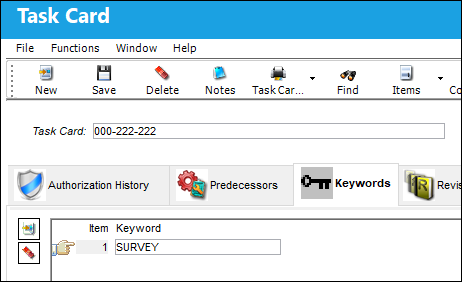
Multiple records can be added or removed through the New and Delete  buttons.
Share
Print
|
©1997-2026 Trax USA Corp. All rights reserved. This manual may not be copied, photocopied, reproduced, translated, or converted to any electronic or machine-readable form, in whole or in part, without prior written approval from Trax USA Corp. |
 |