
 Share
Share
 Print
Print
|
|
|
|
|


Setting up the steps to be performed in the Task Card Authorization Process is identical to setting up the steps required for the Engineering Control Authorization Process. However, the Task Card Authorization Process is simplified and does not include: Parallel Step Authorization, Parent/Child Relationships, or Authorization at the Employee Division/Section level. Every Task Card will be associated with a particular category. In order for authorization of the Task Card to take effect, all steps associated with the category of the Task Card will be required to be completed. This topic covers how to configure the authorization steps, but the actual Task Card Authorization procedures are covered in the Task Card Authorization Explorer window.
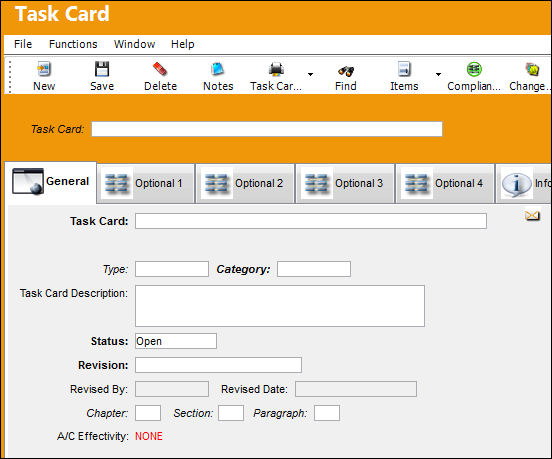
The Task Card Category is specified on the General Tab of the Task Card.
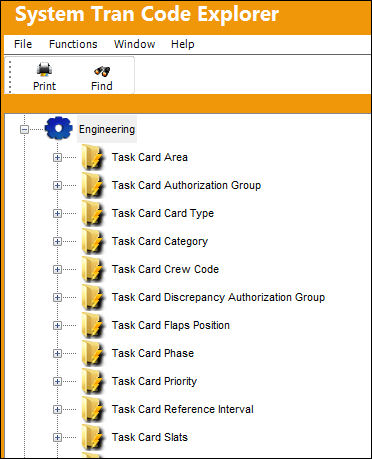
The first part of the process is to create the Task Card Category and Authorization Steps. To create a new category or set up Authorization Steps, go to Settings/Explorer/System Transaction Code. Double click on Engineering.
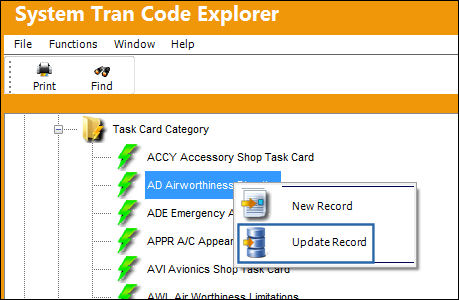
Double click on Task Card Category. Right click on the selected Task Card Category, and select either New Record (if creating a new Task Card category) or Update Record (if adding authorization steps to an existing Task Card category). In this example, we will add steps to an existing Task Card category.
Select the Update Record option.
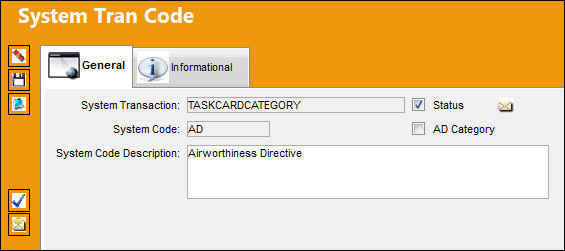
TRAX displays the System Tran Code Window.
To create a new Task Card Category, populate the mandatory information to define the Task Card Category. Select the Save  button.
Select the Steps  button.
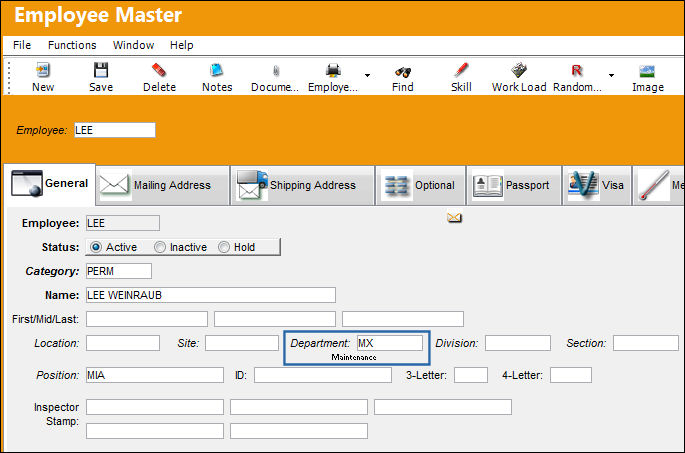
A Step can only be created by an individual who is authorized and belongs to a Department, Division or Section. Go to Settings/Update/Employee Master to verify that the employee is assigned to the appropriate Department. Authorizing employees must have security access to the Task Card Authorization Explorer.
After selecting the Steps button, TRAX displays the Task Card Authorization Steps Window as follows:
Enter the steps to be included in the Task Card Authorization Process for all Task Cards that will be associated with this particular Task Card category.
When setting up the Task Card Authorization steps, the default setting is for creating a One-Step Authorization. However, any number of steps can be created.
Only the final step will have the 'Task Card Authorization' checkbox selected to trigger final authorization acceptance.
Select the Save button, then select the New  button, and repeat the process to create the additional Step(s)
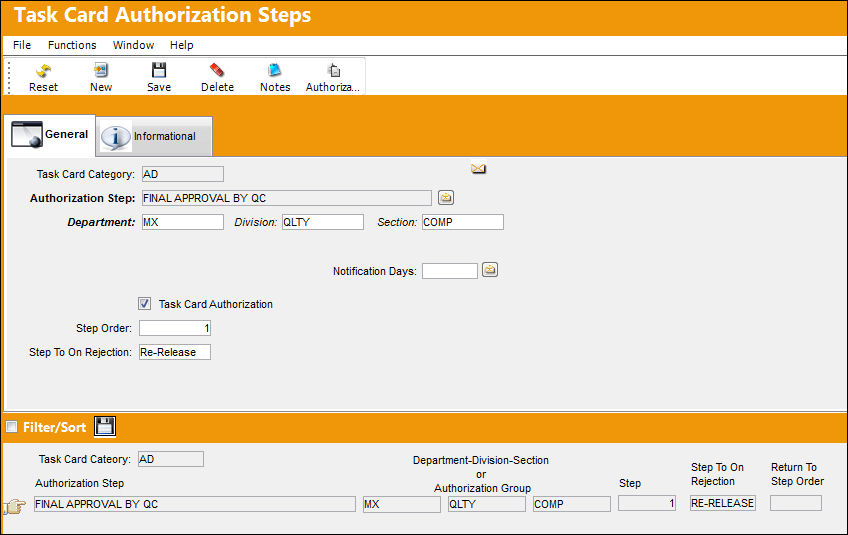
Populate all mandatory fields for required steps and save. For more information, refer to the Task Card Authorization Steps Button.
For more information regarding Task Card creation, please refer to Task Card via the Engineering Manual.
The Task Card should then be Released To Authorization (Via the Task Card Authorization Management option) if required.
Once the Task Card has been created and Released To Authorization, the process can be completed by performing the actual Task Card Authorization Steps. For security purposes, the creator of the Task Card cannot authorize the steps unless the Switch  TCSPMER is set to Yes.
Switch TCSPMER - (Task Card Allow Authorization By The Same Person Who Issued It) This switch must be set to Yes to allow the individual who created the Task Card to authorize some or all of the steps.
Share
Print
|
©1997-2026 Trax USA Corp. All rights reserved. This manual may not be copied, photocopied, reproduced, translated, or converted to any electronic or machine-readable form, in whole or in part, without prior written approval from Trax USA Corp. |
 |