 Download Online Help
 Print
|
|
|
|
|


SAMEINTERC - E/X Send/Receive P/Ns have to be the Same, One-Way Interchangeable, or Both-Way Interchangeable
E/X Send/Receive P/Ns have to be the Same, One-Way Interchangeable, or Both-Way Interchangeable
Affected Window: w_ex_order_detail_eu
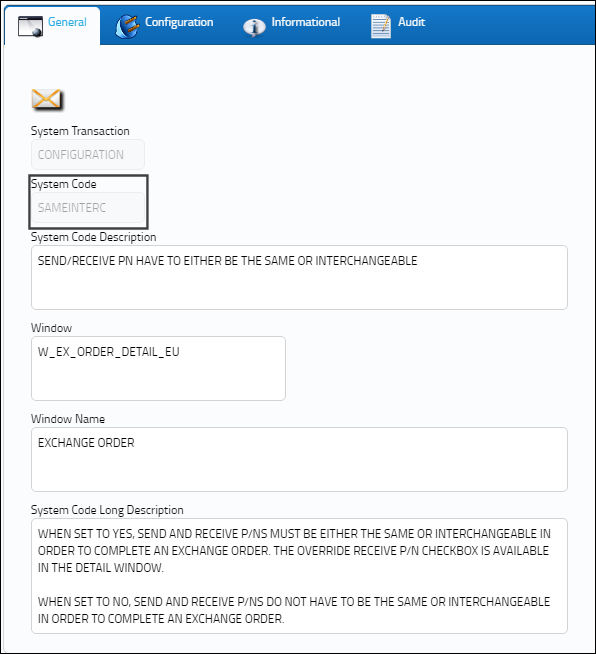
Switch Set to Yes:
When set to Yes, in order to complete an Exchange Order the Send P/N and Receive P/N must either be the same, One-Way Interchangeable, or Both-Way Interchangeable.
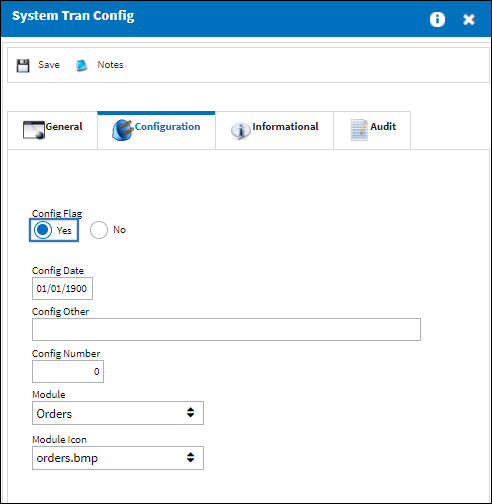
Select a Send P/N and a Receive P/N that are not the same, nor One-Way Interchangeable, nor Both-Way Interchangeable. When users select the Save  button, a prompt will appear blocking the Exchange.
For the exchange of these two parts to be allowed, users can select the Override Receive P/N checkbox to the right of the window.
In order to use the Override Receive P/N checkbox users must be assigned security access from the Security Explorer window.
If a user does not have security access to the checkbox, the checkbox will not appear and the Exchange Order will not be allowed.
Switch Set to No:
When set to No, in order to complete an Exchange Order the Send and Receive P/Ns do not have to be the same, nor One-Way Interchangeable, nor Both-Way Interchangeable.
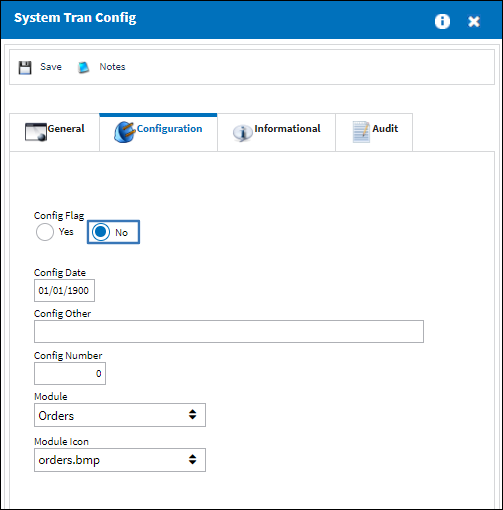
Note: Additionally, this setting allows the user to issue parts to an Exchange Order that are neither the same, nor One-Way Interchangeable or nor Both-Way Interchangeable after the order has been received. A warning message will appear when attempting this transaction.
Create a new Exchange Order then choose two different parts that are neither the same, nor One-Way Interchangeable, nor Both-Way Interchangeable.
Note: The Override Receive P/N checkbox will not appear when the switch set to No because the exchange is allowed without needing to override the Receive P/N.
Download Online Help
Print
|
©1997-2018 Trax USA Corp. All rights reserved. This manual may not be copied, photocopied, reproduced, translated, or converted to any electronic or machine-readable form, in whole or in part, without prior written approval from Trax USA Corp. |
 |