
 Share
Share
 Print
Print
|
|
|
|
|



The Click  button allows the user to adjust the Schedule Start and End Date of an existing Work Order or move the Work Order to another time frame.
Select the Click  button.
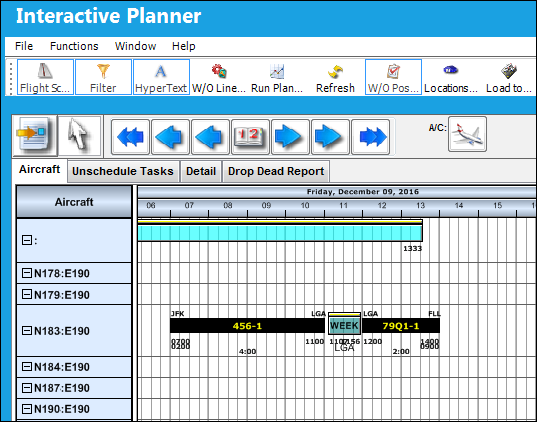
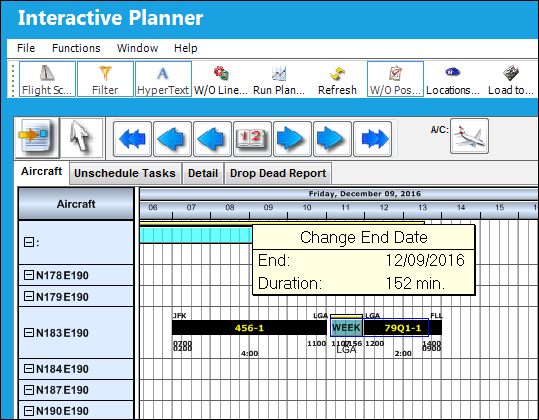
Use the cursor to grab the end of the Work Order to change it's end date. Once the desired date range has been reached, drop the cursor.
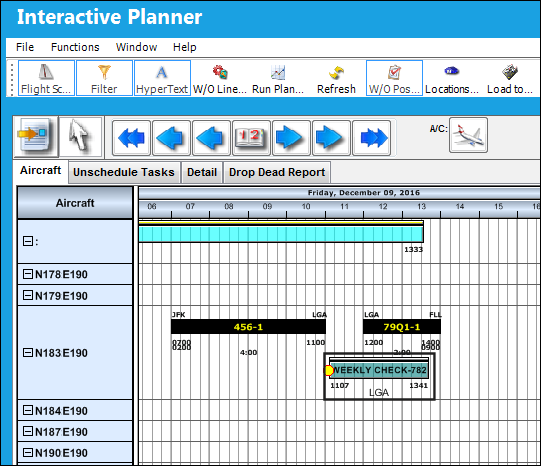
The date range of the Work Order has been adjusted as shown below:
Share
Print
|
©1997-2026 Trax USA Corp. All rights reserved. This manual may not be copied, photocopied, reproduced, translated, or converted to any electronic or machine-readable form, in whole or in part, without prior written approval from Trax USA Corp. |
 |