
 Share
Share
 Print
Print
|
|
|
|
|


Interactive Planner, Drop Dead Report Tab

The Interactive Planner, Drop Dead Report tab displays the same information as the Interactive Planner, Detail tab, however this tab displays tasks that are already overdue and items that are coming due three days from the current day. This feature provides the planner with a quick overview of what is coming due in the next three days without them having to apply filters to retrieve specific information.
In the below screenshot, the Drop Dead tab is displaying tasks that are overdue from the past.
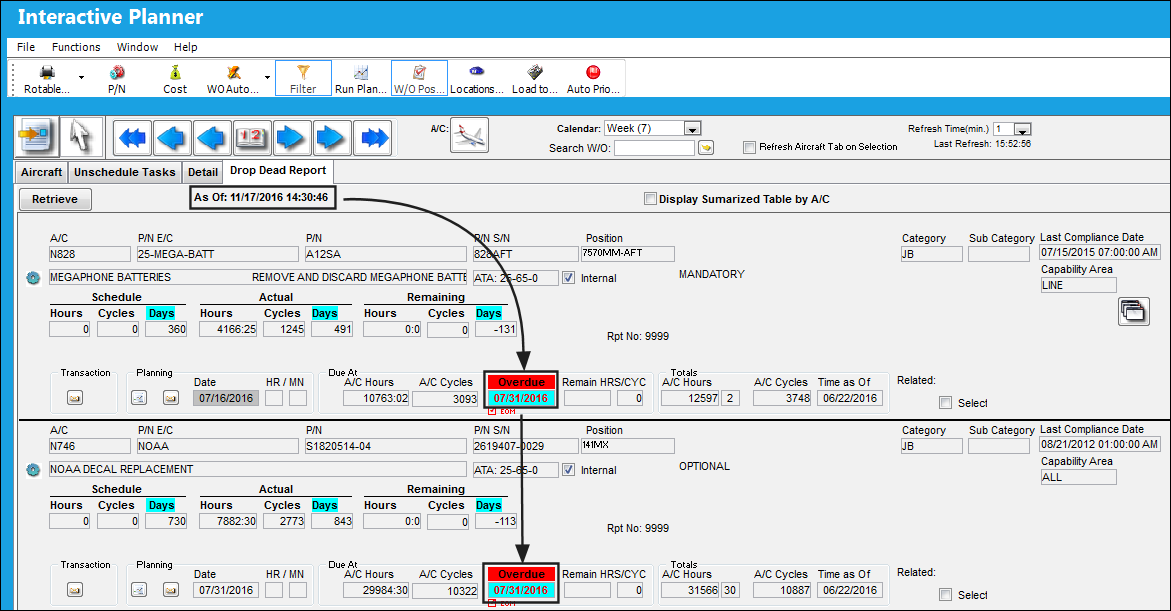
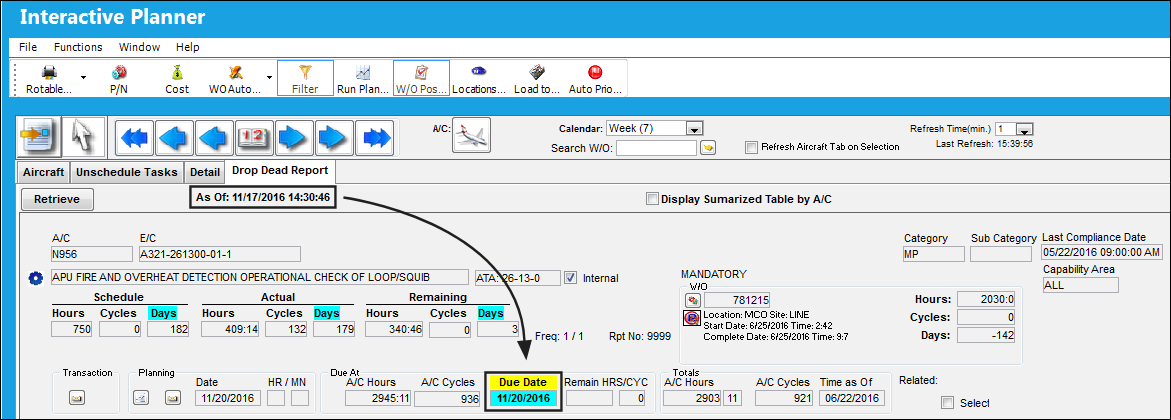
As show below, the current date that the planning query was ran was 11/17/2016. The results are displaying tasks that will be due in 3 days, 11/20/2016.
The following information/options are available in this window:
_____________________________________________________________________________________
Retrieve  button
Select this button to run the Drop Dead Report again, or after the As Of date and time.
As Of
The As Of field displays the last date and time the Drop Dead Report was ran.
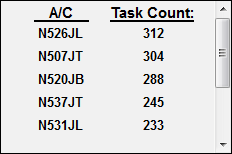
Display Summarized Table by A/C
Select this checkbox to display a breakdown of the number of tasks per aircraft tail.
_____________________________________________________________________________________
For information regarding the fields and functions of the Interactive Planner, Drop Dead Report tab, refer to the Interactive Planner, Detail Tab.
Share
Print
|
©1997-2026 Trax USA Corp. All rights reserved. This manual may not be copied, photocopied, reproduced, translated, or converted to any electronic or machine-readable form, in whole or in part, without prior written approval from Trax USA Corp. |
 |