
 Share
Share
 Print
Print
|
|
|
|
|


Interactive Planner Buttons

The following buttons can be found in the Interactive Planner. These buttons are available in the following tabs:
- Interactive Planner, Aircraft tab
- Interactive Planner, Unschedule Tasks tab
- Interactive Planner, Detail tab
- Interactive Planner, Drop Dead Report tab
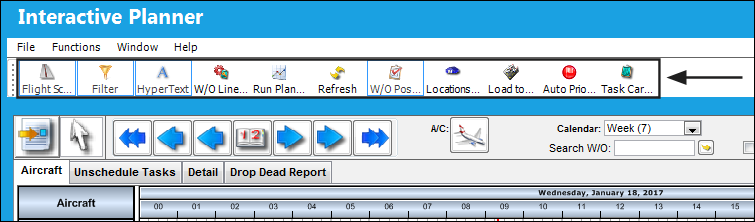
- Flight Schedule Button
- Filter Button
- Hyper Text Button
- W/O Line Status Button
- Run Planning Button
- Refresh Button
- W/O Post Complete Button
- Locations Button
- Load to Point Button
- Auto Priority Button
- Task Card Conflicts Button
Note: The Flight Schedule button and the Hypertext button are not available in the Detail and Drop Dead Report tabs.
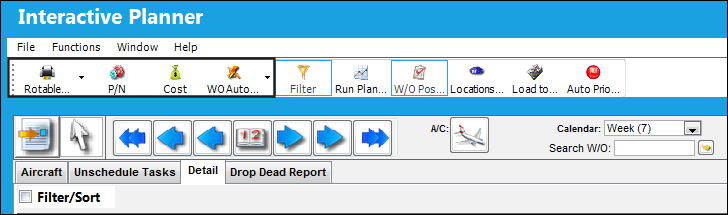
The following additional buttons are available in the Detail and Drop Dead Report tabs:
Share
Print
|
©1997-2026 Trax USA Corp. All rights reserved. This manual may not be copied, photocopied, reproduced, translated, or converted to any electronic or machine-readable form, in whole or in part, without prior written approval from Trax USA Corp. |
 |