
 Share
Share
 Print
Print
|
|
|
|
|



The W/O Auto Exist  button allows the user to add a maintenance event to an already existing Work Order.
From the Planning window, select a maintenance event. Be sure the Select checkbox is selected and select the W/O Auto Exist button.

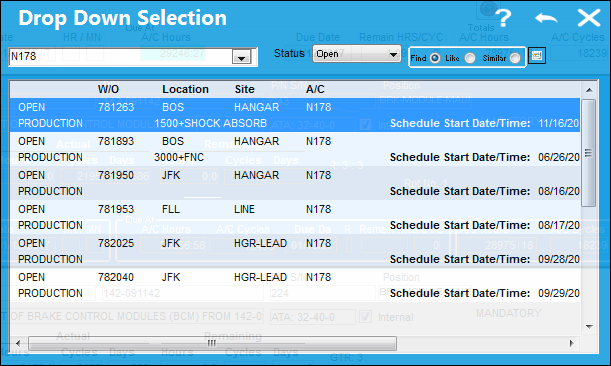
The following Drop Down Selection window appears. Select the desired Work Order and double-click.
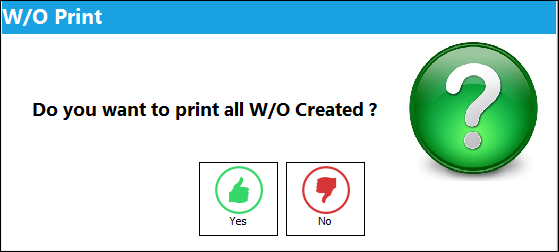
Upon assigning the item to a Work Order, the W/O Print Prompt appears. Select Yes to print the Work Order or No not to.
Note: If there is a conflict with the selected item, a warning prompt will appear (i.e. Location/Site conflicts, E/C exists on Open/Completed W/O, Task Card is not effective, etc.). For warnings associated to E/Cs, refer to E/C Control Warnings via the Production Training manual.
Share
Print
|
©1997-2026 Trax USA Corp. All rights reserved. This manual may not be copied, photocopied, reproduced, translated, or converted to any electronic or machine-readable form, in whole or in part, without prior written approval from Trax USA Corp. |
 |