 Download Online Help
 Print
|
|
|
|
|


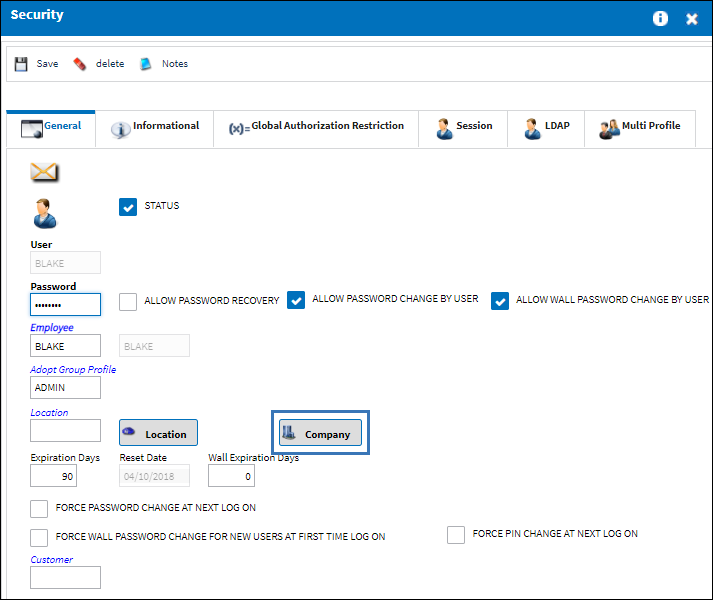
The System Administrator sets Company security for each user via System Administration/ Explorer/ Security Explorer. Each A/C tail number is assigned a specific Company in the Aircraft Master, Other 1 Tab and the A/C that an individual user has access to view in the system is based on what Company they have access to. Once a user is granted access to a Company, they will be able to view A/C that fall under that Company throughout the system.
Select into the users main security profile and select the Company  button.
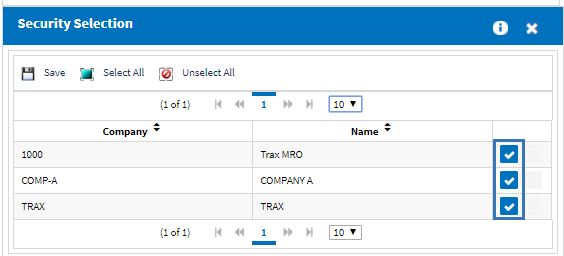
A Security Selection window will appear displaying the Companies that have been set up in the system. Once the checkbox has been selected and saved for the user, they will be able to view any A/C throughout the system that has been assigned that Company.
Download Online Help
Print
|
©1997-2018 Trax USA Corp. All rights reserved. This manual may not be copied, photocopied, reproduced, translated, or converted to any electronic or machine-readable form, in whole or in part, without prior written approval from Trax USA Corp. |
 |