 Download Online Help
 Print
|
|
|
|
|


System Forms Revision
This option is used to add a revision number to the footer of forms in the system.
Go to System Administration/ Update / System Forms Revision.
In the Form Revision No field enter a revision number to appear in the footer of the form. The Description and Revision Date Fields are informational fields that do not appear on the form.
Select the Save  button.
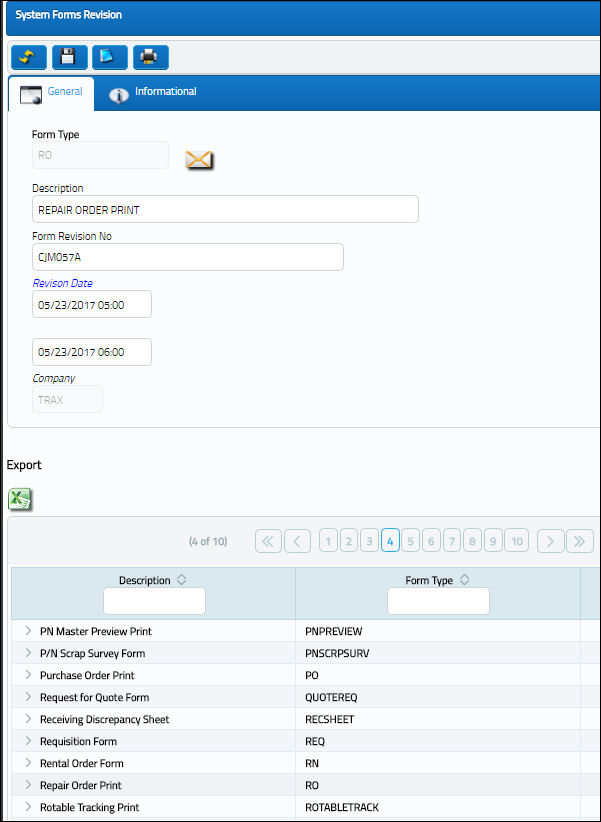
When that form is printed, the Form Revision Number is listed at the bottom of the print.
For a list of all available forms in this window, refer to Forms in System Forms Revision.
Download Online Help
Print
|
©1997-2018 Trax USA Corp. All rights reserved. This manual may not be copied, photocopied, reproduced, translated, or converted to any electronic or machine-readable form, in whole or in part, without prior written approval from Trax USA Corp. |
 |