 Download Online Help
 Print
|
|
|
|
|


Each individual program that allows Wall Password can be set against each employee selected (against the main or shared user ID).
From the Security Explorer/ User View, select an employee. Select the drop down menu. Click on the Production Module, as shown below. Select the Select Detail option.
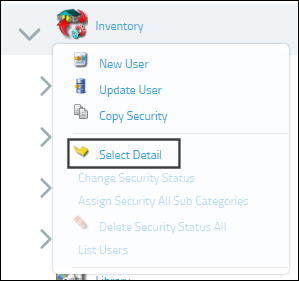
Note: For more information on the Select Detail option, refer to the Select Detail Button (Security Explorer).
The program(s) with the Wall  icon indicate that there is a Wall Password requirement. Click on the Wall button in the top of the window.
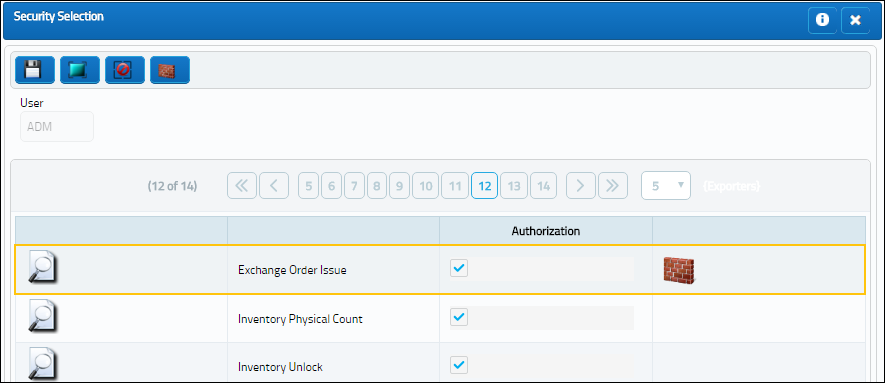
The Security Wall window appears allowing a Wall Password to be specified for the selected Employee.
Note: Wall passwords must be assigned to each employee record linked to the User or User Group. The same Wall Password cannot be used for multiple employee records. If a password already exists for another employee record, the following warning message will appear.
Download Online Help
Print
|
©1997-2018 Trax USA Corp. All rights reserved. This manual may not be copied, photocopied, reproduced, translated, or converted to any electronic or machine-readable form, in whole or in part, without prior written approval from Trax USA Corp. |
 |