 Download Online Help
 Print
|
|
|
|
|


Once a User Profile is configured with sub Wall Passwords, employees can log into the system with their Wall Passwords. The main User profile can have security access that is unique from all Wall password sub-users.
The following process flow is an overview of the Wall Login process.
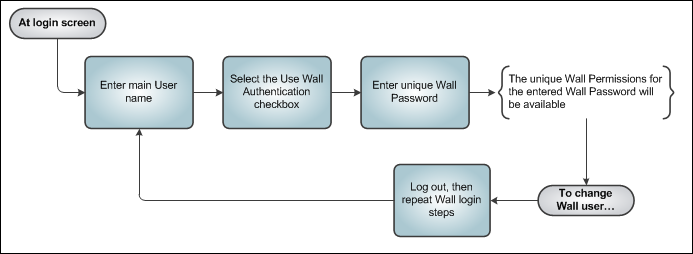
The following is an example of this process.
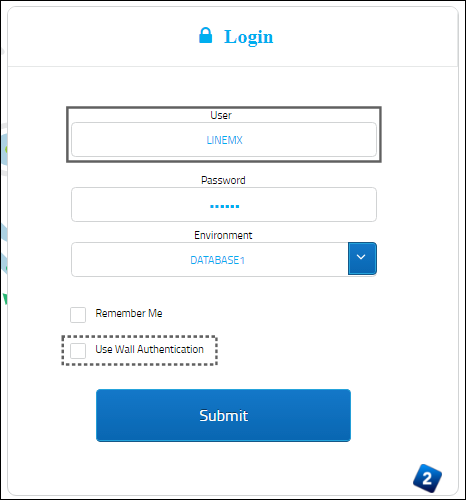
When logging into the system with the main User profile, enter the username and the user profile's password. Notice the User Wall Authentication checkbox is not selected.
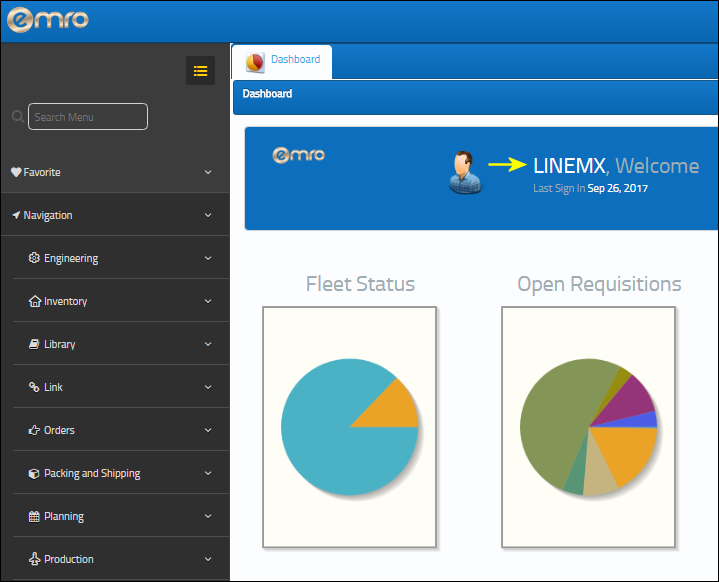
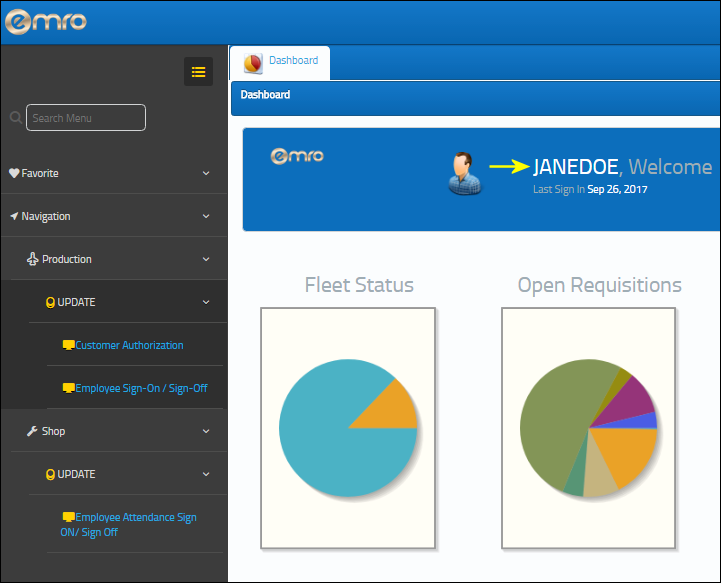
From the Dashboard, notice that the main User profile is logged in.
From the Security Explorer, select the User profile then select the Employee Wall Password Add  button.
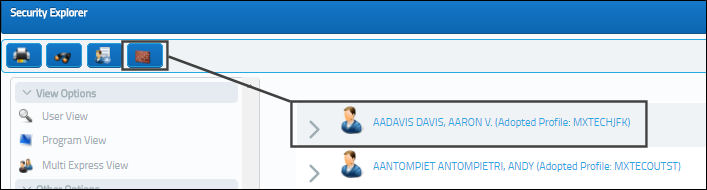
Each Wall user registered to a user profile can have unique security option.
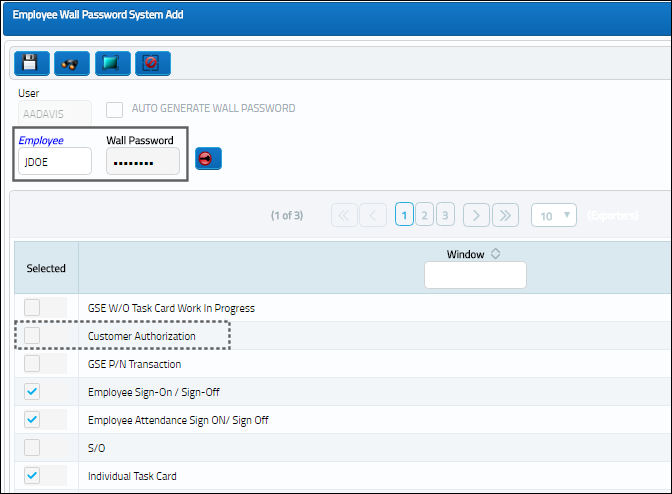
Enter an employee into the Employee field. Notice, for example, this Wall user's unique permissions and Password.
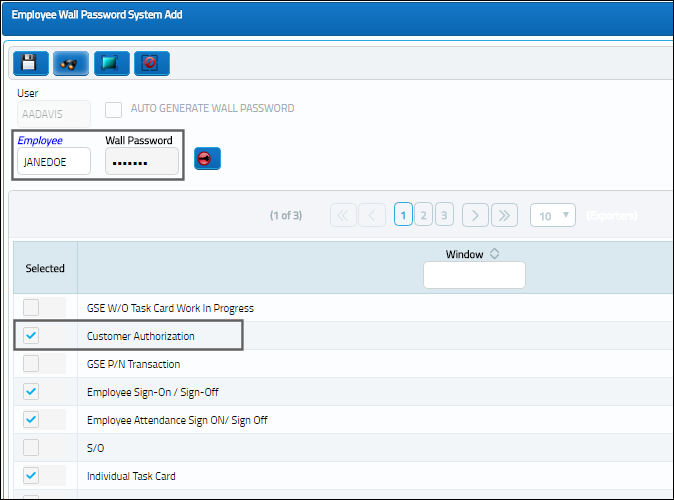
Now a different employee is input into the Employee field. Notice that this Wall user's permissions and password are different.
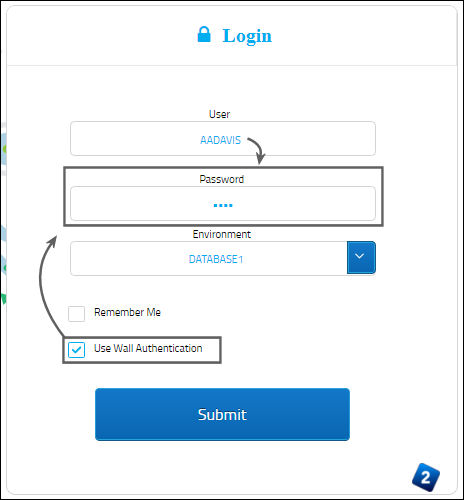
For a Wall user to log in, they must:
1. enter the User profile they belong to,
2. select the Use Wall Authentication checkbox, and
3. input their own unique Wall password.
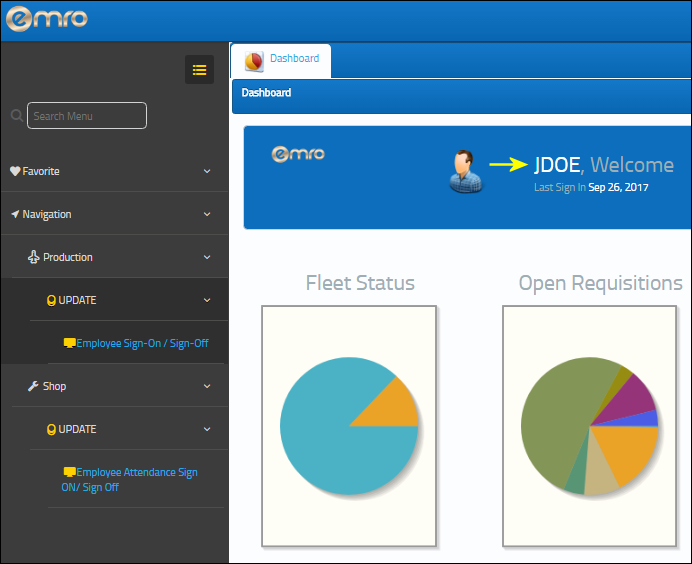
When the first Wall user logs in, they will see their Employee name in the Dashboard and they will only have access to the selected permissions for their Wall user.
Notice when a different Wall user logs in, they see their own Employee name in the Dashboard with their own unique Wall permissions.
Download Online Help
Print
|
©1997-2018 Trax USA Corp. All rights reserved. This manual may not be copied, photocopied, reproduced, translated, or converted to any electronic or machine-readable form, in whole or in part, without prior written approval from Trax USA Corp. |
 |