
 Share
Share
 Print
Print
|
|
|
|
|


Users can enter information for newly received invoices via the Invoice Entry option. An order must be placed in the system so that the invoice received will have a record to balance out. To create a new order, go to Orders/Update. Once the order is created, the items on the order must be received and any Receiving Inspections should be completed before entering the new invoice. The following switch controls this functionality:
 LKQTYREC (Only Allow Invoicing If Order Has Been Received) – Once an order is created, the items on the order can be received and any Receiving Inspections can be completed before entering the new invoice. If set to YES, the system will allow the invoicing process ONLY if the order has been received. If set to NO, invoicing is allowed after the order's creation.
For more information regarding creating orders in TRAX, please refer to the Orders Training Manual.
For more information regarding receiving inspections, please refer to the Receiving Training Manual.
Entering New Invoices:
To enter a new invoice, go to Link/Update/Invoice Entry. Select the New  button to enter a new invoice.
This window contains the basic information required for the invoice.
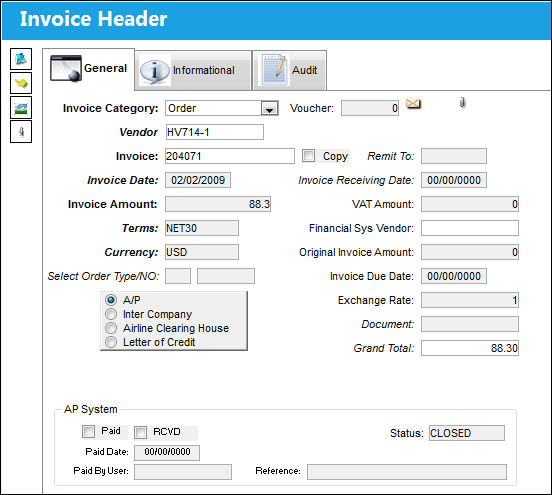
For information regarding the fields in the Invoice Header, refer to the Invoice Header, General Tab via Invoice Entry which of the Link Training Manual.
 If an Invoice has been entered and posted for a Loan Order, but the Loan Order is then converted to a Purchase Order through the Loan P/O
  button, then the Line Item at the Order level will be re-opened and an Invoice can be entered for the Purchase Order with the Journal Entry of the Loan Order being reversed after these actions have been completed.
Select the Save  button to save all information. TRAX then displays the Invoice Order Selection window.
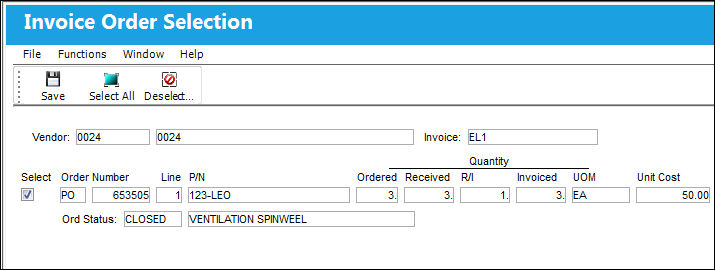
Once the Invoice has been Closed/ Paid the Save button by the Select  button and the Invoice Order Selection window will become a query only access.
Share
Print
|
©1997-2026 Trax USA Corp. All rights reserved. This manual may not be copied, photocopied, reproduced, translated, or converted to any electronic or machine-readable form, in whole or in part, without prior written approval from Trax USA Corp. |
 |