
 Share
Share
 Print
Print
|
|
|
|
|


The Status Override  button via Link/Update/Invoice Entry functions as an import tool that allows users to create invoices for TRAX orders that do not have financial implications. These invoices are automatically 'Paid' and 'Closed' yet they affect financial interfaces or create Journal Entries. The reason for this functionality is to indicate unpaid orders as having been paid in order to prevent inconsistencies in accounting reports that a company may use.
 This functionality is a customized request and is not available for all customers.
 This button is security-controlled via Link/Update/Invoice Entry/Status Override Flag in the Security Explorer window. For more information refer to the Security Explorer via the System Administration Training Manual.
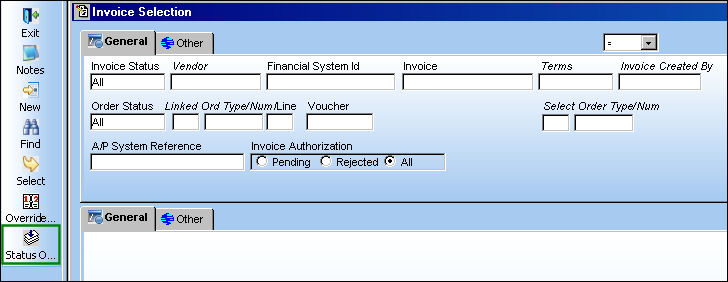
From the Invoice Selection window (via Link/Update/Invoice Entry), select the Status Override button.
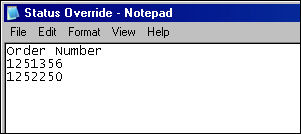
A .txt file with the orders that have not been invoiced must be created. The only data required in the .txt file is 'Order Number'.
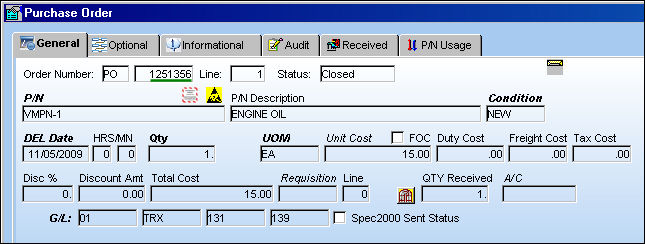
The TRAX orders used for this import must be in 'Closed' Status.
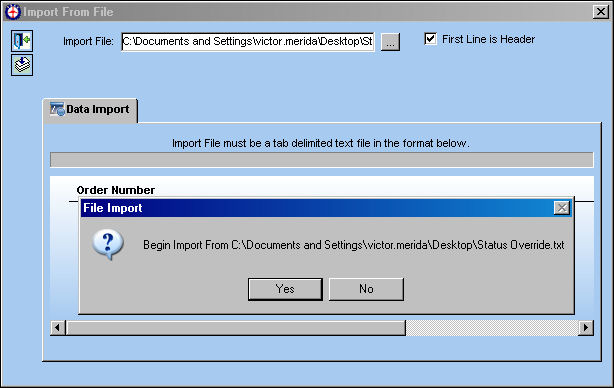
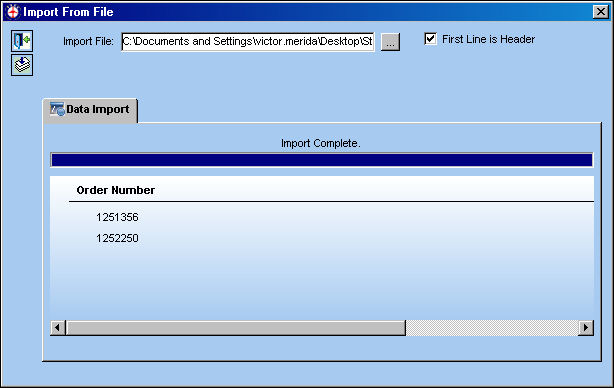
Click the Select File to Import  button to specify the path of the .txt file. Once the file path is entered, select the First Line is Header checkbox (if necessary) then select the Import button. Select Yes at the following prompt.
The import is now complete.
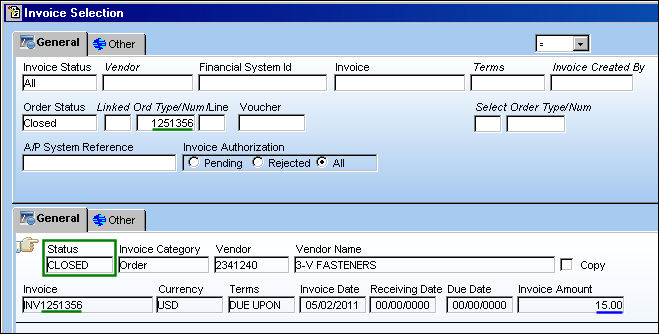
From the Invoice Selection window, search for the invoices that were just created based on the imported TRAX order numbers. It is important to note that these invoices have been 'Paid' and are in 'Closed' status. The Invoice number is created automatically based on the original order number (i.e. 'INV1251356'). Also notice that the Invoice Amount is the same as the Total Cost of the order (see above note).
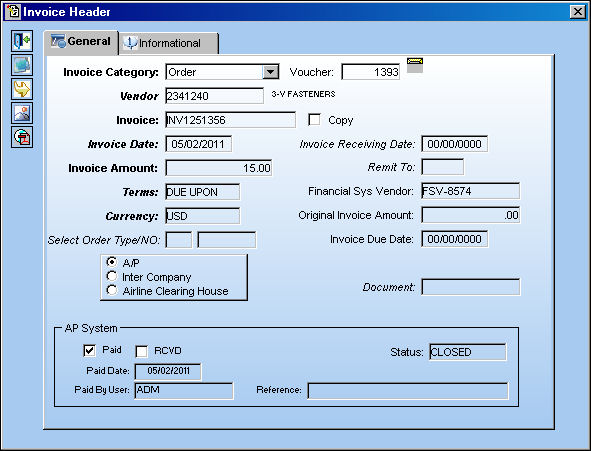
Once selected, notice all of the information listed in the Invoice Header window.
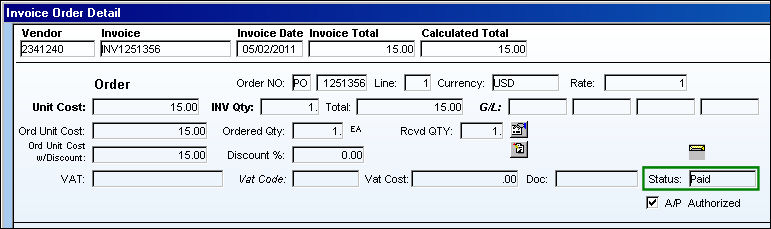
The Invoice Order Detail is displayed once the Invoice Header is selected. Notice that the invoice Status is 'Paid'.
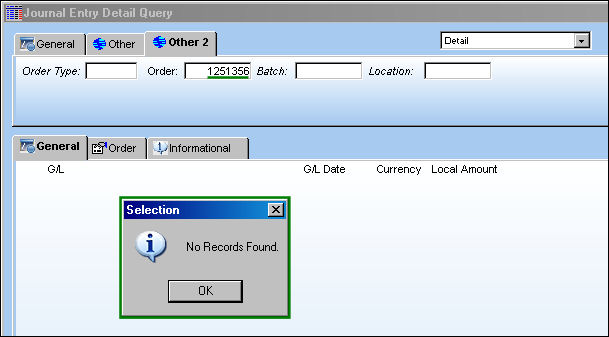
From the Journal Entry Detail Query, when the order number is searched notice that no Journal Entries have been created for this type of invoice as it does not affect the company's financials.
Share
Print
|
©1997-2026 Trax USA Corp. All rights reserved. This manual may not be copied, photocopied, reproduced, translated, or converted to any electronic or machine-readable form, in whole or in part, without prior written approval from Trax USA Corp. |
 |