
 Share
Share
 Print
Print
|
|
|
|
|


Multi Company Configurations: Authorization Steps
Authorization Steps can be set up for Order Type per Company. And because different companies can have different authorization procedures, as part of the multi company functionality, the different companies in the system can have their own Authorization Steps configured.
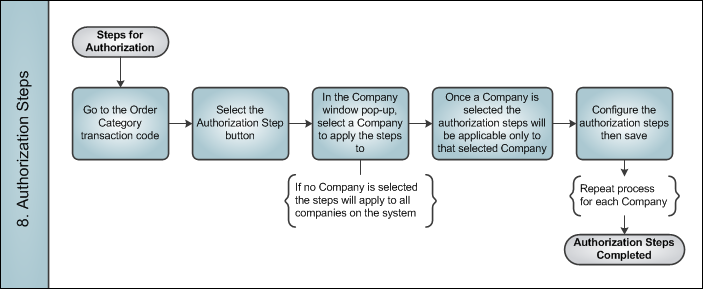
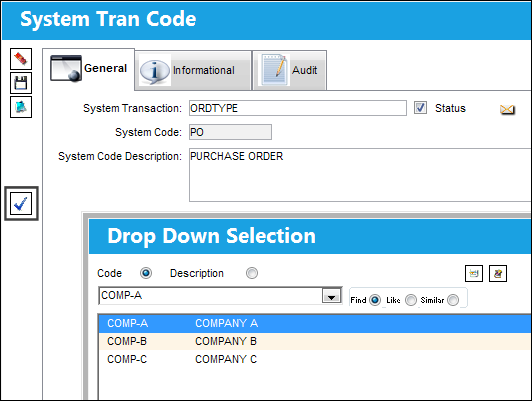
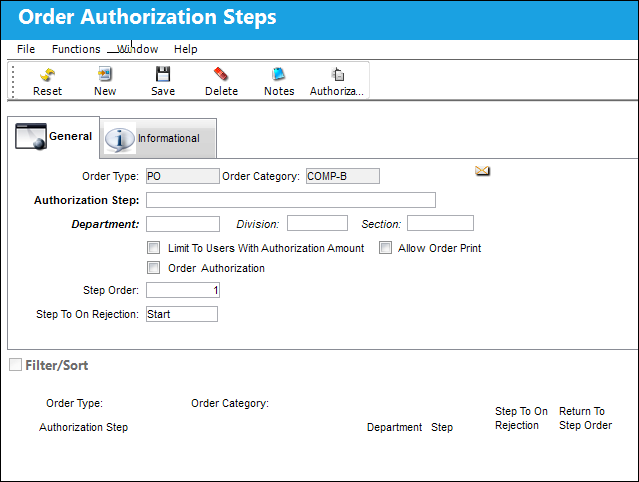
For example, when the Authorization Steps button is selected for the Order Type transaction code, a Company must be selected. Once a company is selected, the steps set up for authorization will be applicable only for that selected Company.
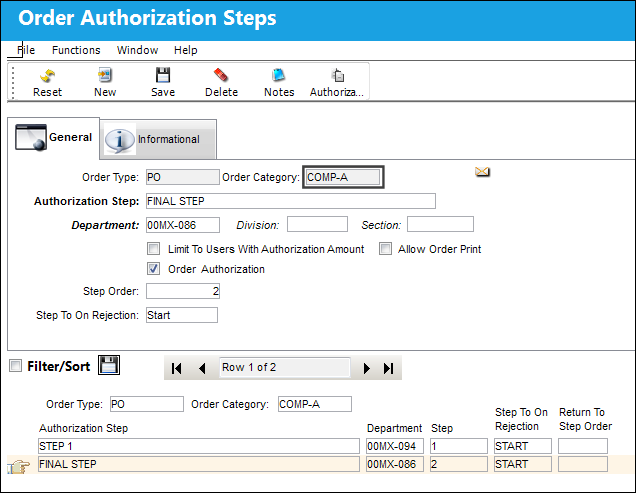
From the Order Authorization Steps window, notice that the Order Category field defaults to the chosen Company from the previous prompt. The steps specified here will only be applicable to the specific Company.
Notice that now a different Company is selected at the Company prompt.
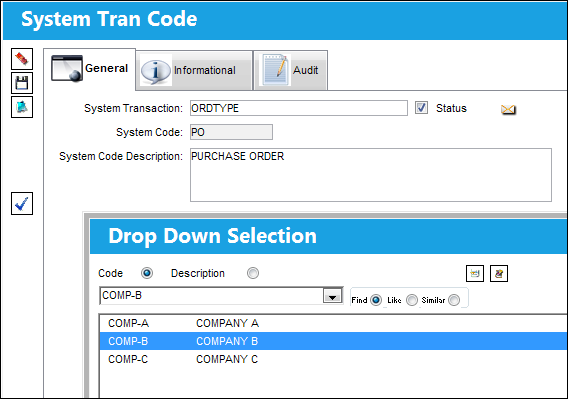
Notice that the first Company's authorization steps were not carried over to the other Company.
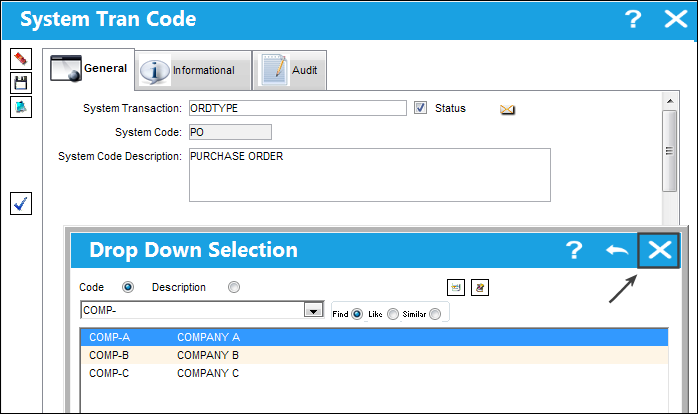
Users also have the options of setting up the same steps for all companies in the system. To do so, at the Company selection prompt, exit without choosing a Company.
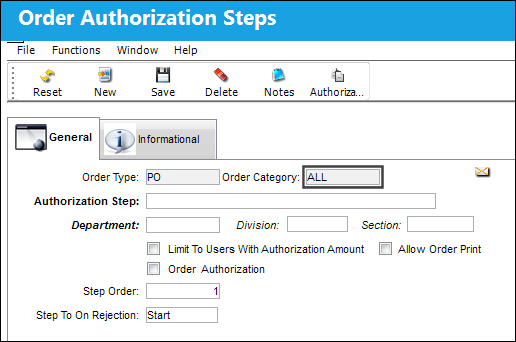
From the Order Authorization Steps window, notice that the Company field defaults to 'ALL'. Steps entered here will apply to all Companies in the system.
Share
Print
|
©1997-2026 Trax USA Corp. All rights reserved. This manual may not be copied, photocopied, reproduced, translated, or converted to any electronic or machine-readable form, in whole or in part, without prior written approval from Trax USA Corp. |
 |