
 Share
Share
 Print
Print
|
|
|
|
|


MULTI COMPANY FUNCTIONALITY
9The Multi Company functionality allows TRAX operators that consist of multiple companies/airlines to use the same database for all companies while differentiating the financial, materials, engineering, planning, and workload management impacts for each company. Records and transactions throughout the system can be linked to a specific company. Additionally, many query and print windows throughout the system include the Company field as a search filter in order to produce company-specific results.
This functionality configures the entire system to specify company control/jurisdiction/restrictions over: materials (requisitions, orders, inventory), accounting (Fixed Assets, G/L Accounts), engineering (E/Cs, Planning), production (W/Os), etc.
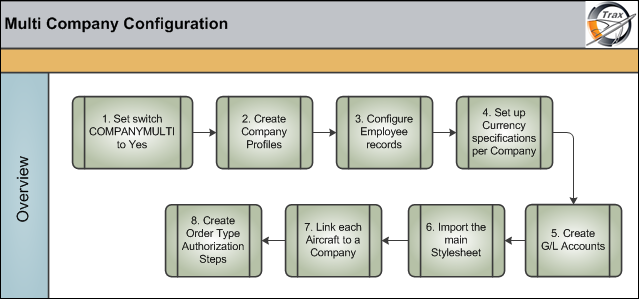
The following configurations need to be made before utilizing the Multi Company functionality.
 Any TRAX operator that would like to start using the Multi Company functionality will be required to transition to the eMRO system. Various modifications have been made to the Multi Company functionality in eMRO to streamline the overall business processes and inter-company record keeping. For more information contact your system administrator or support@trax.aero.
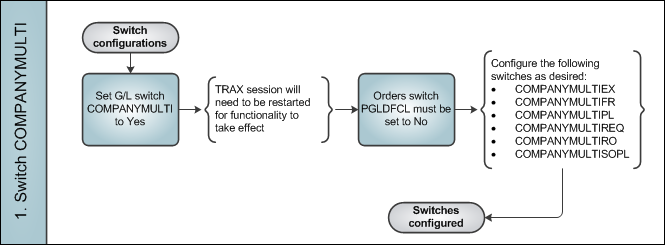
must be set to Yes
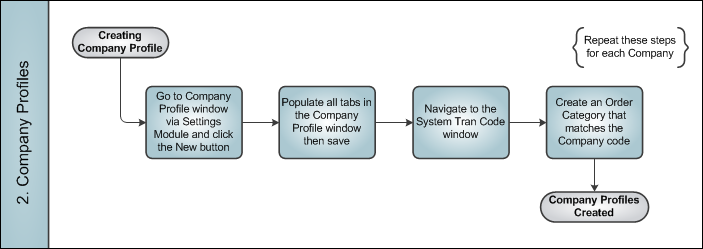
create a profile for each company using the database (and an Order Category for each company)
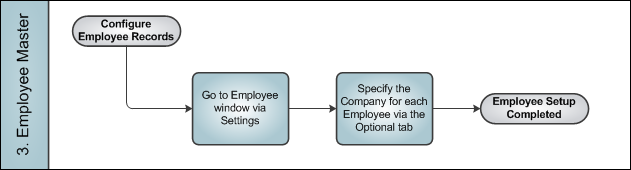
link each employee to a company (as applicable)
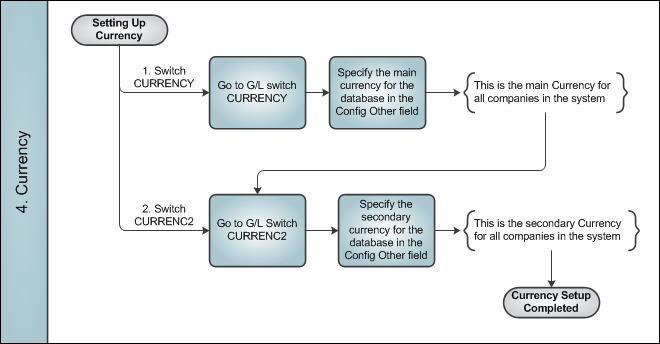
specify the main currency for the database in the Config Other field of the CURRENCY switch, and specify the secondary currency for the database in the Config Other field of the CURRENC2 switch
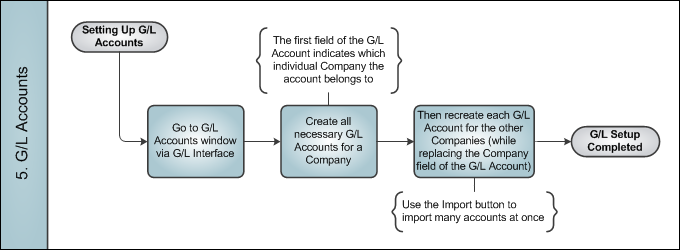
create copies of each G/L Account for each company using the database
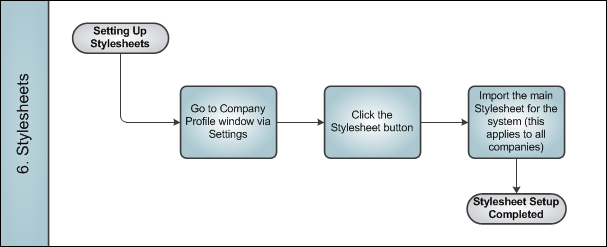
upload the main stylesheet via the Stylesheet  button of the Company Profile window
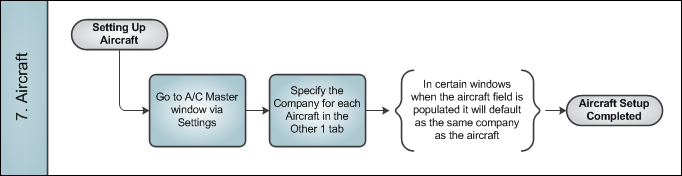
specify each aircraft with a company (as applicable)
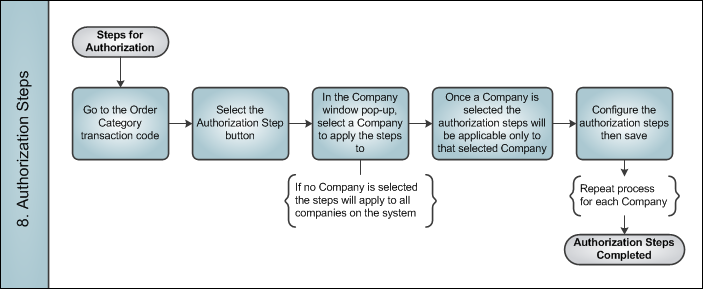
create unique order authorization steps for each company
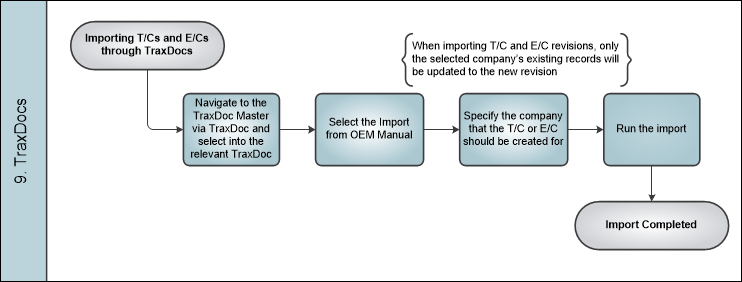
9. : Import T/Cs and E/Cs for individual companies.
When implementing this functionality, it is required to review your organization's Multi Company configuration and accessibility with Trax USA Corp.
The multi company functionality can be found throughout the system. This manual does not specify every instance of the multi company functionality in the system, but is intended as a general overview configuration checklist.
Share
Print
|
©1997-2026 Trax USA Corp. All rights reserved. This manual may not be copied, photocopied, reproduced, translated, or converted to any electronic or machine-readable form, in whole or in part, without prior written approval from Trax USA Corp. |
 |