
 Share
Share
 Print
Print
|
|
|
|
|


Sort Switches By Window Name Via The System Configuration Explorer
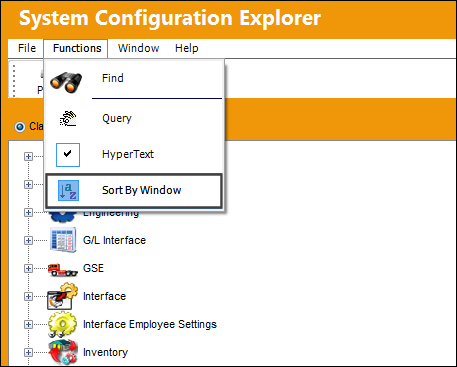
The Sort By Window option allows the user to view switches while they are grouped by window name.
Go to System Administration/ Explorer/ System Transaction Configuration/ Functions tab/ Sort By Window.
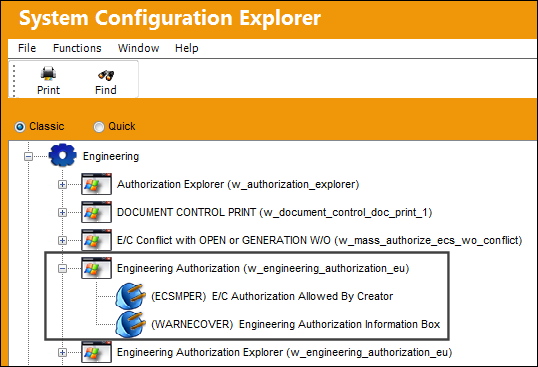
Double click on the desired module, then double click on the window name to view the appropriate switches in the group.
Share
Print
|
©1997-2026 Trax USA Corp. All rights reserved. This manual may not be copied, photocopied, reproduced, translated, or converted to any electronic or machine-readable form, in whole or in part, without prior written approval from Trax USA Corp. |
 |