
 Share
Share
 Print
Print
|
|
|
|
|


View The Switch Information Via The Appropriately Related Window
From any window within the system, the user may view a list of switches that are related the the current window.
As of Version 12, this functionality is no longer supported in the system.
In the following example, go to a window in the system.
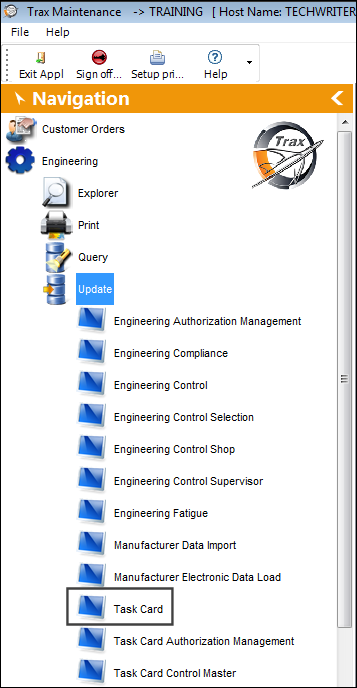
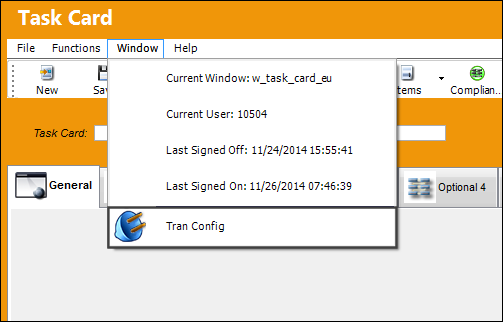
From the Window tab, select the Tran Config option.
The appropriately related list of switches that affect that window will appear in the Tran Config By Window.
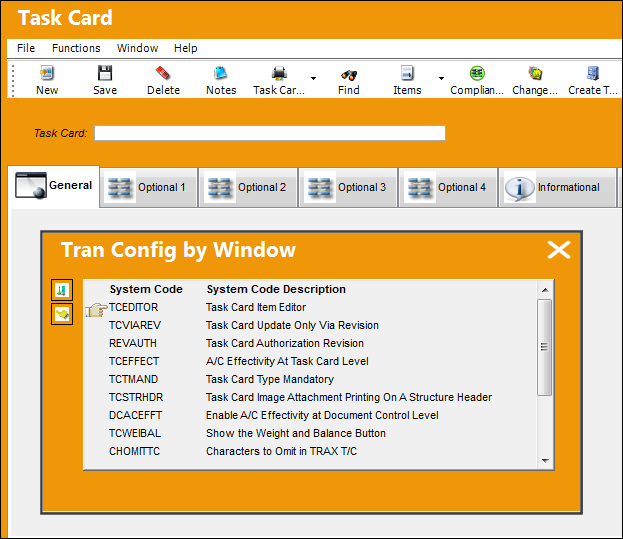
While the Tran Config by Window option shows the switches directly linked to the current window, the option may not necessarily show every switch in the system that can affect certain functionalities of the current window. This option is meant to help users find relevant switches, but does not reflect the only switches that affect the window. For example, one switch may affect a process that is carried out through multiple windows in the system; therefore the Tran Config by Window option may not account for several of the windows affected in said process.
Click on the Select  button to view the switch's information and current Yes/No setting.
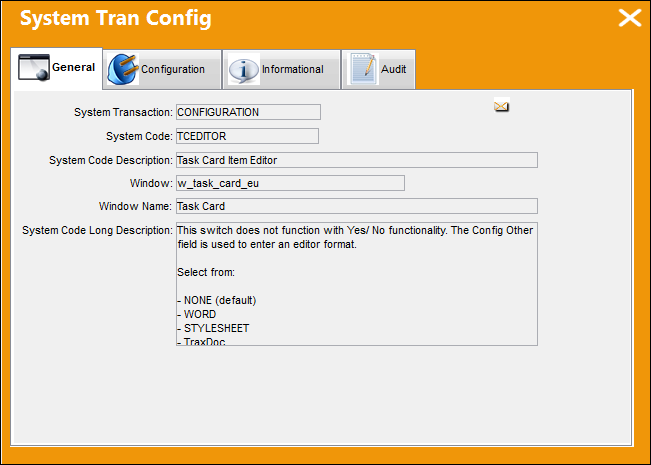
This information is view only, and cannot be edited from this window.
Share
Print
|
©1997-2026 Trax USA Corp. All rights reserved. This manual may not be copied, photocopied, reproduced, translated, or converted to any electronic or machine-readable form, in whole or in part, without prior written approval from Trax USA Corp. |
 |