
 Share
Share
 Print
Print
|
|
|
|
|


Saving Filters/Sort
Filters and sort order can be saved and retrieved for some windows in the TRAX system.
Remember that users must use single quotes ( ‘ ) if they wish to Save the filter.
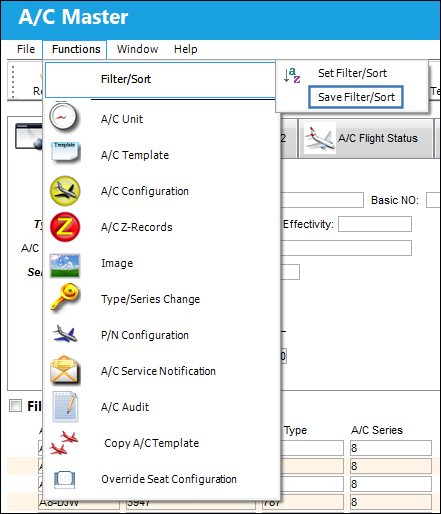
Once a user has created the filter/sort, click on the Function menu then Filter/Sort / Save Filter/Sort.
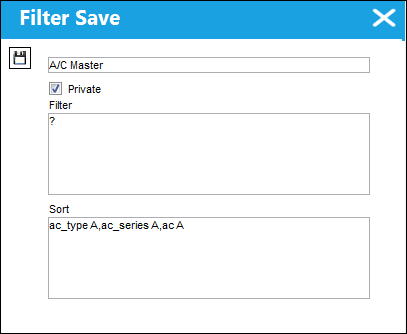
The following screen will appear. Enter a name for the filter then click on the Save  button to save the filter.
Retrieving Filters/Sort:
Filters and sort order can be saved and retrieved for some windows in the TRAX system.
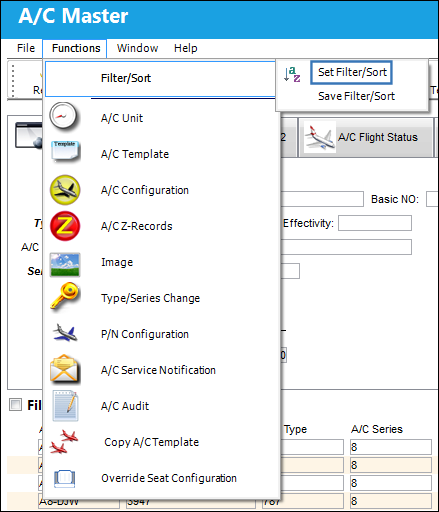
Once the user has created and saved the filter, click on the Function menu/Filter/Sort/Set Filter/Sort.
The following screen will appear:
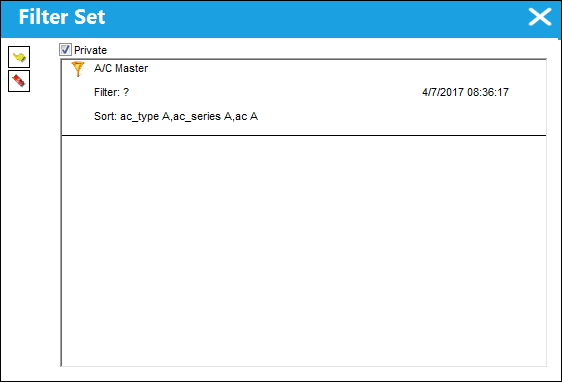
The user may click on the filter they wish to use and then click on the Select  button to use that filter.
Graph Type:
A specific filter for graphs is available. This allows the user to set the graph type of the graph.
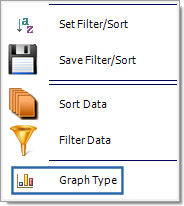
Use the mouse to select the Graph Type option. The following screen will appear:
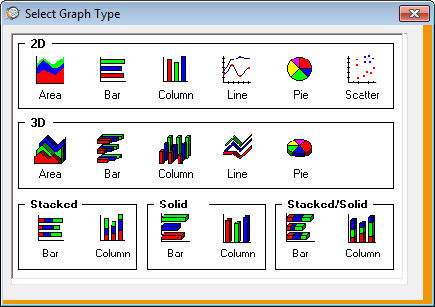
Double-click on a picture to select the graph type.
Share
Print
|
©1997-2026 Trax USA Corp. All rights reserved. This manual may not be copied, photocopied, reproduced, translated, or converted to any electronic or machine-readable form, in whole or in part, without prior written approval from Trax USA Corp. |
 |