
 Share
Share
 Print
Print
|
|
|
|
|


View Online Help

In the Trax 12.5 release, the user is able to access the online help from any window in the application. Each window is mapped to the relevant help topic which allows the user to access documentation to any window in the system.
For additional information on how to set this up, refer to the Import Help Reference button, which can be found in the Control Panel, via the System Administration Training manual.
From the P/N Master window, select the Help  button.
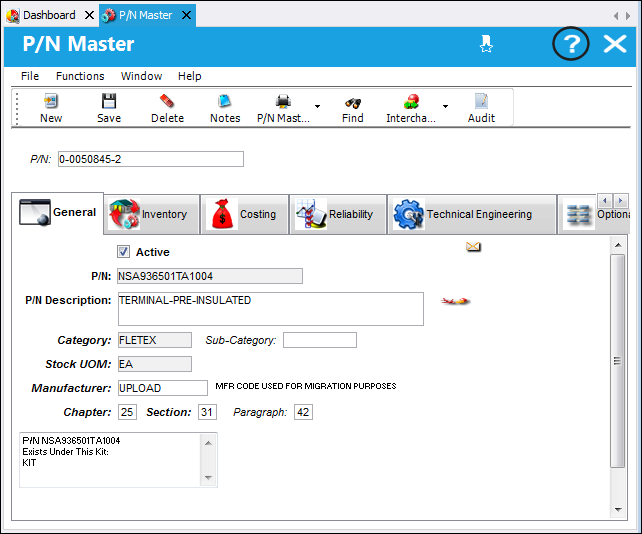
Note: For this feature to function correctly, the help files must be downloaded and stored on a shared location. For more information refer to switch  HELPFILE.
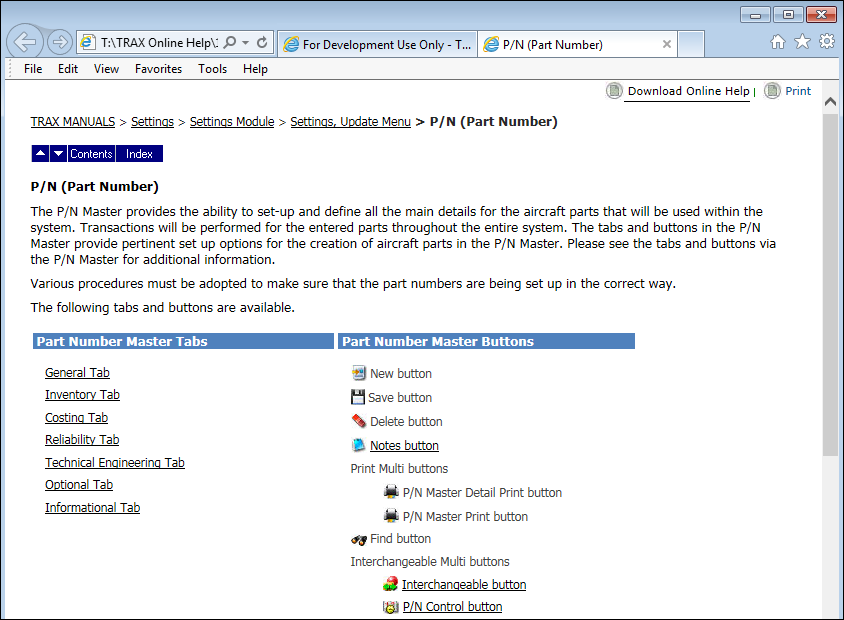
The online help in launched and opens to the P/N Master. From this window, the user can access any of the links to view documentation on any of the tabs or buttons within the P/N Master.
Share
Print
|
©1997-2026 Trax USA Corp. All rights reserved. This manual may not be copied, photocopied, reproduced, translated, or converted to any electronic or machine-readable form, in whole or in part, without prior written approval from Trax USA Corp. |
 |