
 Share
Share
 Print
Print
|
|
|
|
|


Detail Topic
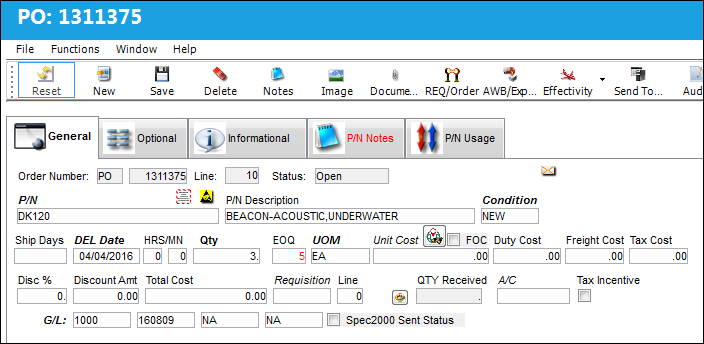
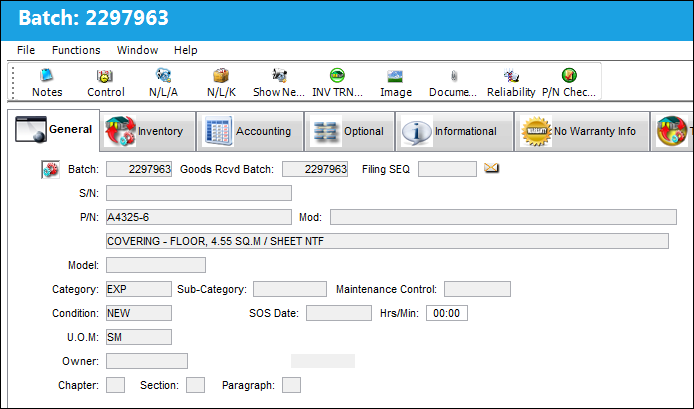
The Detail windows in TRAX are used to enter basic detail information pertaining to the header. Some examples of fields that would be comprised of detail information are the Part Number, Part Number Description, Condition, and Delivery Date fields just to name a few. The Detail window is typical of the Orders module where detail information is entered into tabs such as the General, Optional, Authorization, Vendor tab etc. There may be more than one line item entered per detail (e.g multiple part numbers) per order. All of this information can be created and viewed from the detail tab once an Order is saved.
The following are examples of Detail windows in TRAX:
Purchase Order Detail:
Inventory Detail:
Share
Print
|
©1997-2026 Trax USA Corp. All rights reserved. This manual may not be copied, photocopied, reproduced, translated, or converted to any electronic or machine-readable form, in whole or in part, without prior written approval from Trax USA Corp. |
 |