
 Share
Share
 Print
Print
|
|
|
|
|


Dock and Undock Option

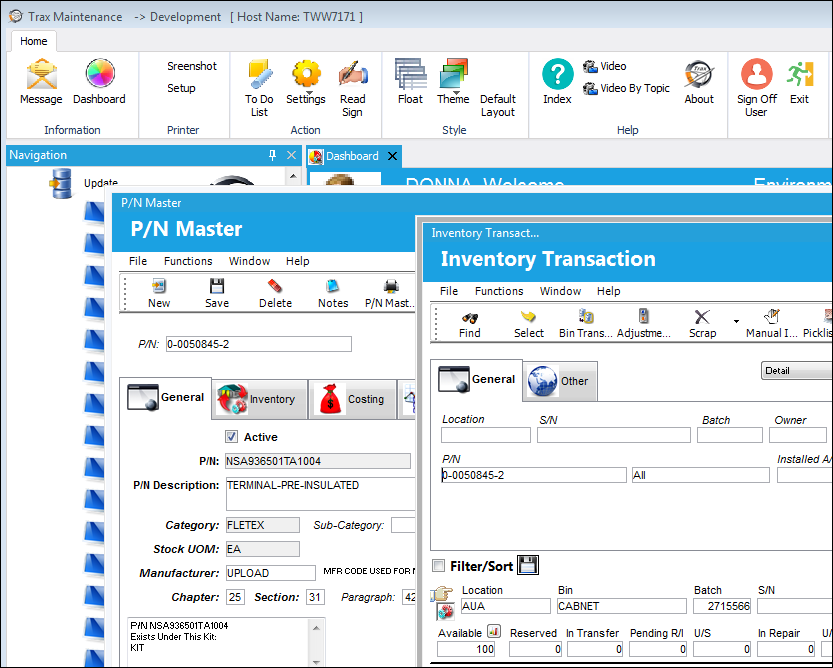
A feature that is available in Version 12.5 is the ability for the user to 'Undock' a window from Trax. This allows the user to place the window anywhere on their desktop or in Trax by selecting the Undock button located at the top of the window. The user may have multiple windows open at the same time. This also includes the Navigation and Favorites menus.
Both the P/N Master window and the Inventory Transaction window have been undocked and can be moved anywhere on your desktop.
The Favorites menu has been undocked and docked in a new location.
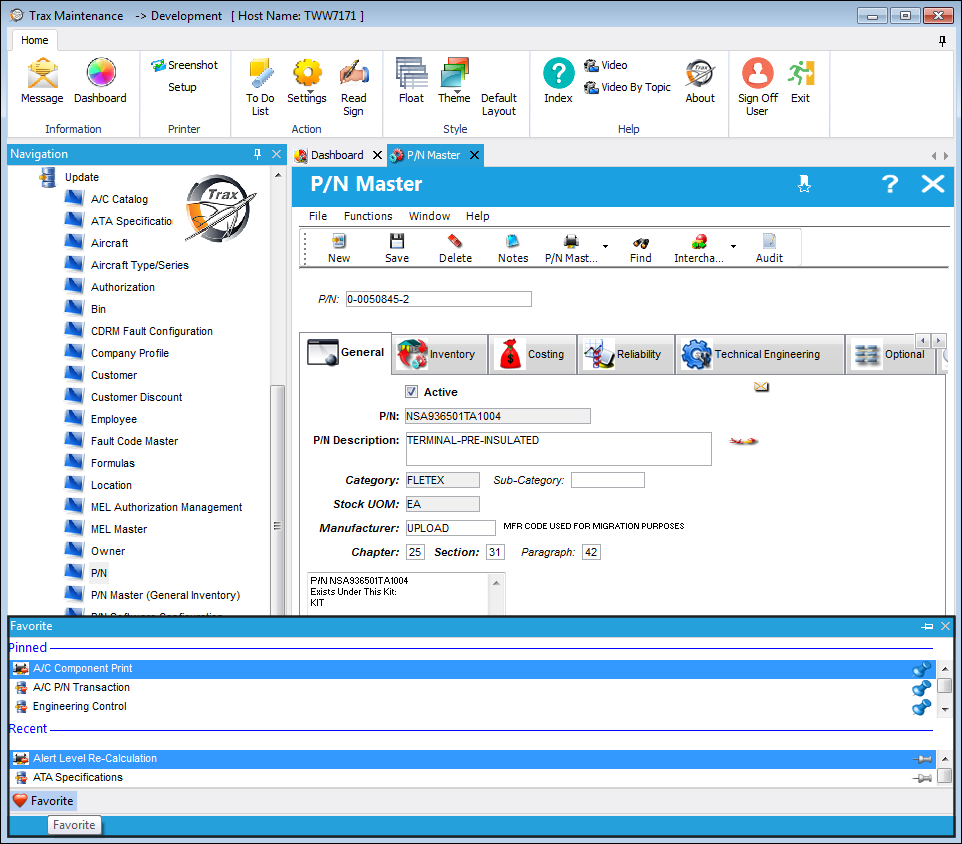
Select the Pin  button to pin the floating windows back to the workspace.
Share
Print
|
©1997-2026 Trax USA Corp. All rights reserved. This manual may not be copied, photocopied, reproduced, translated, or converted to any electronic or machine-readable form, in whole or in part, without prior written approval from Trax USA Corp. |
 |