
 Share
Share
 Print
Print
|
|
|
|
|


View the Loaded Information via the Manufacturer Electronic Data Load Explorer
Once the user has loaded the electronic information, he/she can choose to view or print the information for reference and/or use.
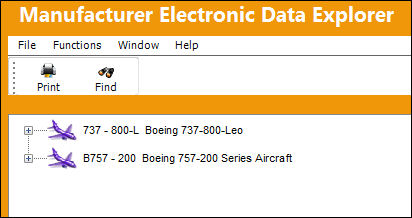
All aircraft in the system will appear on the list. Double click the desired manual.
The manuals will appear as expandable “trees”.
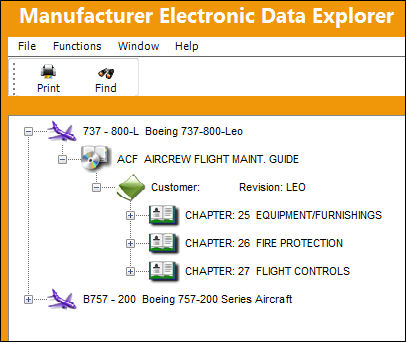
Notice the “levels” of the manual.
You can view or print the manual by right clicking on the: Chapter, Section, Paragraph, or Task Card as necessary.
Once you have right clicked, Adobe® Framemaker® + SGML (or any other installed software application that can read/print .SGML files) will open to allow you to read the content.
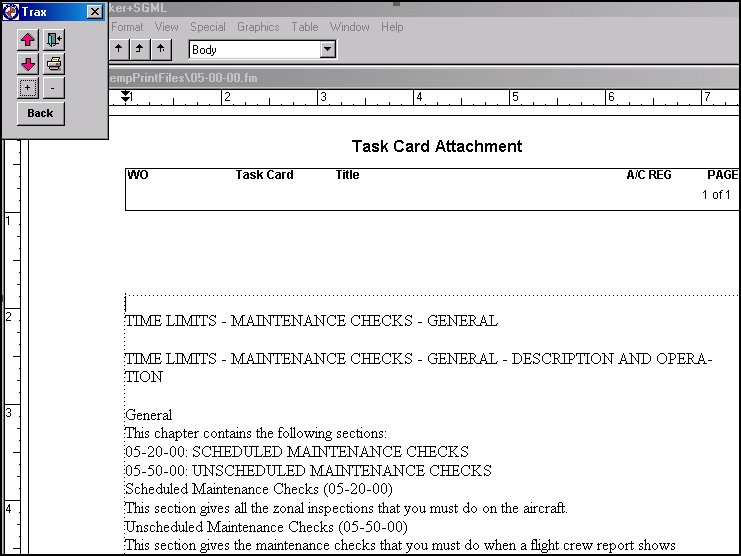
The document opens and can be viewed, printed, etc., in the SGML software application.
Notice the TRAX Remote box that appears.
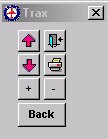
The buttons displayed in this window allow the user to move around the document as well as print and exit the screen.
Share
Print
|
©1997-2026 Trax USA Corp. All rights reserved. This manual may not be copied, photocopied, reproduced, translated, or converted to any electronic or machine-readable form, in whole or in part, without prior written approval from Trax USA Corp. |
 |