
 Share
Share
 Print
Print
|
|
|
|
|


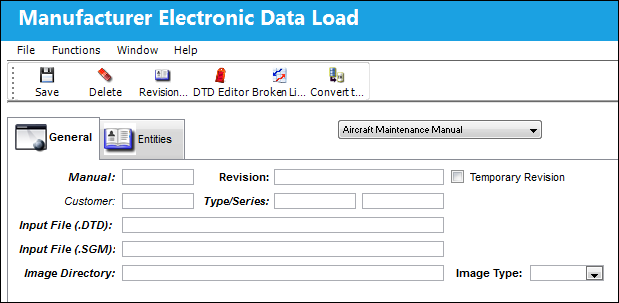
Manufacturer Electronic Data Load, General Tab
To upload the information, go to Engineering/Update/Manufacturer Electronic Data Load (MEDL):
Select the manual that will be imported from the drop down list:
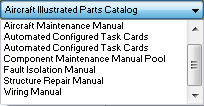
The Aircraft Illustrated Parts Catalog (AIPC) option in the Manufacturer Electronic Data Load (MEDL) window is being phased out and will no longer be further developed or modified. Instead, users should import IPC electronic manuals via the TraxDoc module. For more information refer to the TraxDoc AIPC Import via the TraxDoc Training Manual.
The following information/options are available in this window:
_____________________________________________________________________________________
Manual
Right click to choose the manual category that is being imported.
Revision
The revision number for this manual. The revision number will be provided with the manual.
Temporary Revision checkbox
Check to indicate that the information being entered is for a Temporary Revision to an existing manual. Temporary Revision information will print when appropriate documents are printed. Documents will indicate that they are Temporary Revisions.
Customer
This field is used for third party maintenance providers. Allows you to categorize those manuals to be used for those specific customers.
Type/Series
Choose the A/C Type and Series that the manual is associated with.
Input File (.DTD)
Every .SGM file is associated with a .DTD file. Select into the field to browse your computer for the associated .DTD file.
Input File (.SGM)
Select into the field to browse your computer to locate the .SGM file that contains the manual being imported.
Image Directory
The directory (on the portable media) where images are stored.
Image Type
Choose the type of image that will be loaded. This information will be provided with the portable media received. CGM or TIFF files supported.
_____________________________________________________________________________________
Share
Print
|
©1997-2026 Trax USA Corp. All rights reserved. This manual may not be copied, photocopied, reproduced, translated, or converted to any electronic or machine-readable form, in whole or in part, without prior written approval from Trax USA Corp. |
 |