
 Share
Share
 Print
Print
|
|
|
|
|


Load an Spec 2000 XML file into TRAX as follows:
Go to Engineering/Update/Manufacturer Data Import.
Select AC Readiness Spec2000
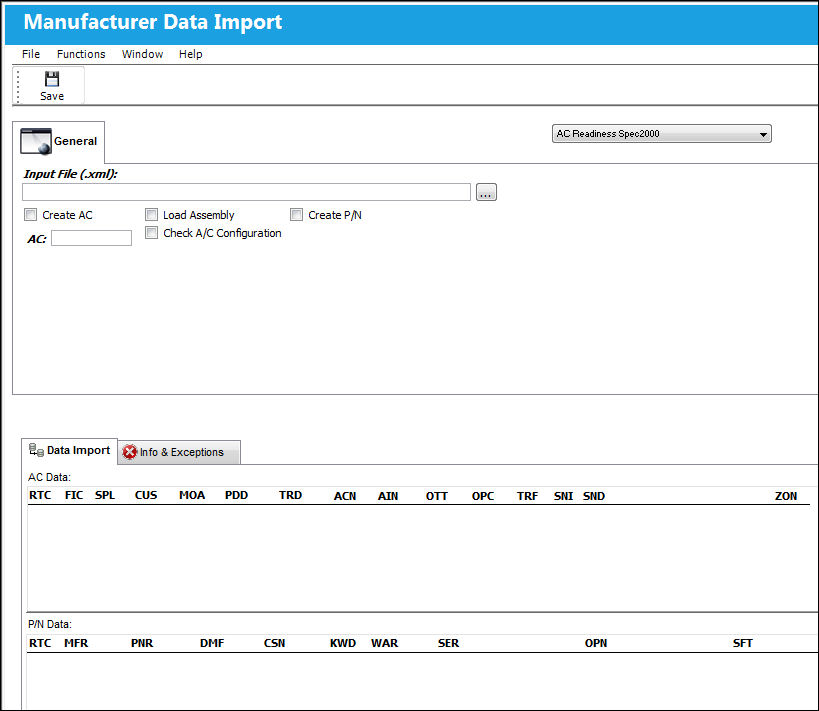
The following information/options are available in this window:
_____________________________________________________________________________________
Input File (.xml)
Select the the location of the .XML SPEC 2000 file.
Browse  button
Select this button to browse your PC for the file to be imported.
Create A/C checkbox
If the aircraft already exists in the system, leave this checkbox deselected and populate the A/C field. If the aircraft does not exist in the system, select the checkbox to have the system create an aircraft.
Load Assembly checkbox
Select this checkbox to load the assembly.
Create P/N checkbox
Select this checkbox to allow the system to create new parts in the Part Number Master.
When the Create P/N checkbox is selected, the Rotable Category field will appear:
Enter a Rotable Category for the new parts that will be created.
Rotable Category - The P/N Category to assign to new parts that will be created in the P/N Master.
Active checkbox
Select if the aircraft is active (i.e. in service).
A/C Type/Series
The Aircraft Type and Series/Fleet assignment.
Service Date
Enter the Service date of the aircraft.
_____________________________________________________________________________________
Select the Save  button.
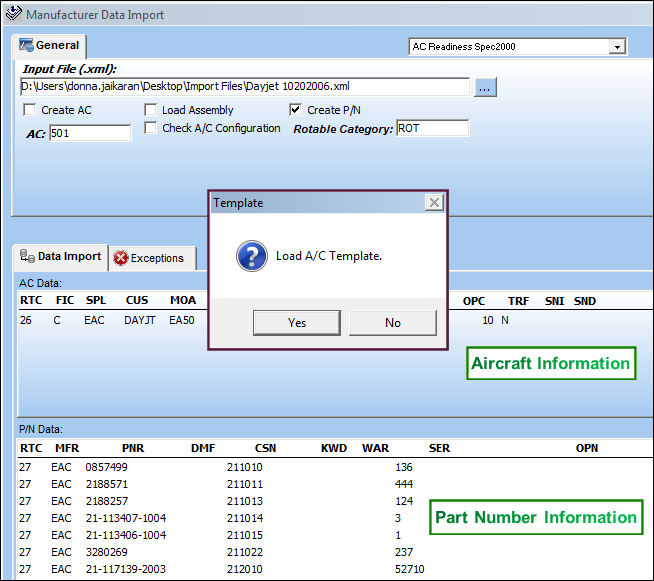
The Data Import will show the information imported from the AC Readiness Spec2000 .XML file.
The upper window displays the aircraft information and the lower window displays the part number information.
The Template pop-up will appear. Select 'Yes' to load the A/C template or 'No' to cancel the load.
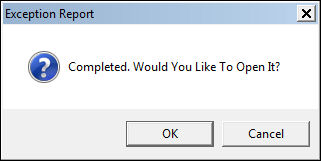
An exception report is also produced. Click OK to open the exception report (.txt) in Note Pad. The exception report can be printed or Saved.
Share
Print
|
©1997-2026 Trax USA Corp. All rights reserved. This manual may not be copied, photocopied, reproduced, translated, or converted to any electronic or machine-readable form, in whole or in part, without prior written approval from Trax USA Corp. |
 |