
 Share
Share
 Print
Print
|
|
|
|
|


The Repair Order Receiving General Tab is used to enter the component bin location, serial number, and bin information.
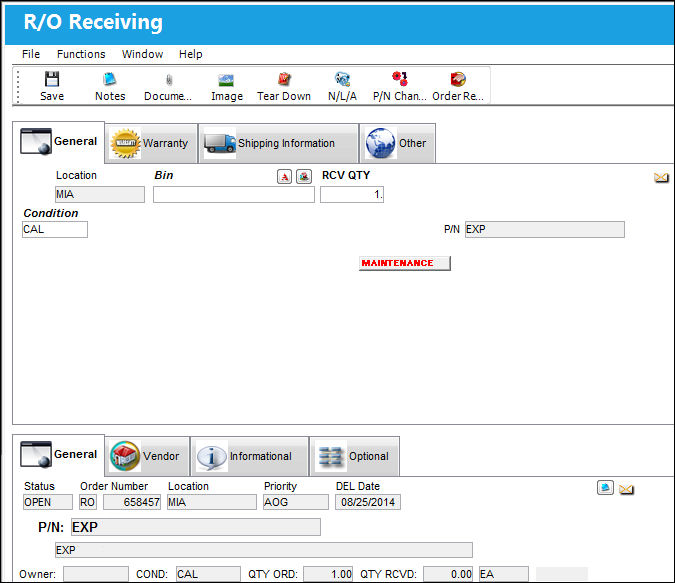
The following information/options are available in this window:
_____________________________________________________________________________________
Location
The Location for maintenance events, inventory stores, orders, transactions, or training events.
Bin
The specific storage bin within the inventory location.
Tool Area
The location/area of the tool. This is similar to a bin for tools. This field appears when the part being received is a tool.
Auto Populate Bin  button
Select this button to auto populate the bin for this part. The bin must be set up against the part in the P/N Master. For additional information, refer to the Bin Category field, via the P/N Master, Optional Tab of the Settings Training Manual.
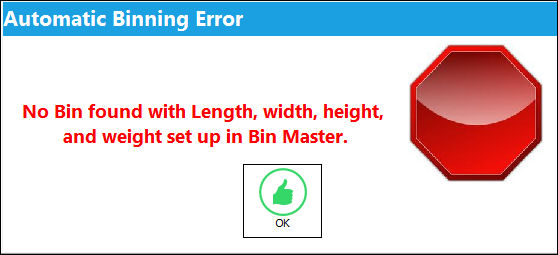
If the dimensions of the part (set up via the P/N Master, Optional Tab) exceed the size of the bin, the user will receive the following error:
RCV QTY
The quantity of parts that were received.
S/N
The Serial Number for the specific serialized part.
Condition
The condition of the part.
Shelf Life EXP
The shelf life expiration date of the part, as applicable.
Tool Life EXP
The tool life expiration date of the part, as applicable.
Tool Calibration Number 
This is a unique number used to define a tool. This field only appears if the Tool Calibration Number Required checkbox is selected via the P/N Master, Inventory tab, via the P/N Master of the Settings Training Manual.
P/N
The Part Number reference for the aircraft part.
Hazardous Material  icon
icon
This icon appears if the part contains hazardous materials. For additional information, refer to the P/N Master, Inventory Tab via P/N Master which can be found in the Settings Training manual.
Cond Hazmat Active checkbox
This checkbox only comes up for parts that were removed from an aircraft and have the Hazardous Material at Removal checkbox selected in the P/N Master, Inventory tab. These parts, once removed from an aircraft, are considered Hazmat (i.e., 'Cond Hazmat Active'). Once this Hazmat part is repaired, the Cond Hazmat Active checkbox must be deselected when receiving the R/O. Deselecting this checkbox resets the part to Cond Hazmat InActive. Once deselected and received, the part will no longer be considered Hazmat until it is installed once again. For more information on the Hazardous Material at Removal checkbox refer to the P/N Master, Inventory Tab via the Settings Training Manual.
BER icon
If a part appears on a repair order that has been updated and has been declared BER (Beyond Economic Repair), the user may select the BER checkbox in the optional tab via the repair order detail. The BER alert message will appear on the R/O Receiving window.
Scrap icon
If a part appears on a repair order that has been updated and has been declared scrapped, the user may select the SCRAP checkbox in the optional tab via the Repair Order detail. The SCRAP alert message will appear on the R/O Receiving window.
Maintenance icon
This icon appears if the part on the repair order is a maintenance part.
Prev Tool Cal
The previous Tool Calibration date for the part.
Prev Shelf Life
The previous Shelf Life date for the part.
Request Status  button
Select this button to request the current status of the order from LHT.
 This button is part of the LHT interface functionality and is only available for customers using this interface. For more information refer to the LHT Interface (TCS) manual.
_____________________________________________________________________________________
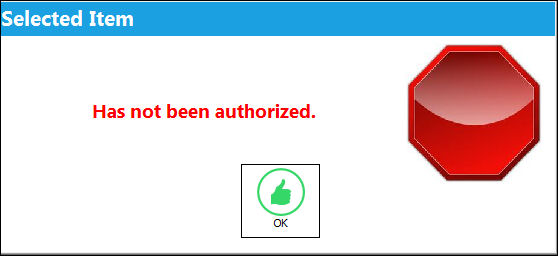
Switch  RORCVAU - (Do Not Allow Unauthorized R/Os To Be Received) - If set to YES, the system will not allow unauthorized repair orders to be received via Receiving/Update/Order Receiving.
Share
Print
|
©1997-2026 Trax USA Corp. All rights reserved. This manual may not be copied, photocopied, reproduced, translated, or converted to any electronic or machine-readable form, in whole or in part, without prior written approval from Trax USA Corp. |
 |