
 Share
Share
 Print
Print
|
|
|
|
|


Training Class Employee Enroll/Cancel
The Training Class Employee Enroll/Cancel program is tool for the employees to manage their class enrollments.
It offers the opportunity to view mandatory courses, enroll to courses or cancel existing enrollments.
The main window is divided in four areas:
For information regarding the utilization of this window, refer to the following:
The Print  button is available to generate relevant reports.
Since the purpose of this program is to manage your own class enrollments, you might have to enter you wall passport to access you data:
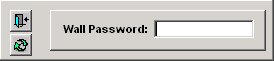
If you do not have a wall password, please see your TRAX system administrator for assistance.
Fingerprint Log In:
Instead of entering the wall password, it is possible to use the biometric finger print log on in order to access the program. Please note that this will only work if a fingerprint scanner is installed and the biometric data for the employee are registered in Settings / Update / Employee / Enroll Fingerprint button:
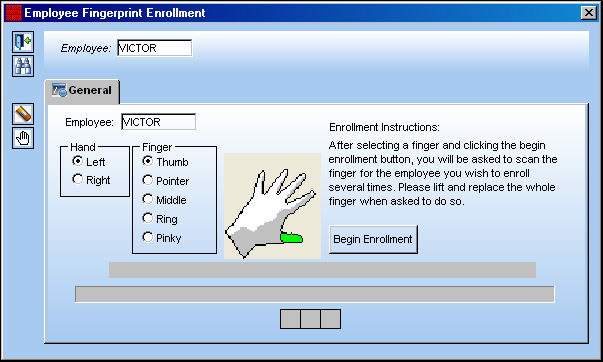
For more information on how to enroll fingerprints and how to use this feature throughout TRAX, please refer to the TRAX Training Manual Settings.
After entering your wall password and pressing Enter  button the program will open a screen like this:
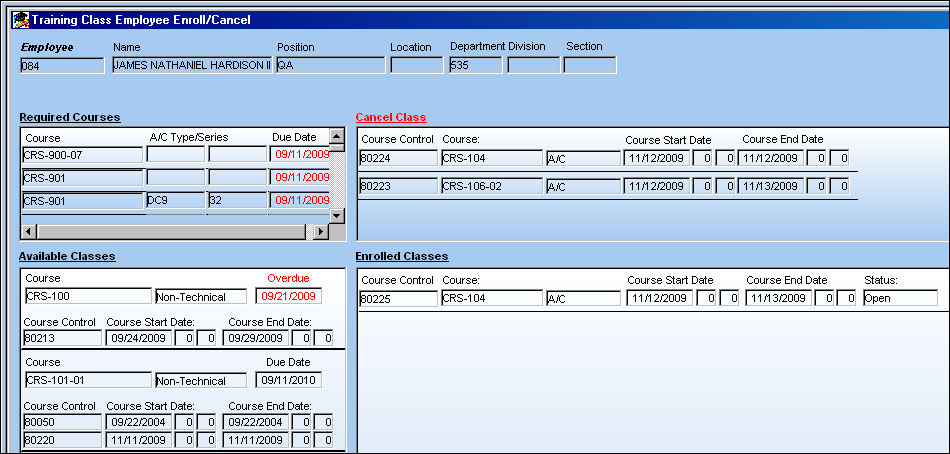
At the top of the screen, TRAX displays your data: Employee Code, Name, Position, Location, Department, Division and Section. Please note that your Position, as displayed here, influences the courses that are mandatory for you to take. Should there be any wrong or outdated information, please inform your TRAX System Administrator.
Share
Print
|
©1997-2026 Trax USA Corp. All rights reserved. This manual may not be copied, photocopied, reproduced, translated, or converted to any electronic or machine-readable form, in whole or in part, without prior written approval from Trax USA Corp. |
 |