
 Share
Share
 Print
Print
|
|
|
|
|


How to Create a File for Export
STEP 1: Select a Report
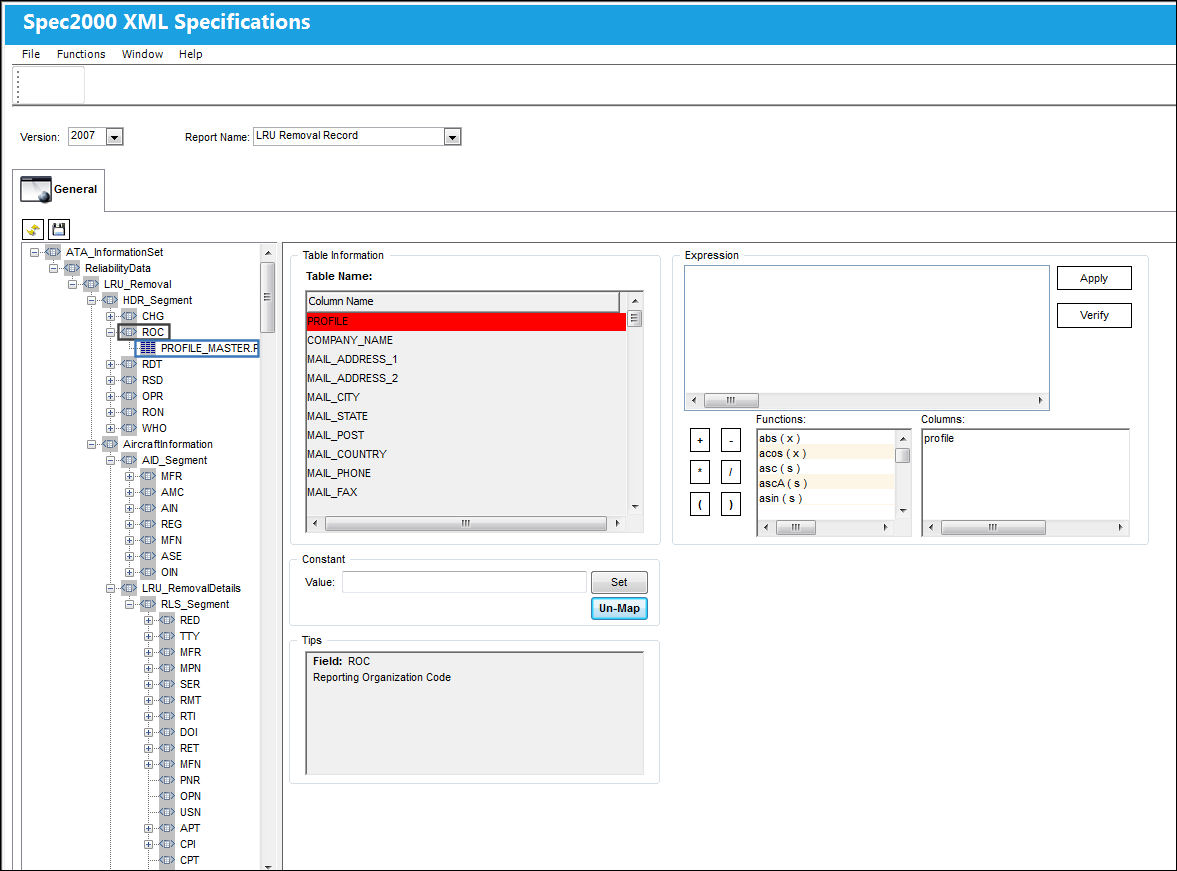
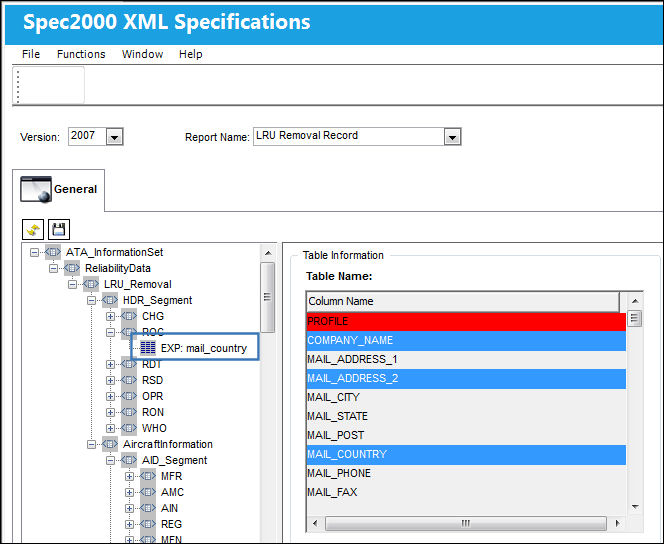
From the Spec2000 XML Specifications Window, select a report from the drop down menu. Select a file node (i.e. OPR) and double click on the value to be used (i.e. PROFILE_MASTER.PROFILE). The fields for the file node appear in the Table Information section under the Column Name.
STEP 2: Select Fields
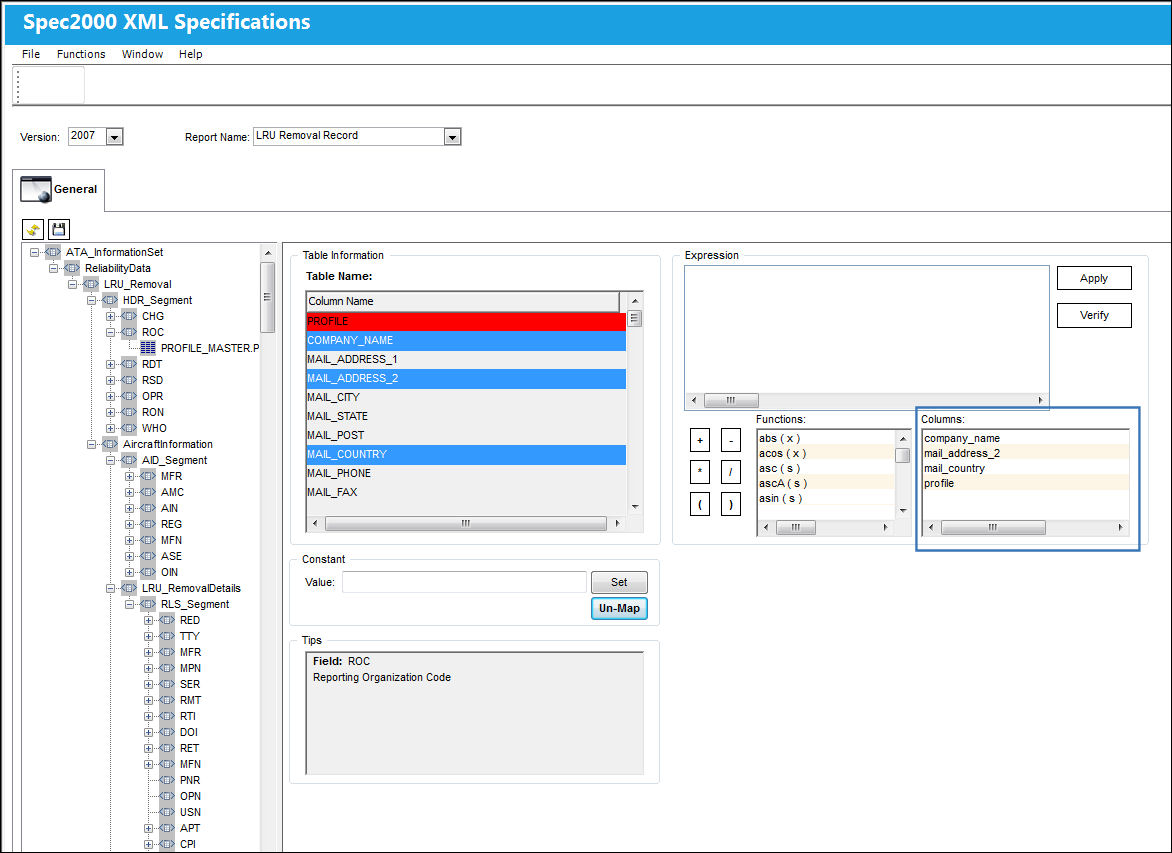
Select the fields to be used by clicking once on one or more fields in the Table Information section under Column Name. Selected fields will become highlighted in blue. Selected fields will also appear in the Columns section (in blue box).
STEP 3: Adding fields to the Expression Builder
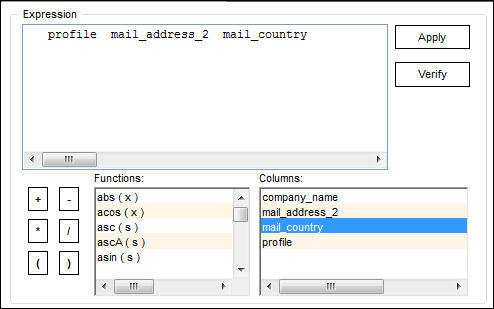
Double click on multiple fields from the Columns section (in blue box). The fields appear in the Expression builder (to the right of the screen). Select desired functions from the Functions table. The functions also appear in the Expression builder.
Users may manually type data into the Expression builder, or double click from the Functions and Columns tables to populate the Expression builder.
STEP 4: Verify Expression
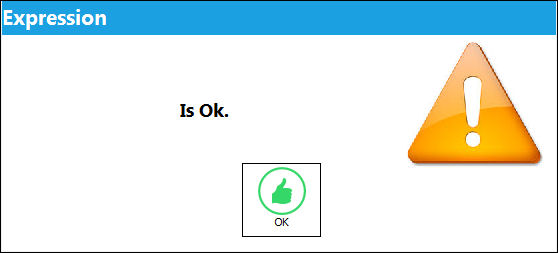
Select "Verify" to verify that the expression is valid or correct to produce the expression.
If the expression is correct, the following pop-up will appear:
STEP 5: Apply Expression
Select OK. Select "Apply". The expression will appear in the below table:
Select the Save  button to save the expression.
Select the Reset  button to clear the history and begin building another expression.
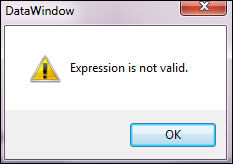
If the expression is incorrect, the following pop-up warning will appear, prompting the user to correct the expression. Correct the expression and apply it.
STEP 6: Run Reliability Export File
For more information on how to run an Export file, please refer to the Spec2000 Reliability Exports section of the Reliability Manual.
Share
Print
|
©1997-2026 Trax USA Corp. All rights reserved. This manual may not be copied, photocopied, reproduced, translated, or converted to any electronic or machine-readable form, in whole or in part, without prior written approval from Trax USA Corp. |
 |