
 Share
Share
 Print
Print
|
|
|
|
|


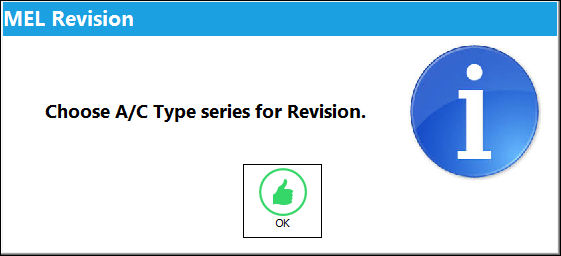
From the MEL Master window, select the A/C Type Series Revision  button. The MEL Revision information box appears prompting the user to select an A/C Type Series for revision. Select 'OK'.
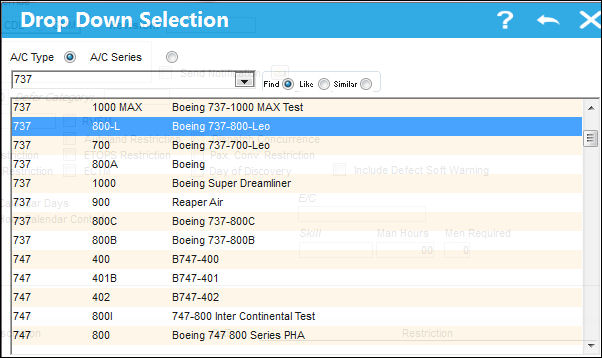
The following drop down selection appears. Select an A/C Type Series. Once the desired A/C Type Series has been selected (highlighted in blue) double click on it.
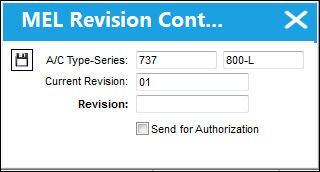
The MEL Revision Control window appears. The A/C Type Series selected in the above window is auto populated in the A/C Type Series field in the below window. Enter the new revision number in the Revision field. Select the Save  button.
Share
Print
|
©1997-2026 Trax USA Corp. All rights reserved. This manual may not be copied, photocopied, reproduced, translated, or converted to any electronic or machine-readable form, in whole or in part, without prior written approval from Trax USA Corp. |
 |