
 Share
Share
 Print
Print
|
|
|
|
|


The Logged In Users  button allows administrators to view which users are logged into the database at the current time. From here, administrators can cancel individual sessions by selecting the Cancel Selected Session
  button or all current sessions by selecting the Cancel All Sessions
  button if need be. This may be useful when implementing new system features or maintenance.
 This option should only be used by administrators for security purposes.
The Logged In Users window will display all logged in users and will define their user names, the terminal from which they are operating and the number of TRAX sessions they are currently running.
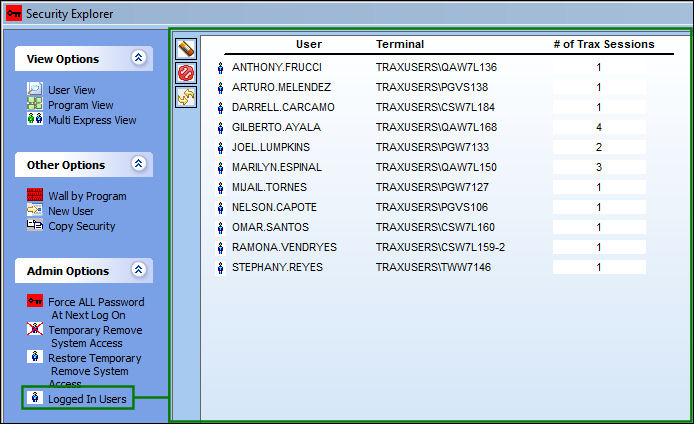
From this window administrators will have several options:
_____________________________________________________________________________________
Cancel Selected Session
Administrators can forcefully remove any selected individual user from their current session(s).
Cancel All Sessions
ALL users currently logged in to the database will be removed from the session(s).
Retrieve All Sessions 
ALL users who had previously been removed from their session(s) will be allowed to re-enter.
_____________________________________________________________________________________
If selecting any of the above functions, users will not have to save the changes.
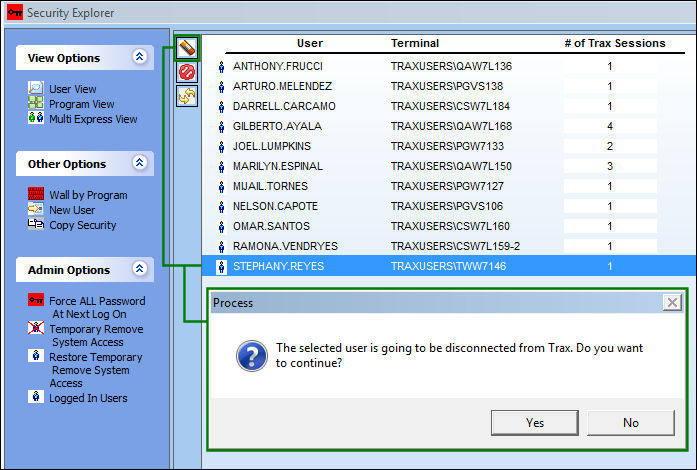
To end all users sessions, select the Cancel All Sessions button. But if ending only one session, select the user and click the Cancel Selected Session button. The following prompt appears for confirmation.
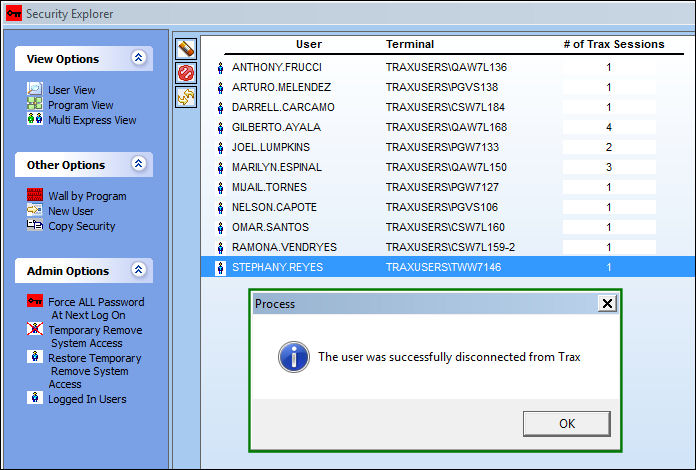
The the user's session is canceled, the following informational prompt appears.
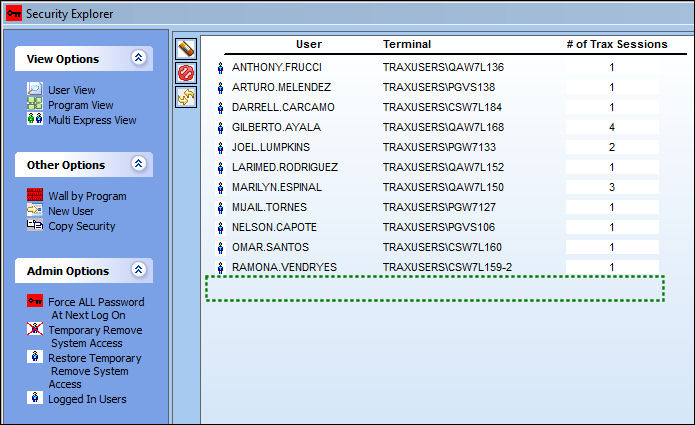
Notice that the user is no longer listed in the Logged In Users window.
The user, meanwhile, will receive the following error indicating that their session has been canceled. The user's TRAX session then automatically closes.
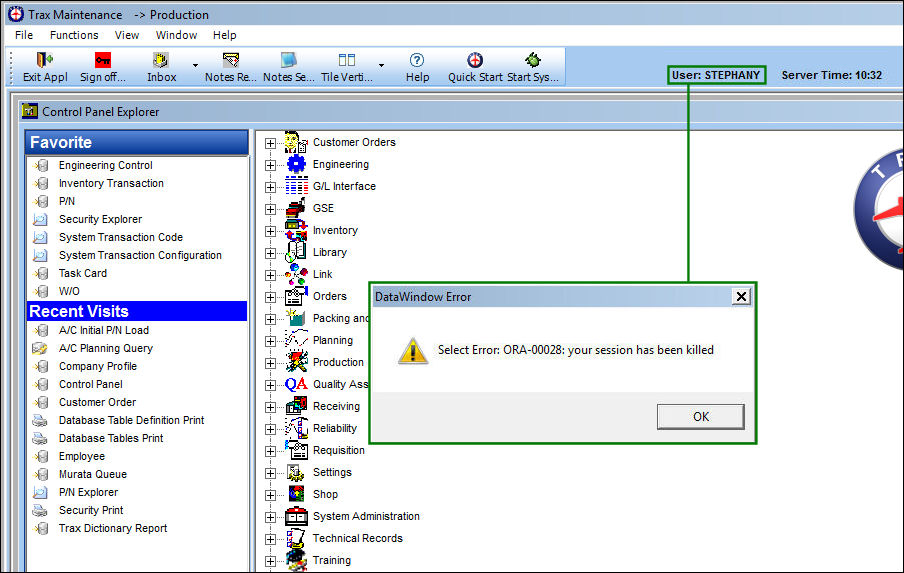
If the user is still an Active user, then they may sign back into TRAX. If administrators need to keep their users off of TRAX, then after canceling their sessions they can select the Temporary Remove System Access Button. These kicked off users will become inactive and will not be able to log back in. When users are allowed to log back into TRAX, administrators can selected the Restore Temporary Remove System Access Button.
Share
Print
|
©1997-2026 Trax USA Corp. All rights reserved. This manual may not be copied, photocopied, reproduced, translated, or converted to any electronic or machine-readable form, in whole or in part, without prior written approval from Trax USA Corp. |
 |