
 Share
Share
 Print
Print
|
|
|
|
|


The Flight Re-Open  button allows the user to recall a flight with incorrect details and amend or delete that flight.
Select the Flight Re-Open button to re-open a flight to change or delete the details.
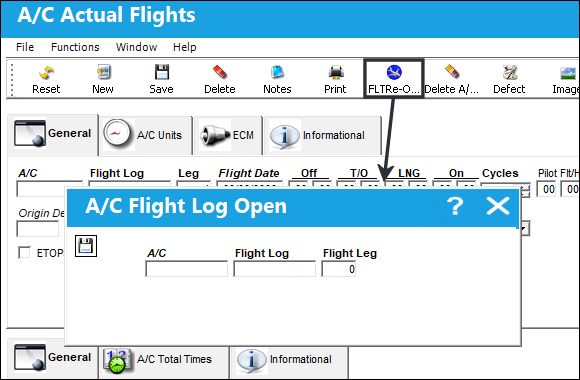
The following information/options are available in this window:
_____________________________________________________________________________________
A/C
The individual aircraft tail number.
Flight Log
The Flight Log number that you require to re-open Flight Screen.
Flight Leg
The Flight Leg number that you require to re-open Flight Screen.
_____________________________________________________________________________________
Populate all mandatory information and select the Save  button. Upon saving, the flight will be re-opened to the Actual Flight Screen for edit.
When reopening a historical or previously closed flight, it is necessary to update the aircraft's z-log through the Intermediate Z-Log button and to perform the A/C Actual Flights Closing.
Share
Print
|
©1997-2026 Trax USA Corp. All rights reserved. This manual may not be copied, photocopied, reproduced, translated, or converted to any electronic or machine-readable form, in whole or in part, without prior written approval from Trax USA Corp. |
 |